How do I duplicate an existing service in Rekaz?
Duplicate starts a new package using copied settings from the selected package row.
Always change the copied name and review its price, period, included usage, branches, and visibility before creating it, so customers cannot confuse the original and duplicate.
Steps
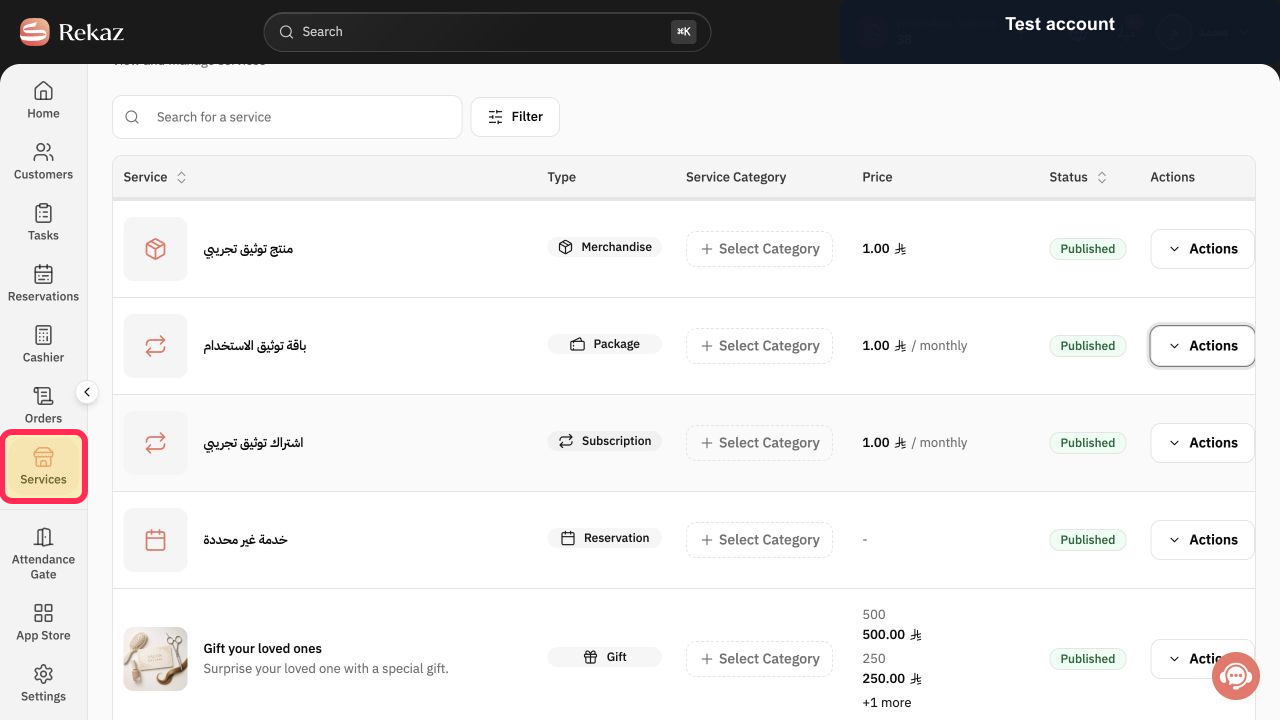
From the Rekaz sidebar, select Services.
The Services list opens.
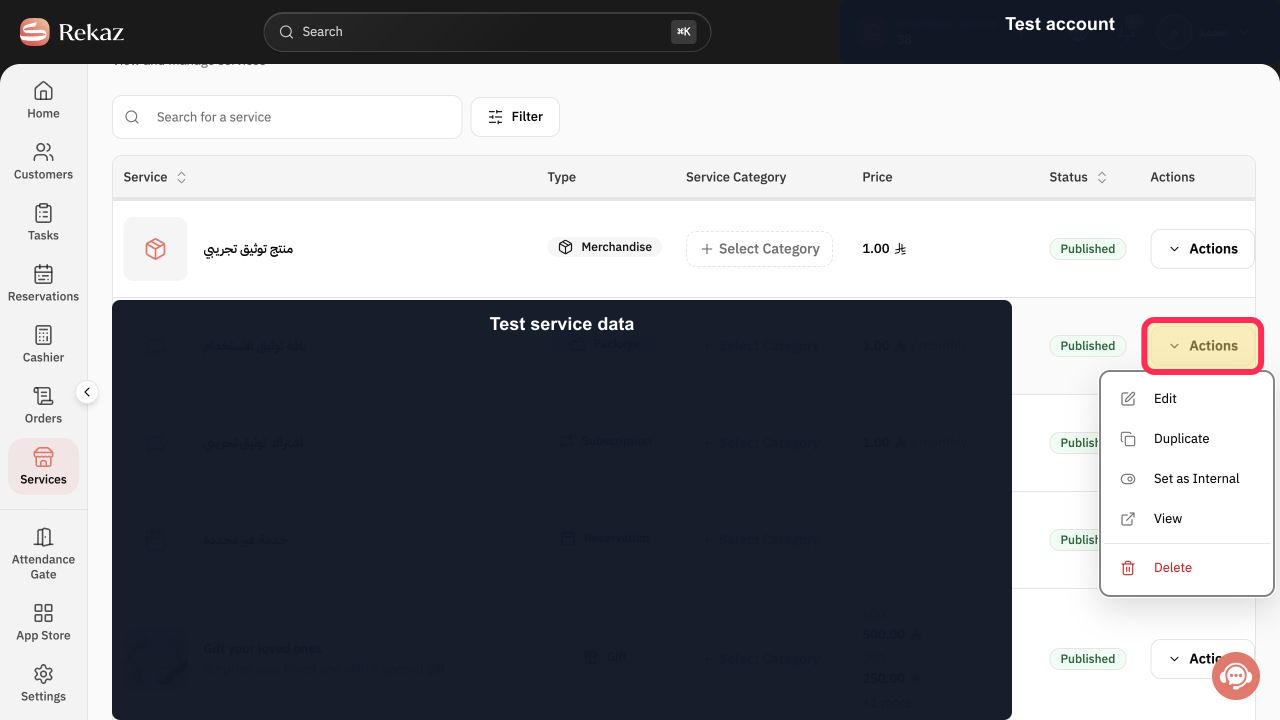
Locate the correct Package row and select Actions.
The package Actions menu opens.
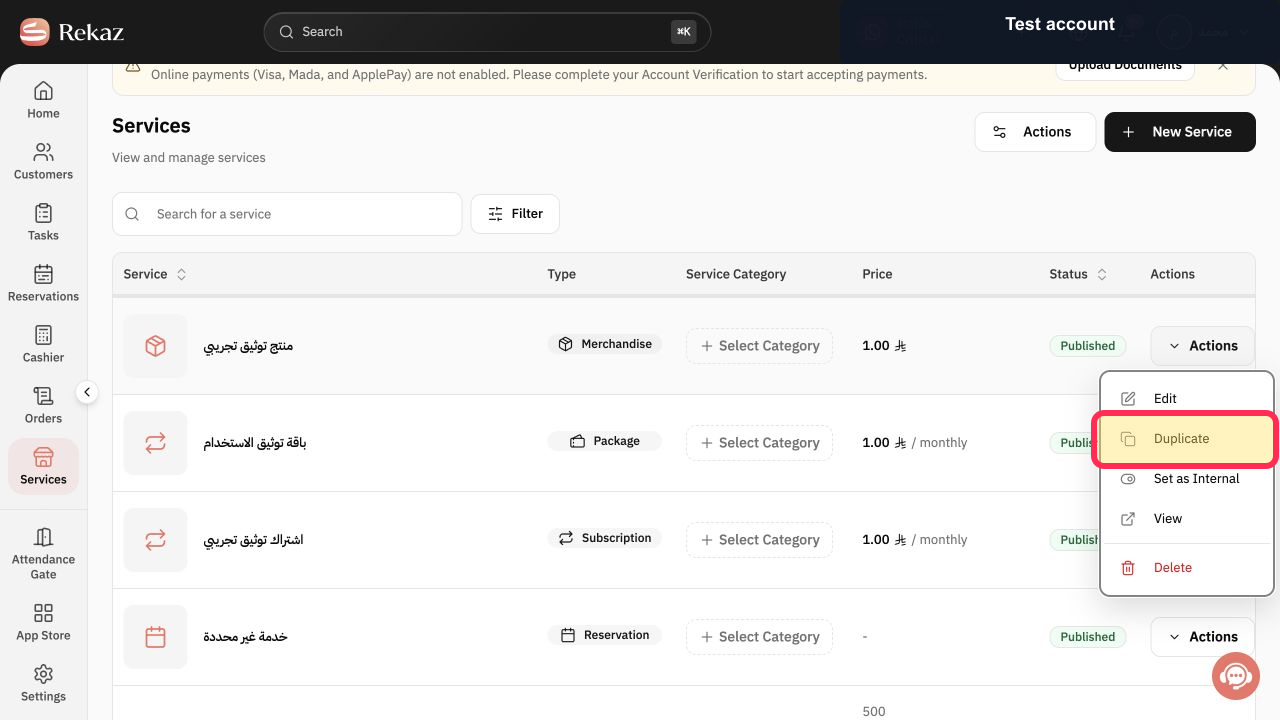
Select Duplicate.
A Create Package editor opens with copied settings.
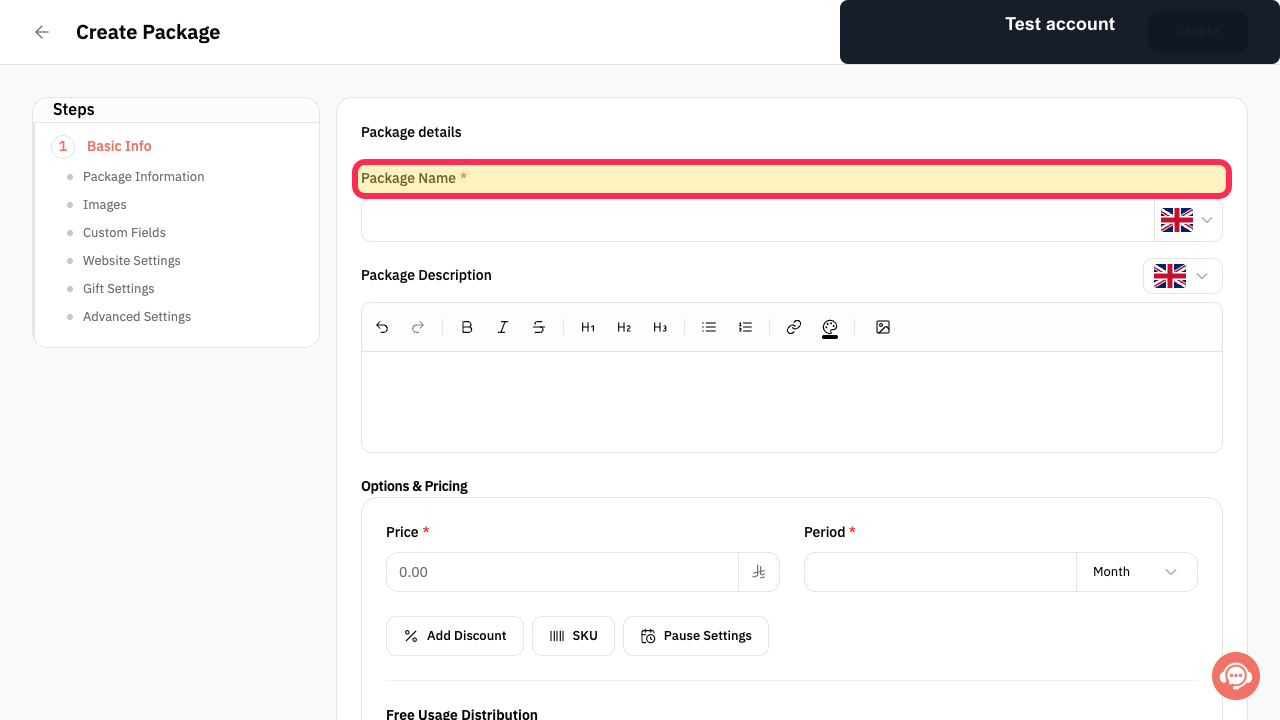
In Package Name*, enter a distinct name for the new package.
The duplicate can be distinguished from the original package.
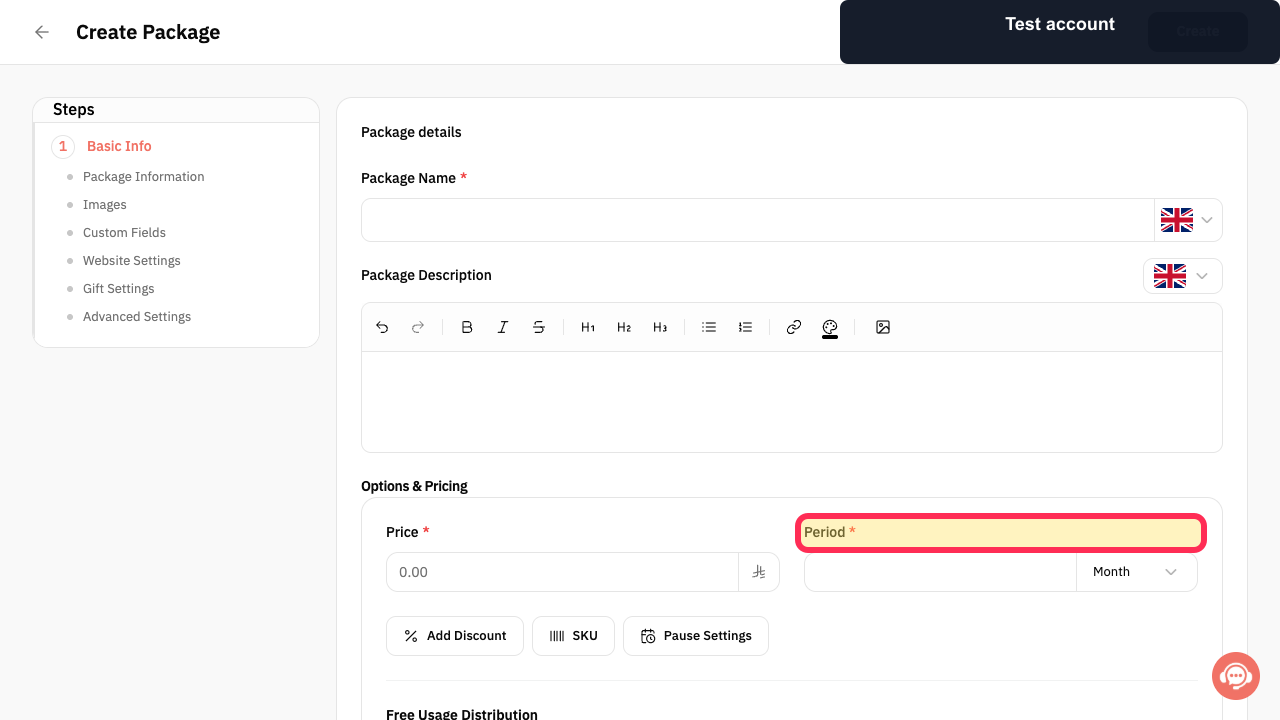
Review Price* and Period *, then review the copied usage, branches, category, media, and advanced settings.
The copied package settings match the intended new offer.
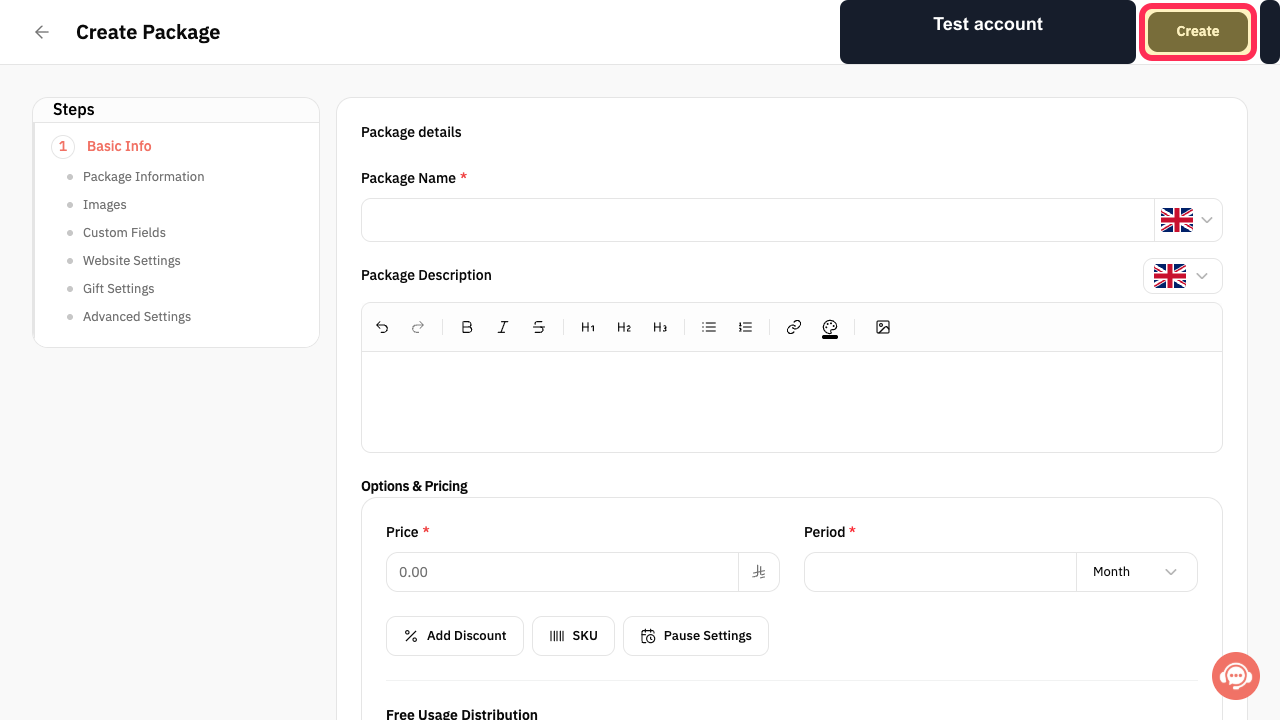
Select Create only after all copied settings are correct.
The new package is submitted for creation.
Illustrated guide
Step 1: Open Services to duplicate a package.
Step 2: Open the package Actions menu.
Step 3: Duplicate the selected package.
Step 4: Rename the duplicated package.
Step 5: Review the duplicated package price and period.
Step 6: Create the reviewed duplicated package.
What duplicating a service does
Duplicating creates a separate new service that you can review and edit before adding it.
The original service is not modified.
Before you create the copy
Make any required changes to the copied details before selecting Create.
Check the service name and description.
Check prices and durations.
Review the remaining service settings during the setup flow.
Related questions
Where can I find the option to duplicate a service in Rekaz?
What are the steps to copy an existing service in Rekaz?
Will duplicating a service change the original service in Rekaz?


