How do I create a subscription service in Rekaz?
To create a subscription service in Rekaz, go to Services, select New Service, choose Subscription, and enter the required subscription details. You can then review the subscription configuration, including its start setting, subscription limit, branches, and category, before you select Create.
The subscription duration is set using the duration field and the unit shown next to it. The source recording did not confirm that a subscription was successfully created.
Steps
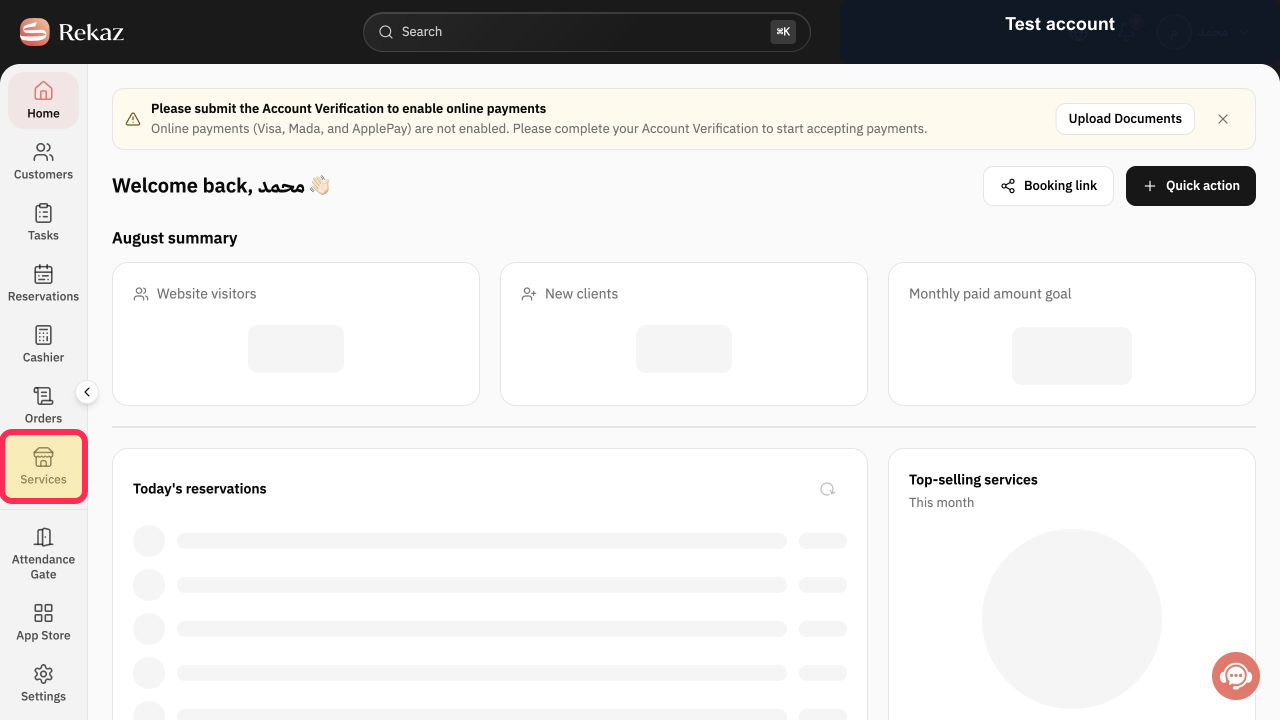
From Home, select Services in the sidebar.
The Services page opens.
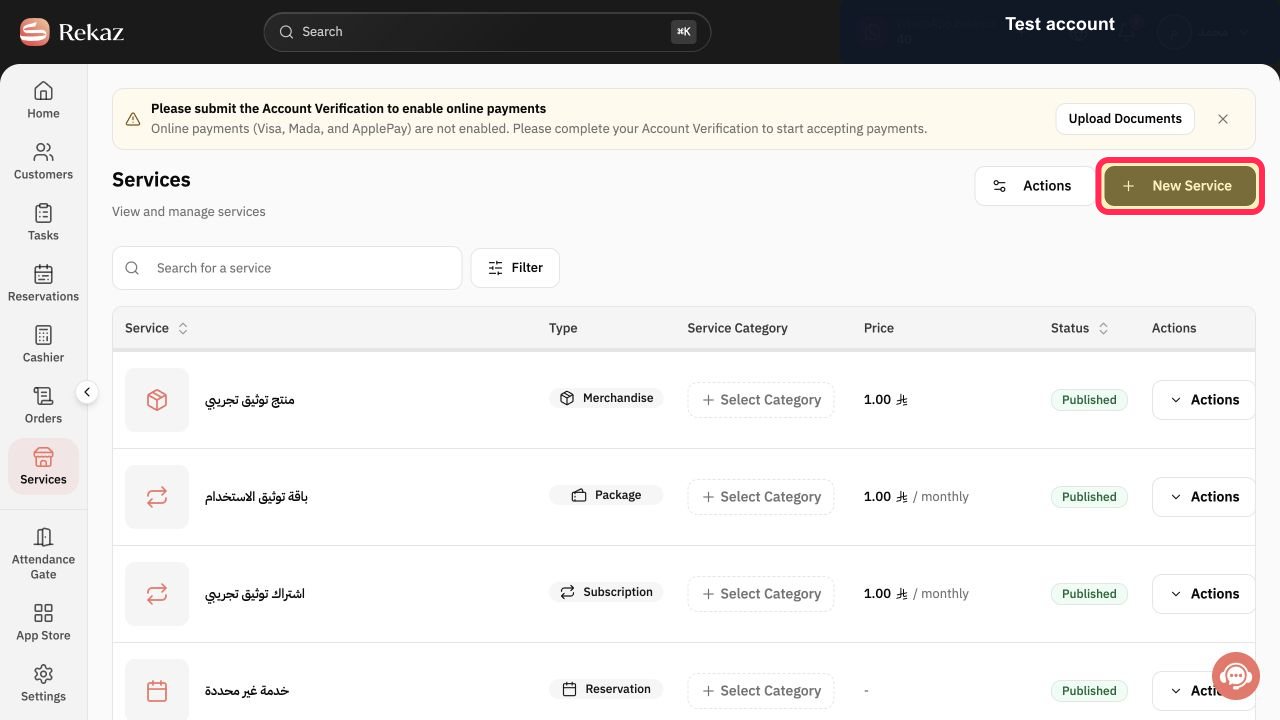
Select New Service.
The Create a New Service flow opens.
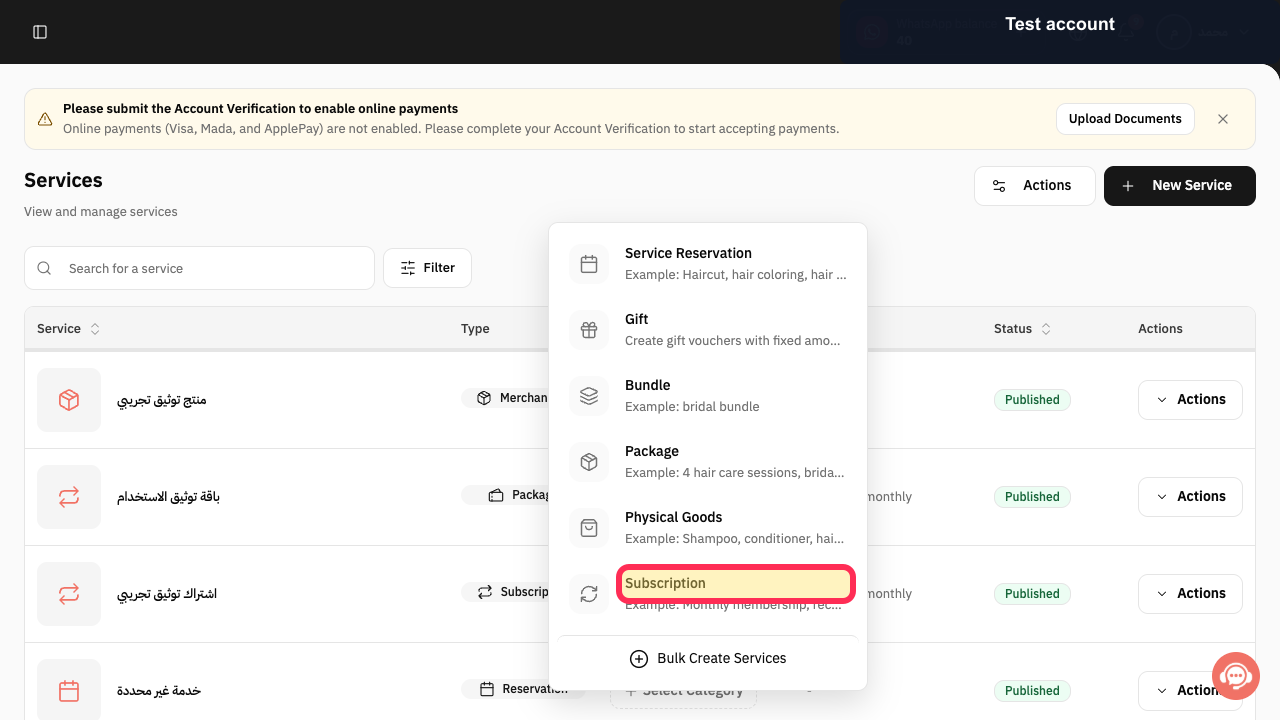
From the service-type list, select Subscription.
The Create Subscription editor opens.
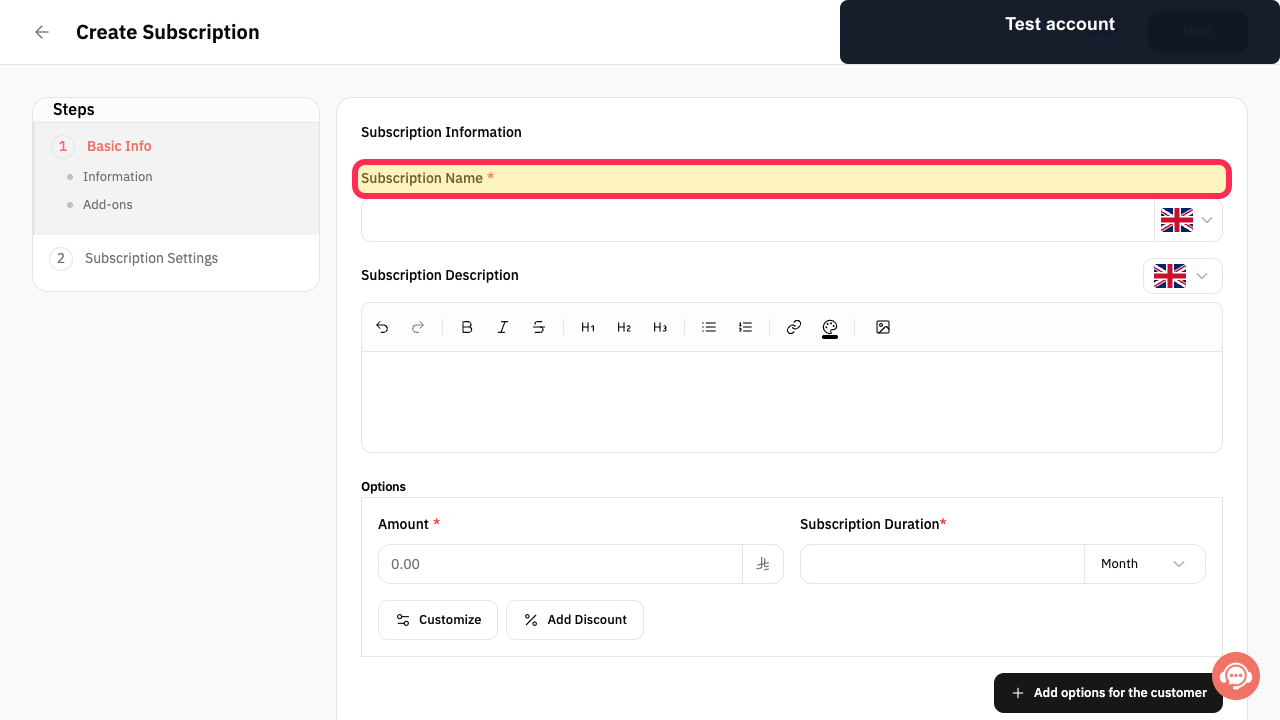
Enter the Subscription Name.
The subscription name is added to the form.
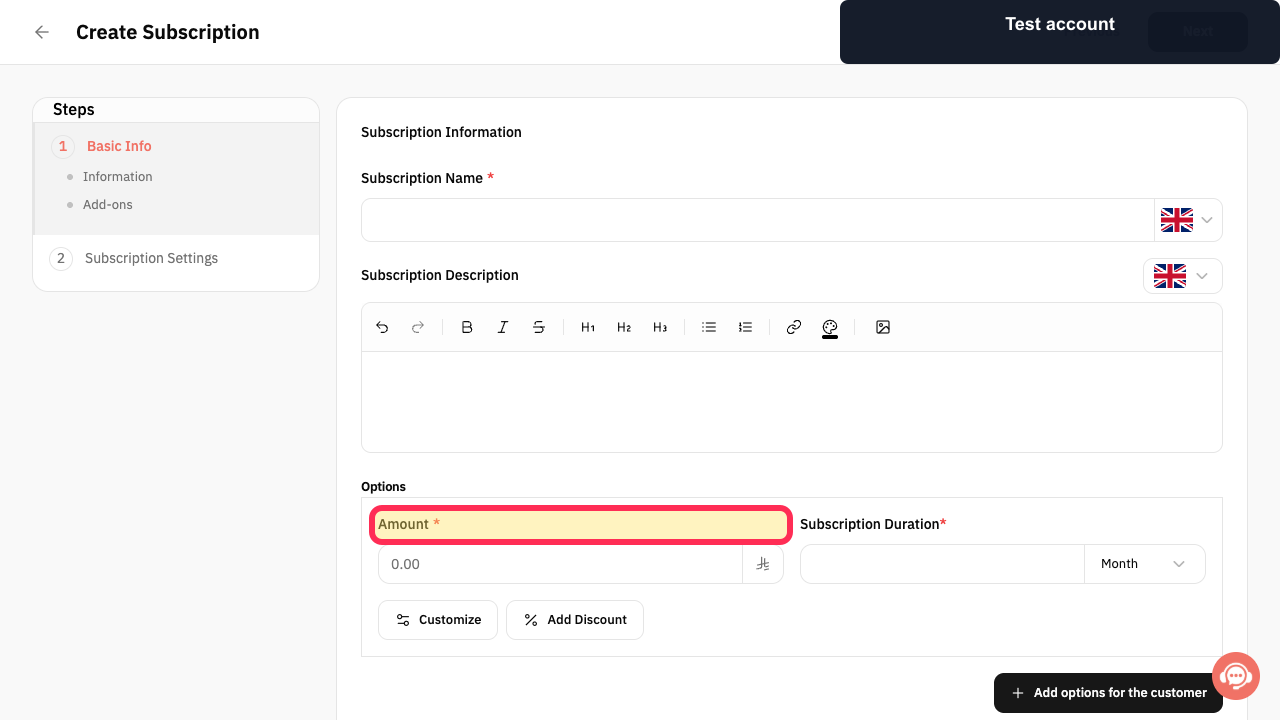
Enter the Amount.
The subscription amount is added to the form.
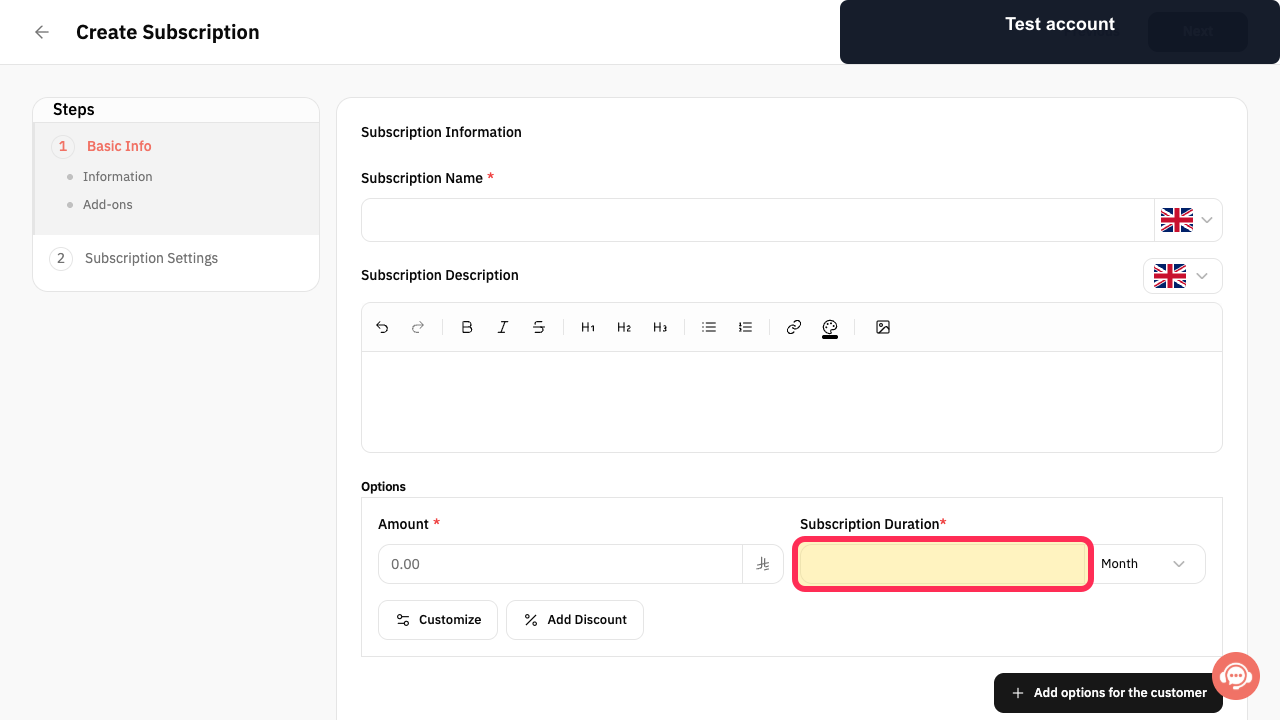
Set the Subscription Duration and select the unit shown next to the field.
The subscription duration and its unit are set.
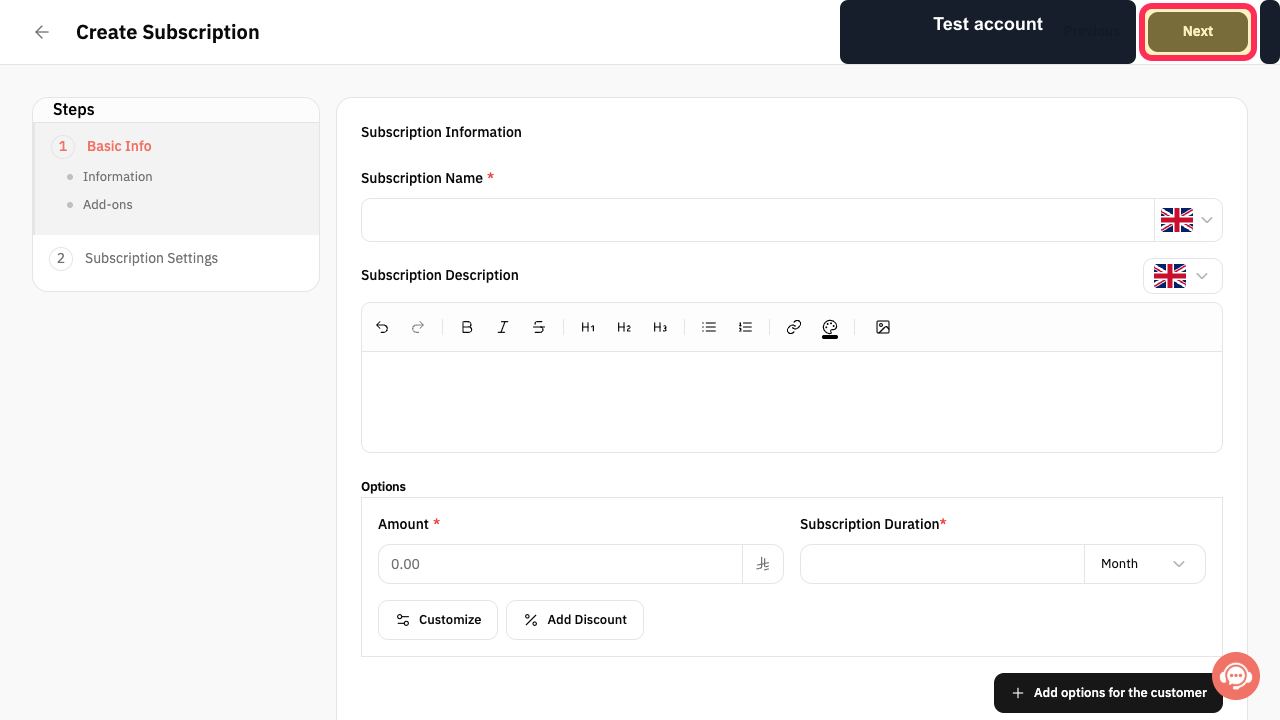
Optionally add a Description or configure Options, if needed, then select Next after reviewing the basic details.
The Subscription Settings step opens.
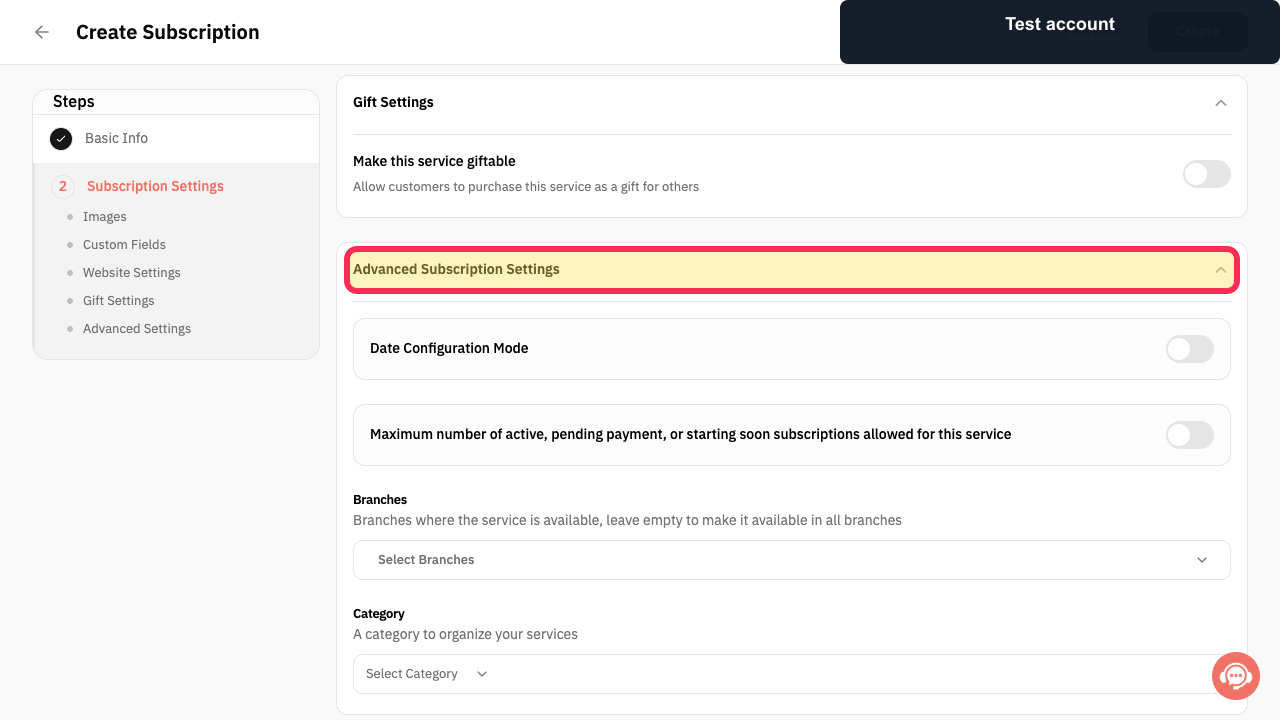
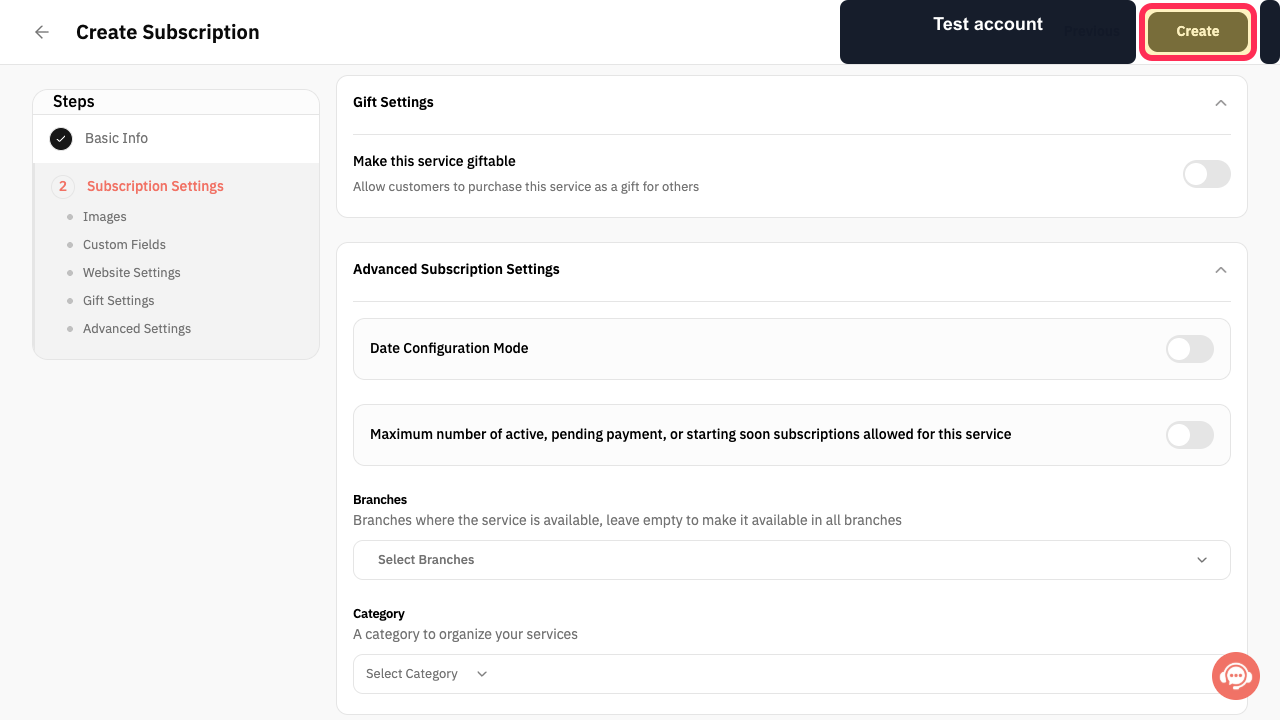
In Advanced Subscription Settings, review the start setting, Subscription Limit, Branches, and Category.
The advanced subscription settings match the intended offer.
After reviewing the settings, select Create.
The Create action is submitted. The source recording did not verify a successful subscription creation.
Illustrated guide
Step 1: Open Services from the Rekaz sidebar.
Step 2: Start creating a new service.
Step 3: Select Subscription as the service type.
Step 4: Enter a name for the subscription.
Step 5: Enter the subscription amount.
Step 6: Set the subscription duration and unit.
Step 7: Review the basic subscription details and continue.
Step 8: Review Advanced Subscription Settings.
Step 9: Submit the subscription service for creation.
Important notes
Set the subscription duration using the duration field and the unit displayed beside it.
The source recording did not confirm that a subscription was successfully created.
Related questions
How do I create a monthly subscription in Rekaz?
How do I set a subscription’s duration and amount in Rekaz?
How do I set the allowed number of subscriptions in Rekaz?


