How do I launch a branded mobile app in Rekaz?
A usable self-service branded-app launch control is not available.
Use Rekaz support to confirm plan eligibility, app assets, store-account requirements, timeline, and the current launch steps. Never send passwords, one-time codes, or API keys.
Steps
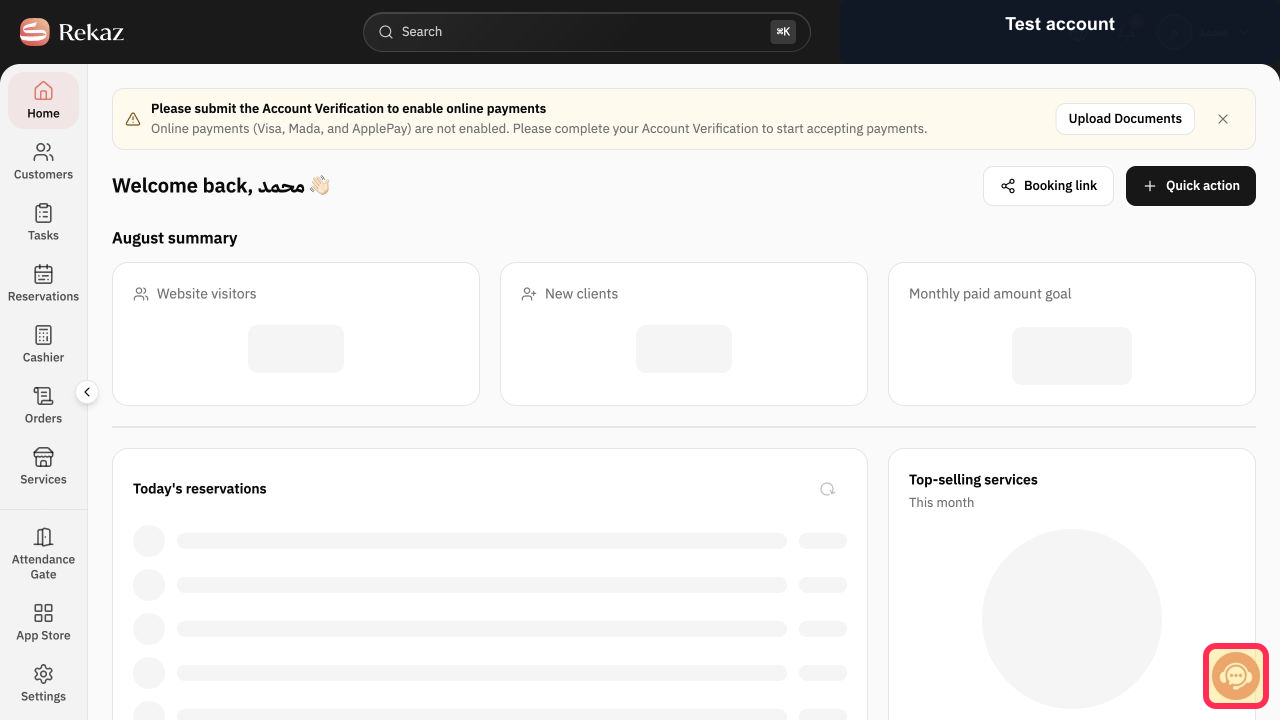
From the signed-in Rekaz dashboard, select Contact support and ask to start the branded mobile-app launch process for the account.
The Rekaz support channel opens so you can request the current launch process.
Illustrated guide
Step 1: Contact Rekaz support to launch the branded app.
Before you start
The branded mobile app carries your business identity and integrates with the Rekaz platform.
Check the price and billing cycle carefully before you start the request.
Choose between the available monthly and yearly plan options.
Related questions
Where can I find Your branded mobile app in Rekaz?
How do I start a branded mobile app request in Rekaz?
How do I choose a monthly or yearly plan for a branded mobile app in Rekaz?


