How do I add a blog to my Rekaz website?
You can add a blog to your Rekaz website through the standalone Blogs app in the App Store. Before creating your first post, check the app’s Active Status and confirm that your subscription plan supports it.
After you activate the app, open its management area to create and manage your blog content.
Steps
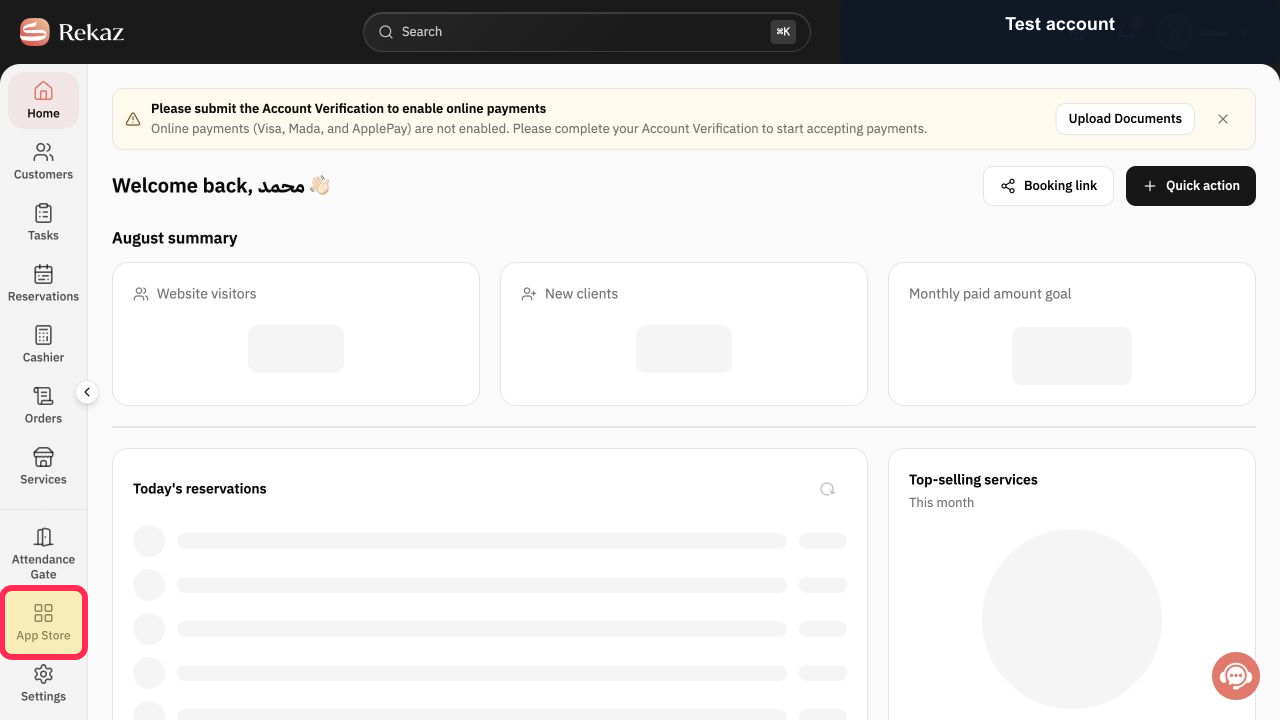
From Home, select App Store in the sidebar.
The App Store opens.
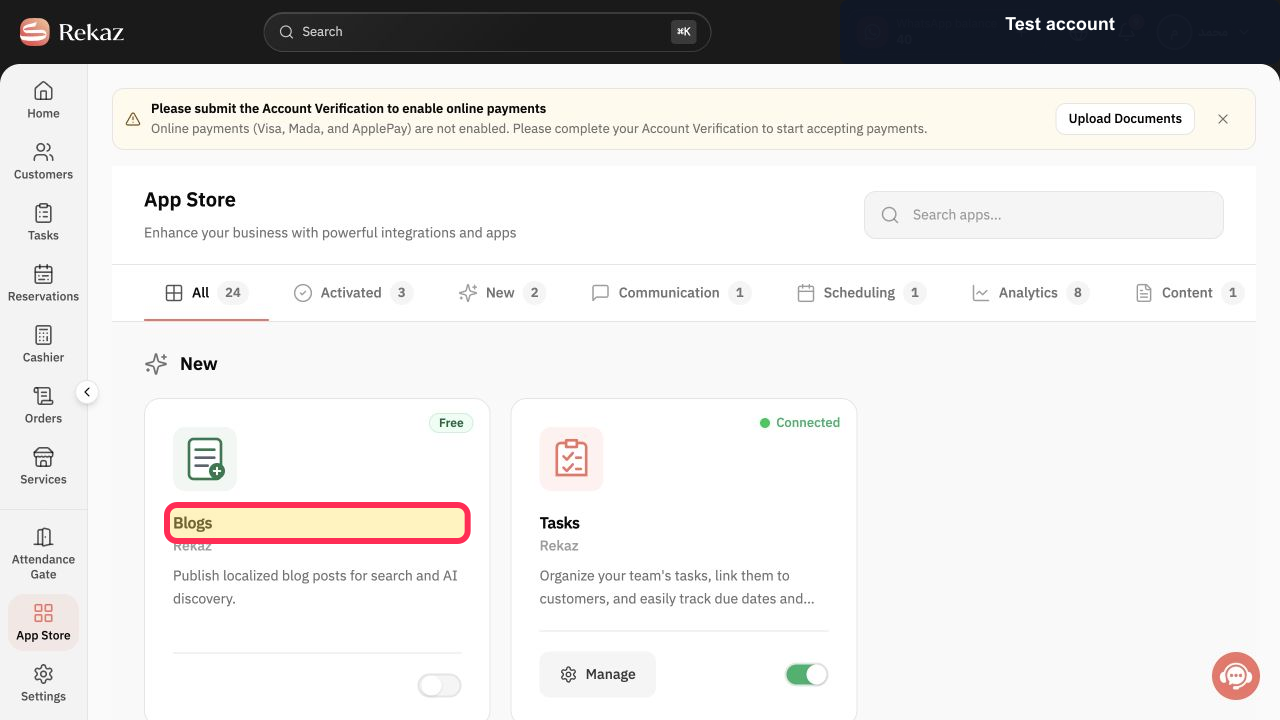
Find and open the Blogs app card.
The Blogs app details are displayed.
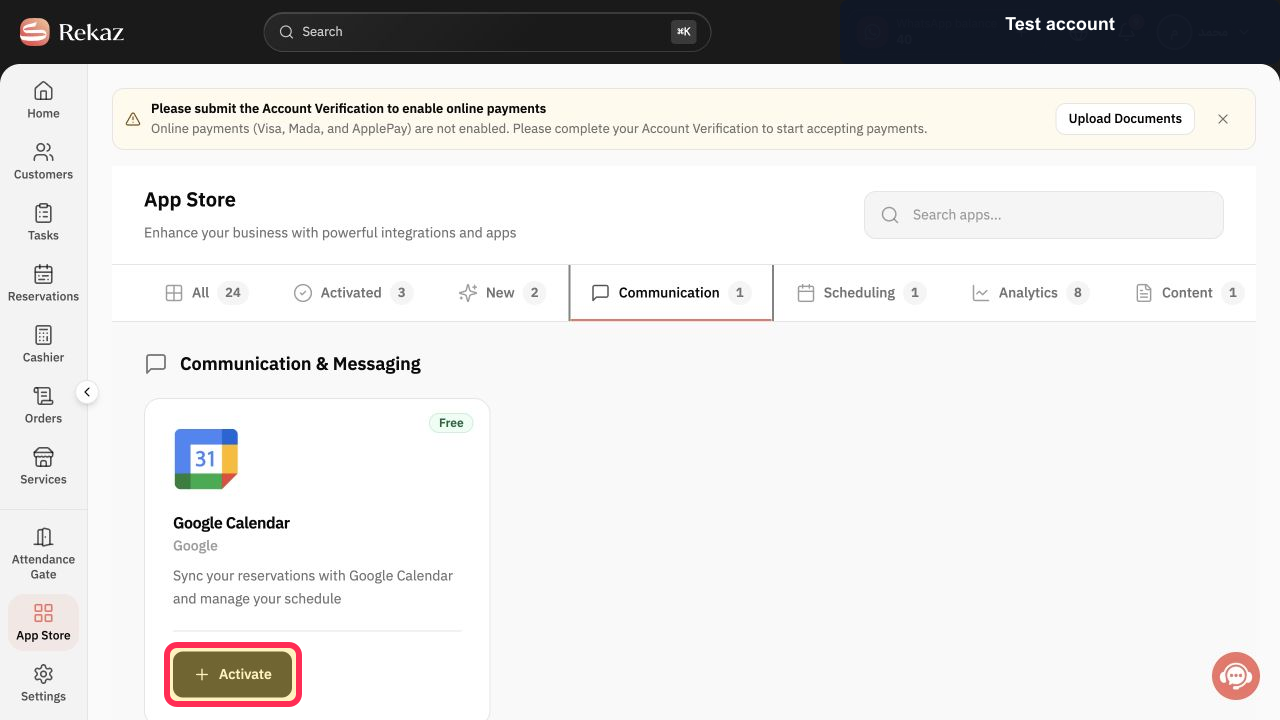
Select Activate to enable the Blogs app.
The Blogs app is activated, subject to its Active Status and your subscription plan.
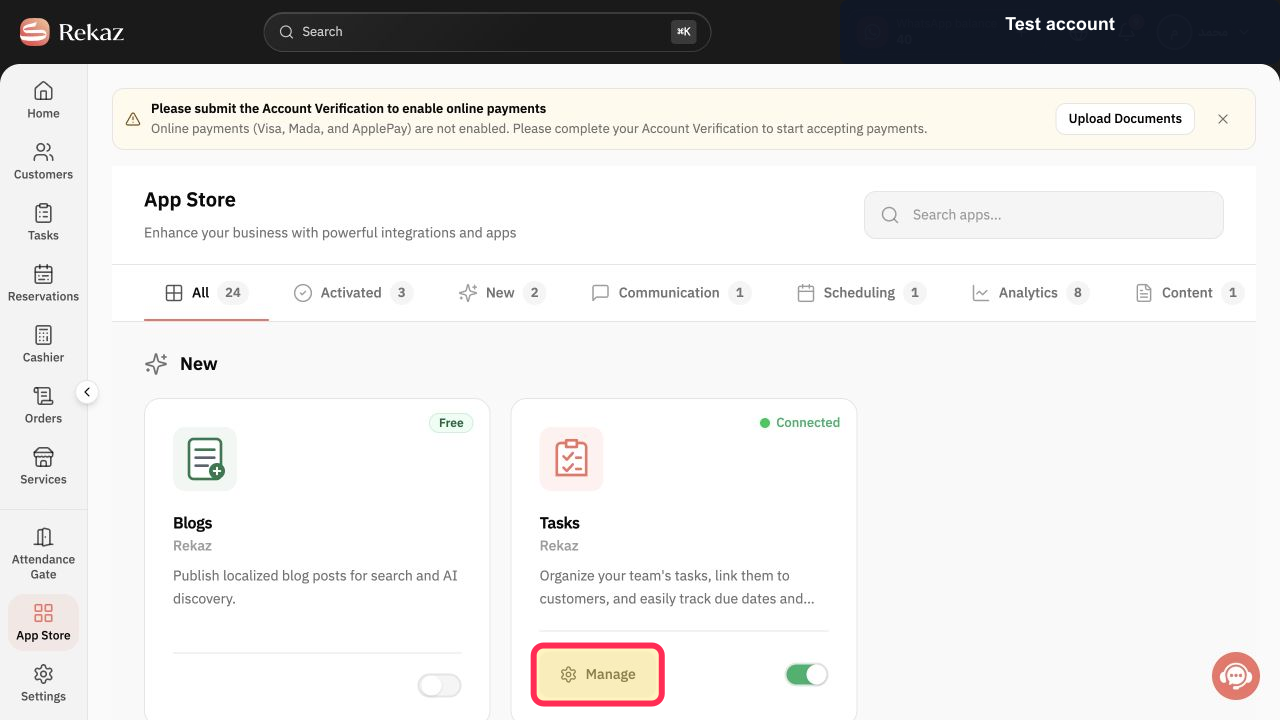
Select Manage to open the blog management area.
The blog management area opens, where you can create blog content.
Illustrated guide
Step 1: Open the App Store from the Rekaz sidebar.
Step 2: Open the Blogs app card in the App Store.
Step 3: Activate the Blogs app.
Step 4: Open the Blogs management area.
Before you start
Check the Blogs app’s Active Status and your subscription plan before creating your first blog post.
The blog is available as a separate app in the Rekaz App Store.
The source does not specify which subscription plans include the Blogs app.
Important note
Review all values and information before completing any final or financial action.
Related questions
Where can I find the Blogs app in Rekaz?
How do I activate the Blogs app in Rekaz?
How do I open blog management in Rekaz?


