How do I set my website name and business description in Rekaz?
To update the website name shown for your business, open Website Options in Rekaz and use the Brand Name field in the Basic view.
Steps
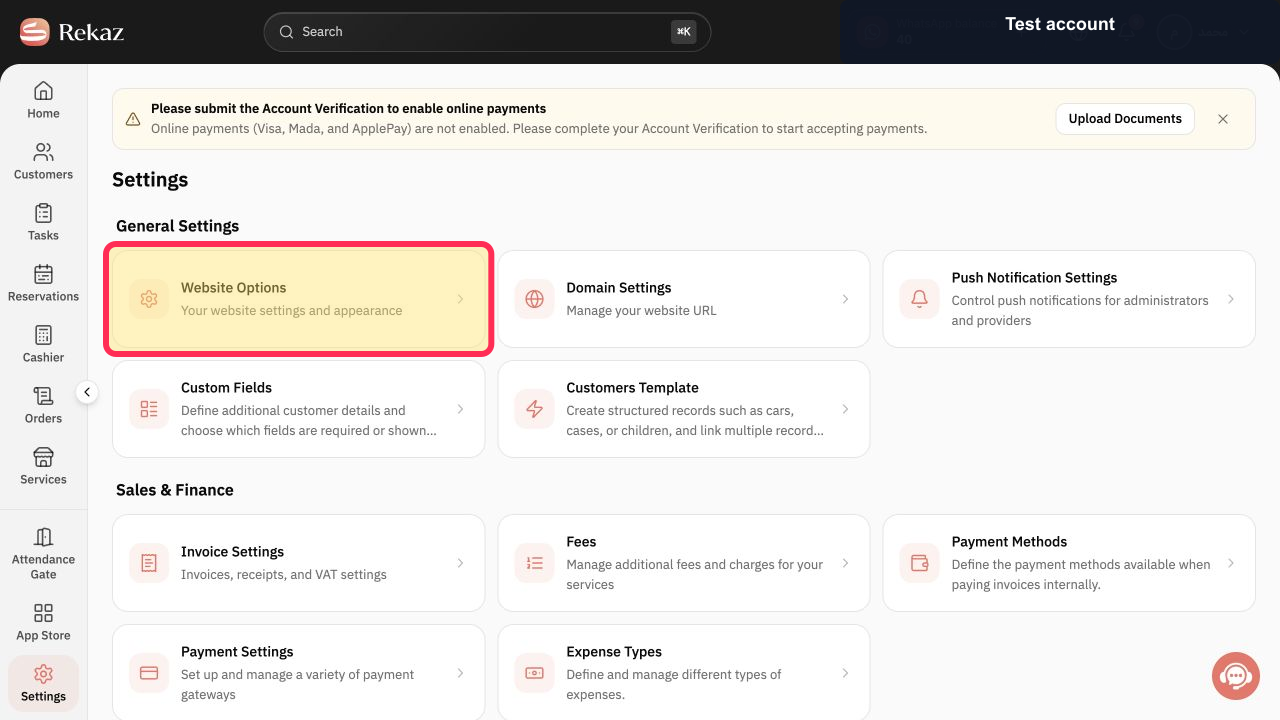
From Rekaz Settings, select the Website Options card.
The Website Options page opens.
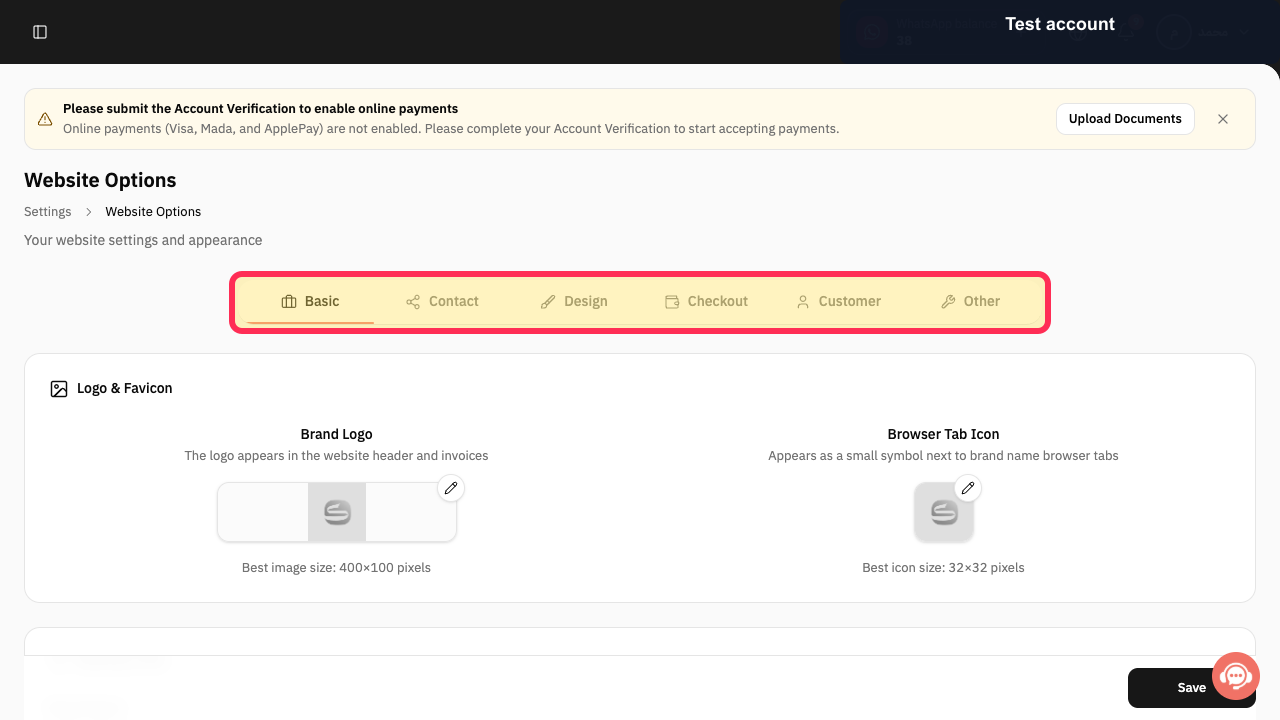
On Website Options, verify that the Basic view is displayed in the tab strip.
The tab strip shows Basic, Contact, Design, Checkout, Customer, and Other.
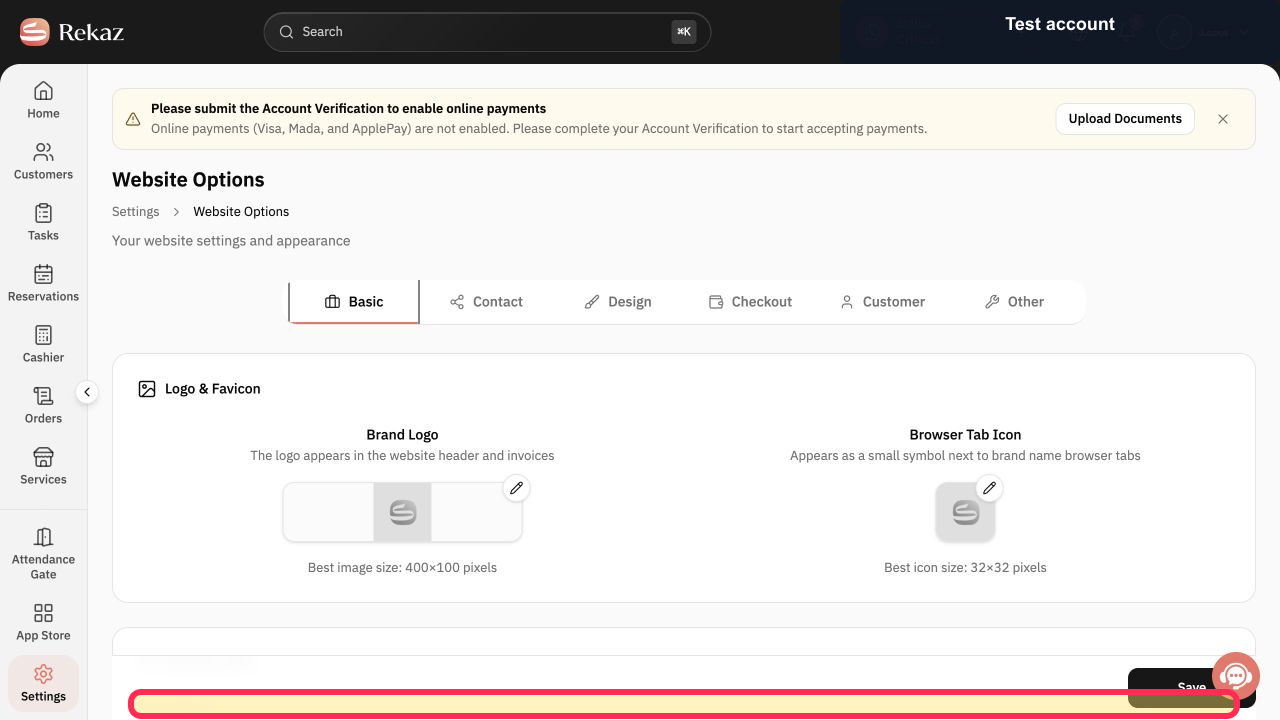
Enter or update your website name in Brand Name.
The Brand Name field contains the website name you entered.
Illustrated guide
Step 1: The Website Options card in Rekaz Settings.
Step 2: The Website Options tab strip, including Basic.
Step 3: The Brand Name field in Website Options.
Important for search engines
Do not use Other > SEO Keywords as a substitute for the Brand Name and Business Description fields.
Google may need time to recrawl your website and update the search result.
Related questions
Where can I change my Brand Name in Rekaz?
How do I update my Business Description in Rekaz?
Why are my website details not updated in Google yet?


