How do I let customers request reservation cancellations on my website in Rekaz?
To let customers request a reservation cancellation from your booking website, enable the relevant setting under Website Options. A cancellation request does not mean the reservation has been cancelled; review its status in Reservations before taking further action.
Steps
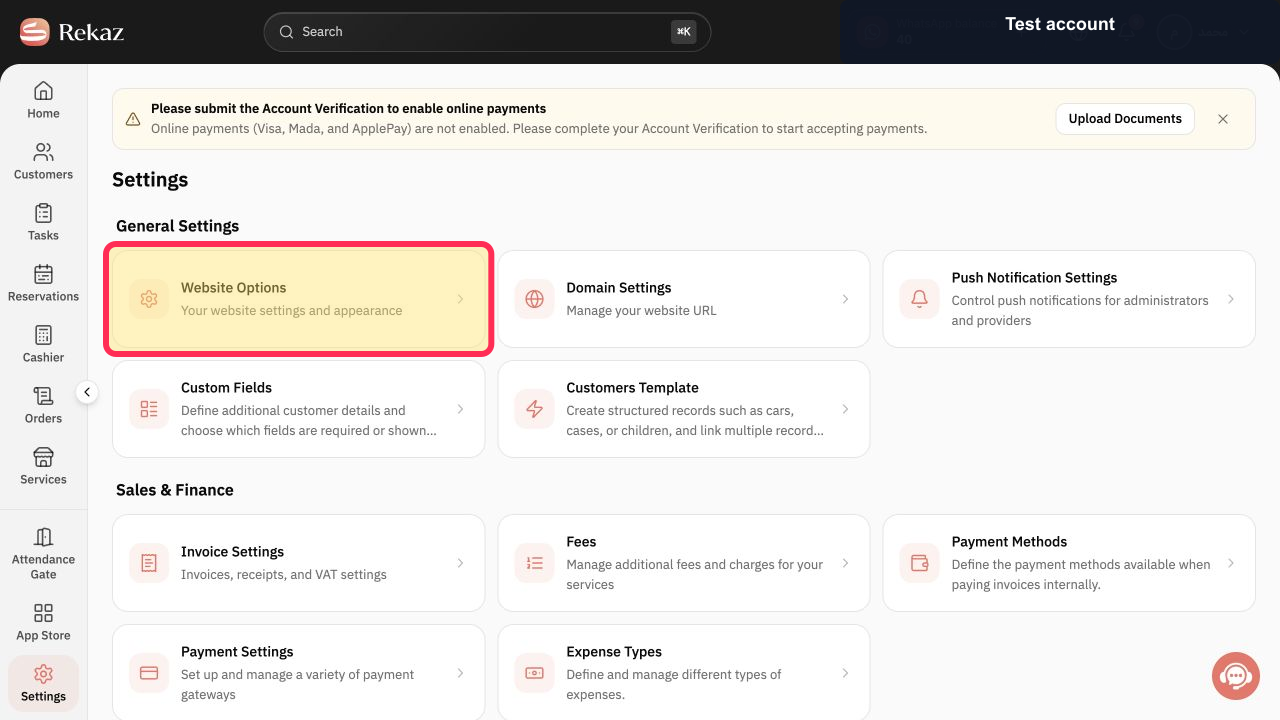
From the Home page, select Settings in the sidebar, then open Website Options.
The Website Options page opens.
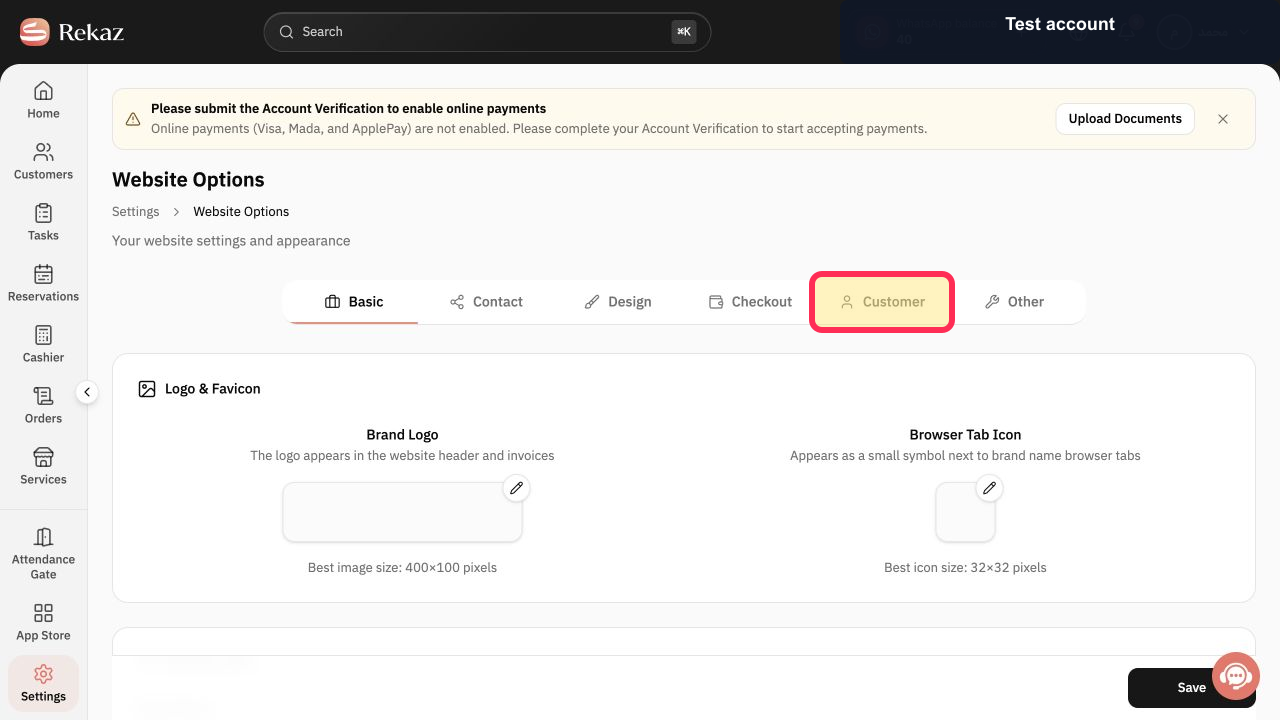
Select the Customer tab.
Customer-related website options are displayed.
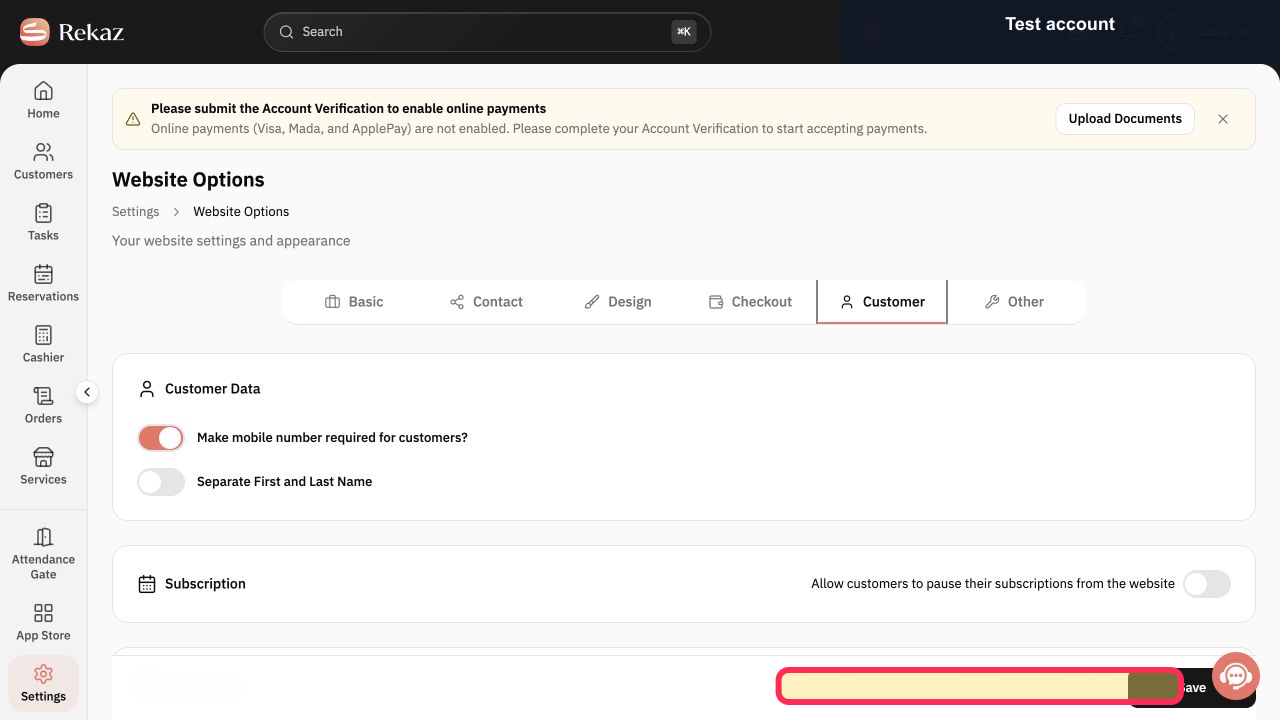
Enable the option that allows customers to request a reservation cancellation from the website.
The reservation-cancellation request option is enabled.
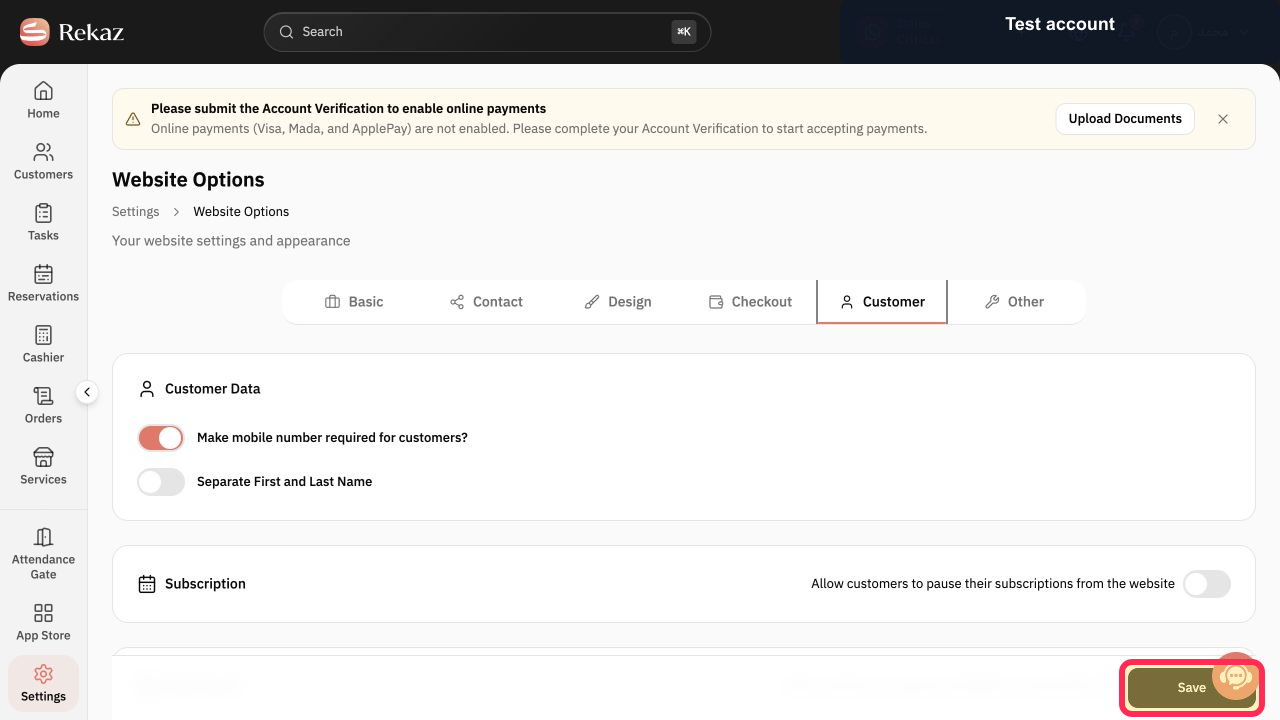
Select Save.
The enabled cancellation-request setting is saved.
Illustrated guide
Step 1: Website Options highlighted under Settings in the Rekaz sidebar.
Step 2: Customer tab highlighted on the Website Options page.
Step 3: Cancellation Requested option enabled under the Customer tab.
Step 4: Save button for the updated Website Options settings.
Important
This setting adds a cancellation-request option to your booking website.
Review cancellation requests in Reservations. Do not assume that a reservation has been cancelled until its status has been updated.
Review your own values and data before completing any final or financial action.
Related questions
Where can I enable customer reservation-cancellation requests in Rekaz?
How do customers request a reservation cancellation from my Rekaz booking website?
How do I review reservation cancellation requests in Rekaz?


