How do I purchase a domain in Rekaz?
To purchase a domain in Rekaz, start from Settings and open Domain Settings. Rekaz presents an option to purchase a new domain and manage it from the dashboard.
Steps
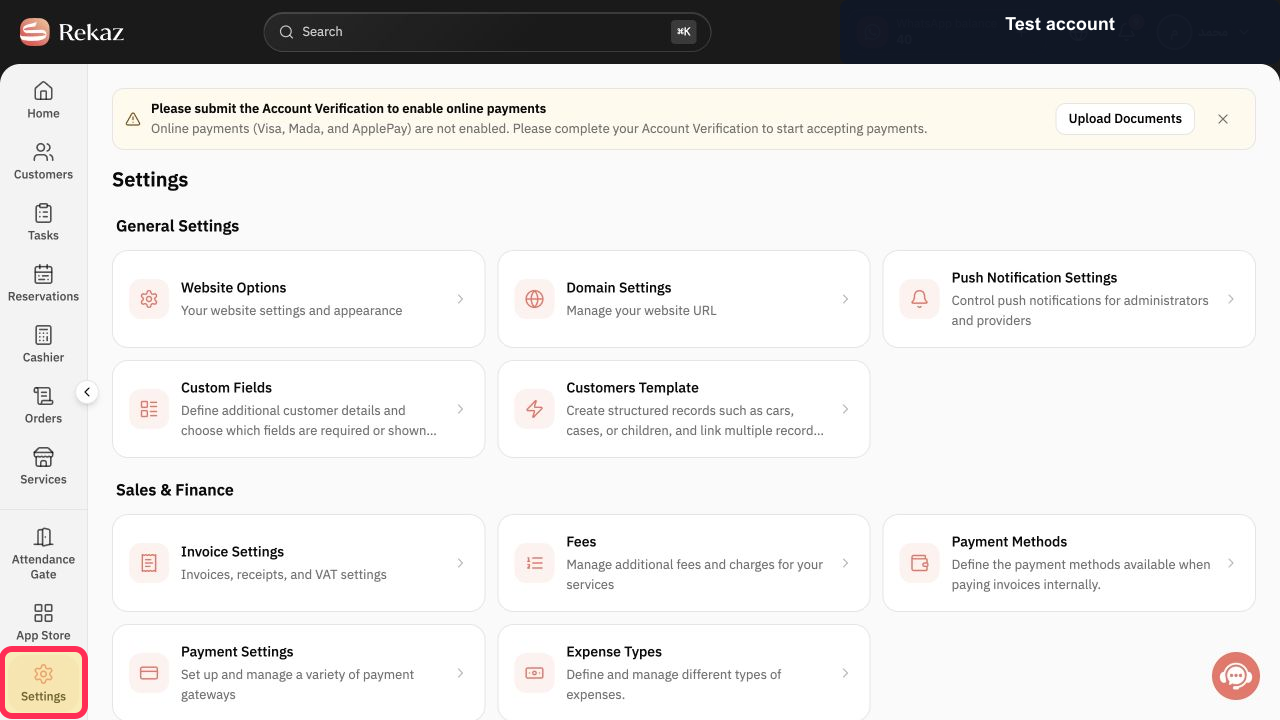
From the Rekaz sidebar, select Settings.
The Settings page opens.
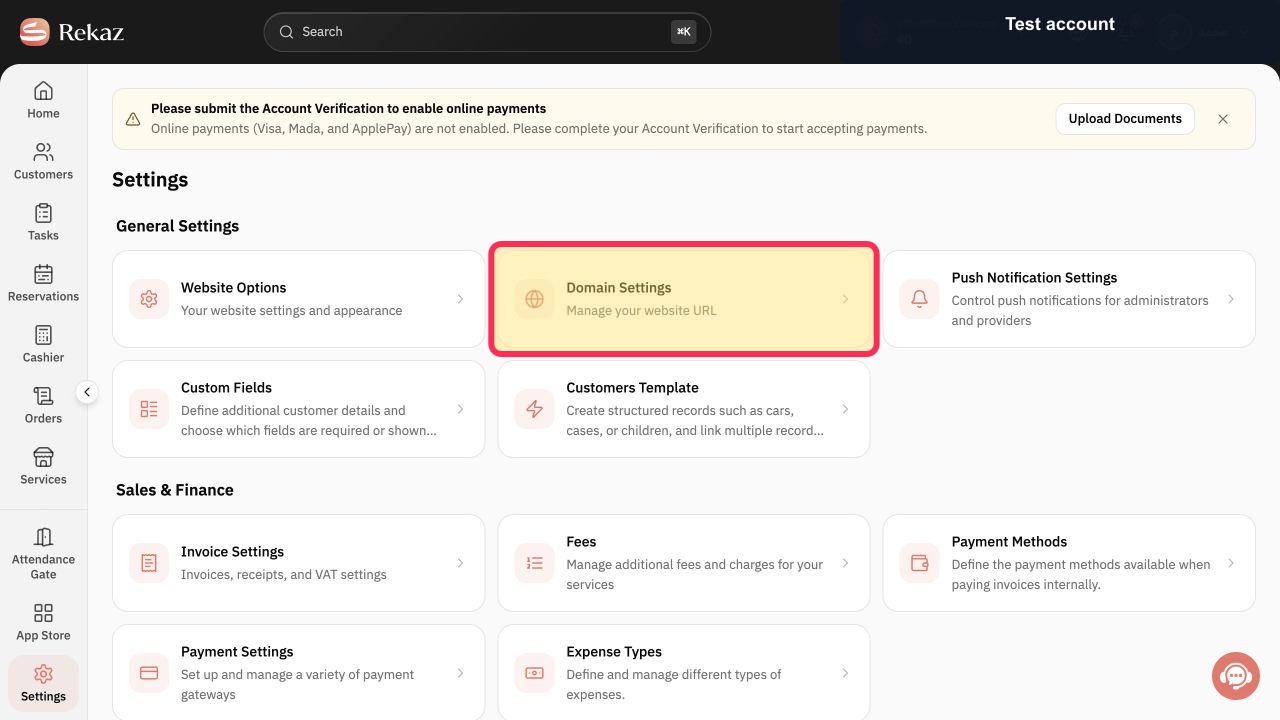
On the Settings page, select the Domain Settings card.
The Domain Settings page opens.
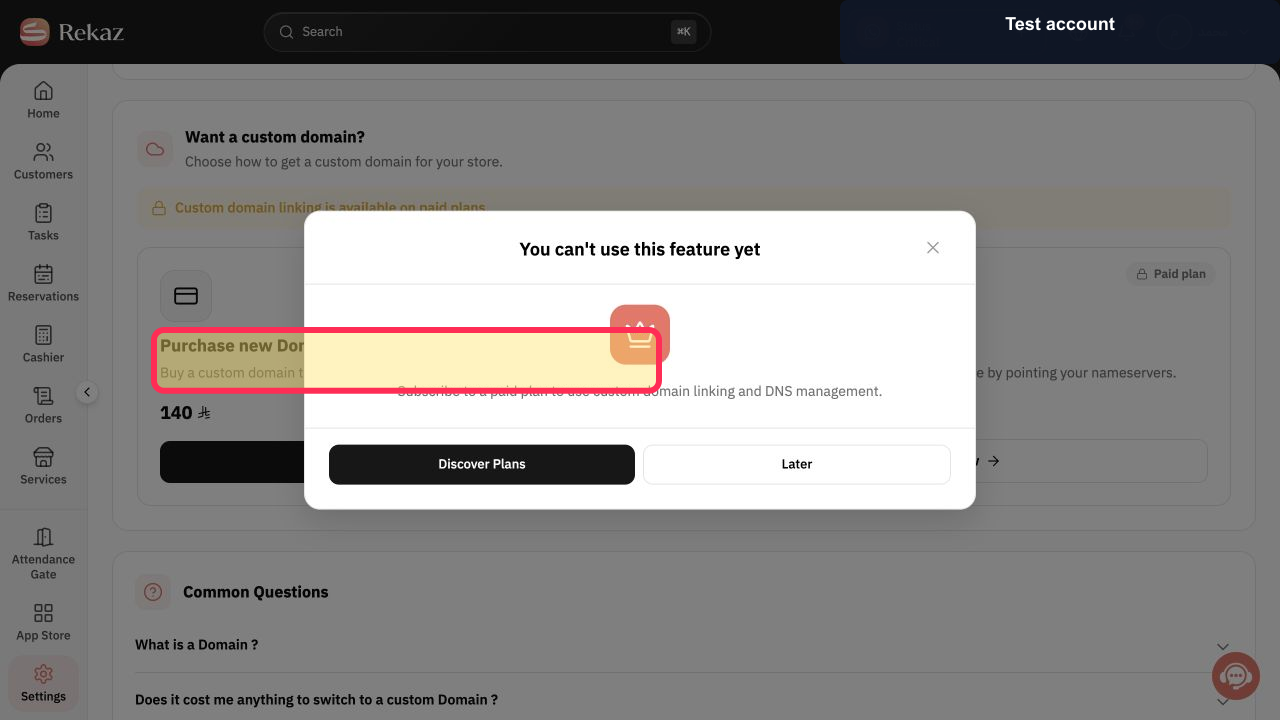
On Domain Settings, review the Purchase new Domain with Rekaz option.
The option explains that you can buy a custom domain through Rekaz and manage it from the dashboard.
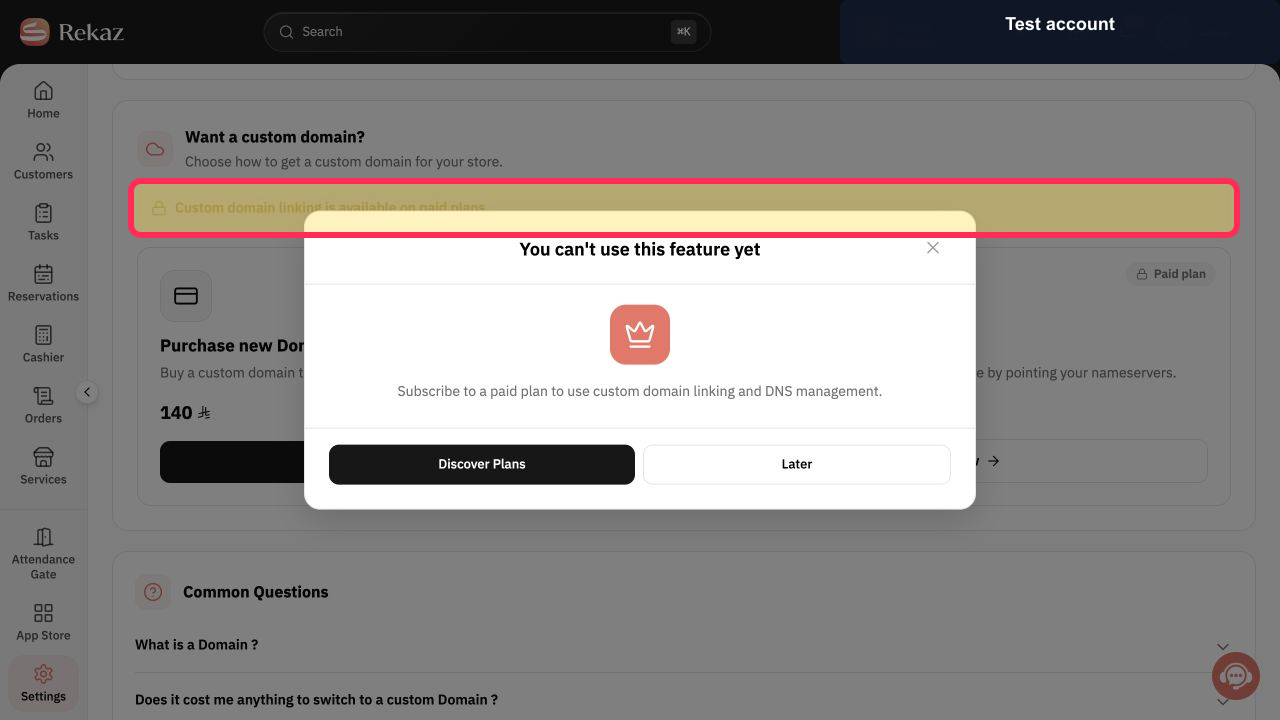
Verify the plan requirement shown on the Domain Settings page before attempting to use custom-domain features.
A notice states that custom domain linking is available on paid plans.
Illustrated guide
Step 1: Select Settings from the Rekaz sidebar.
Step 2: Open Domain Settings.
Step 3: The option for purchasing a new domain through Rekaz.
Step 4: Custom domain linking requires a paid plan.
Important notes
The option to purchase a new domain and search for a domain name is available. Domain availability, prices, payment, registration completion, and the steps that appear after searching are not available here.
Labels or the location of options may change when the Rekaz interface is updated.
Related questions
Where can I find the option to purchase a domain in Rekaz?
How do I search for a new domain through Rekaz?
How do I link an external custom domain in Rekaz?


