How do I link my own domain to my Rekaz website?
Domain Settings is the Rekaz location for managing your website address and starting a custom-domain link.
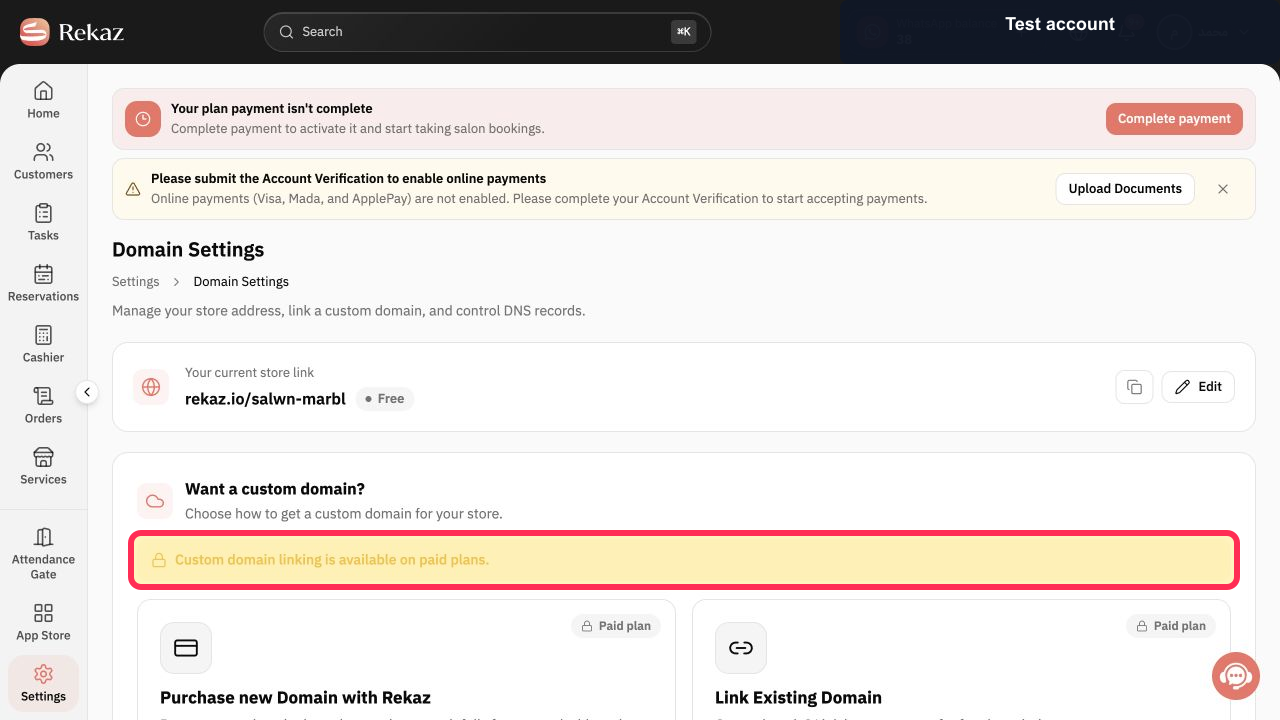
The currently available interface states that custom-domain linking is available on paid plans. Although it says an existing domain is linked by pointing nameservers, it does not show a domain form, the nameserver values, or a completed linking flow; those older actions cannot be documented from the current interface.
Steps
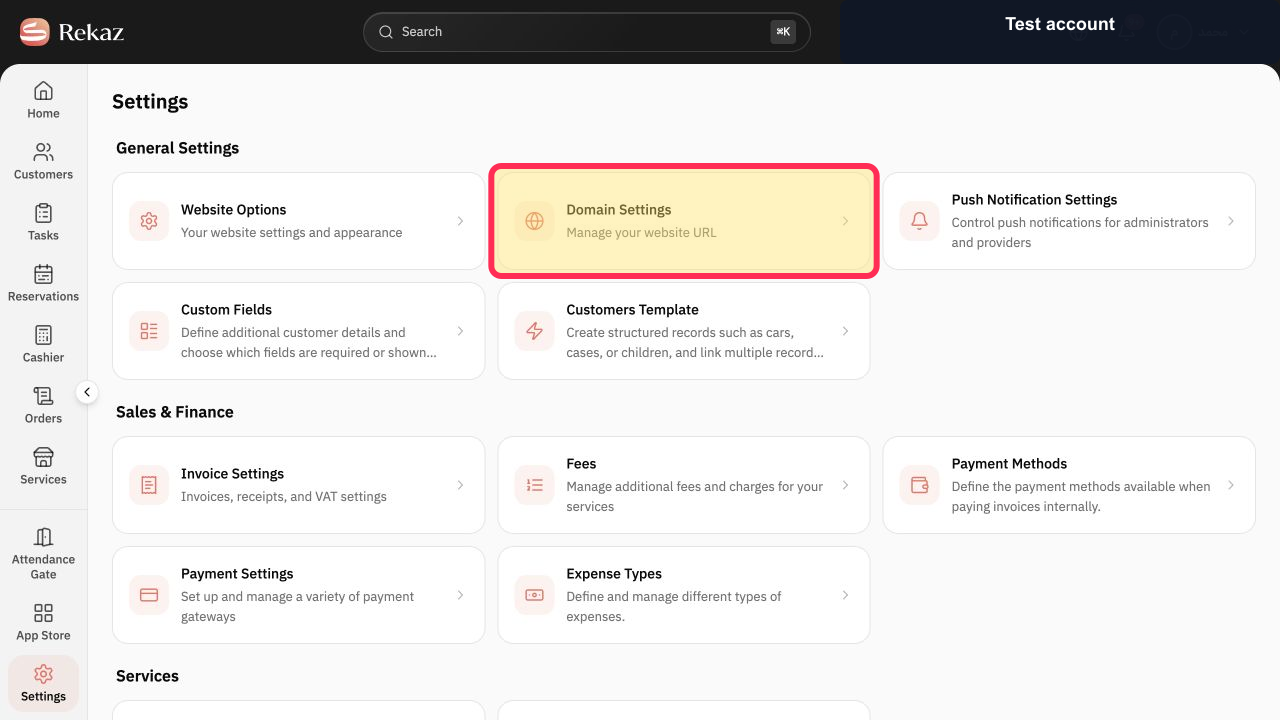
From Settings, select Domain Settings.
The Domain Settings page opens, where you can manage your website URL.
Review the custom-domain eligibility notice on the Domain Settings page.
You can confirm that custom-domain linking is available on paid plans.
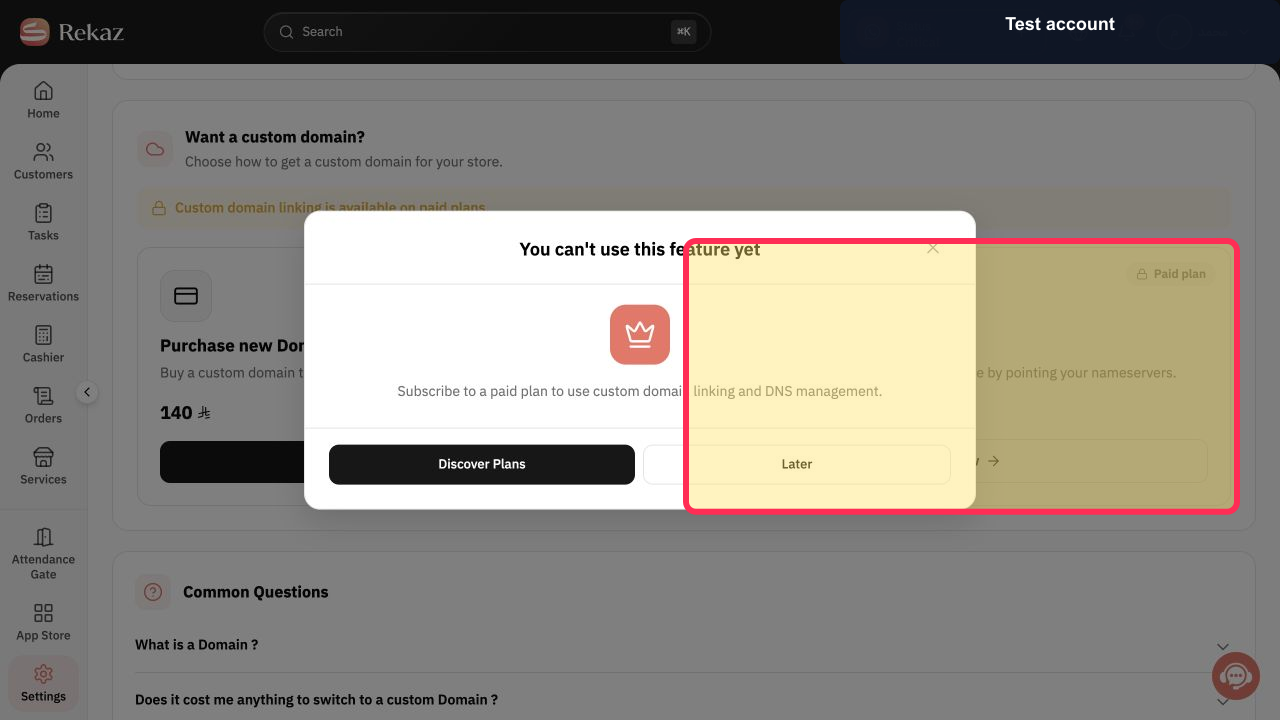
Select the Link Existing Domain card and choose Link now.
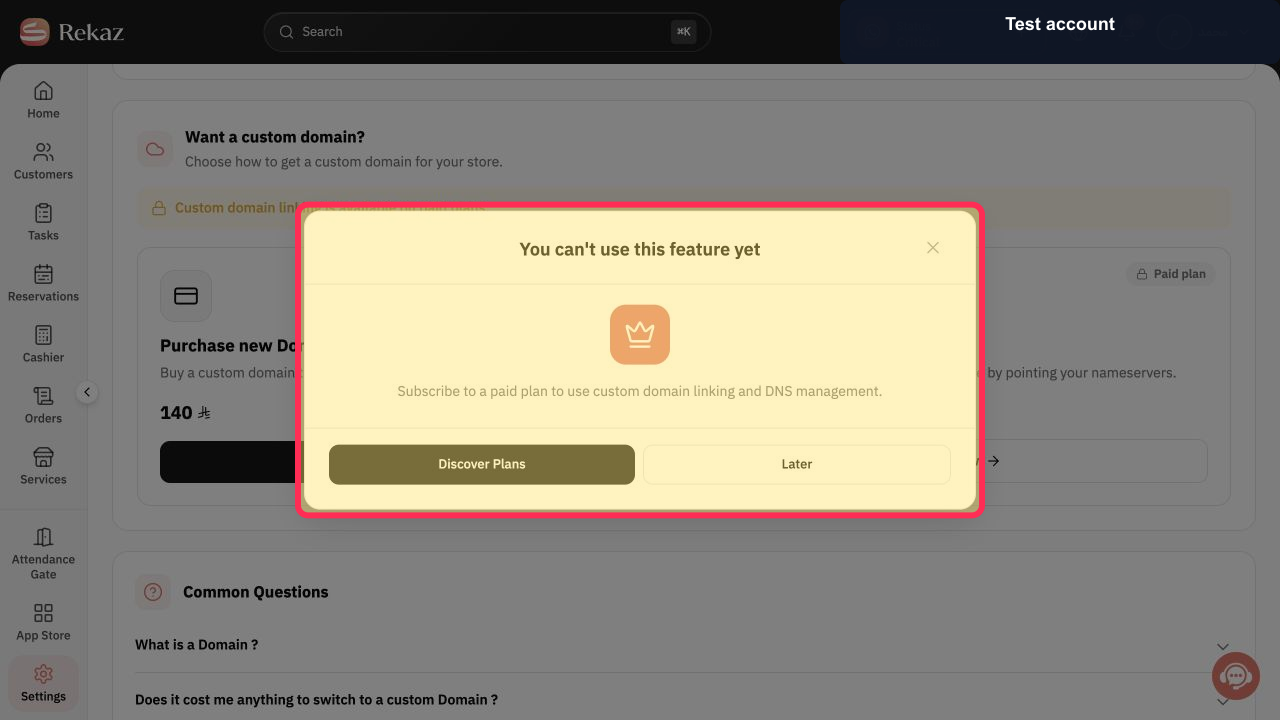
For an account without the required plan, Rekaz shows a message that the feature is not yet available.
If the plan-required message appears, verify that custom-domain linking and DNS management require a paid plan.
The limitation is clear; the currently available interface does not display a subsequent domain or nameserver setup screen.
Illustrated guide
Step 1: Select Domain Settings from Rekaz Settings.
Step 2: Check the paid-plan requirement for custom-domain linking.
Step 3: Start the existing-domain linking option.
Step 4: Review the custom-domain plan requirement message.
Important notes
Update the Nameservers through the provider where you purchased or registered your domain.
Labels or item locations may vary slightly if the interface has changed since this guidance was published.
Related questions
How do I connect an existing domain to my Rekaz website?
Where can I find Link Existing Domain in Rekaz?
How do I update my domain Nameservers for Rekaz?


