How do I change my free website link in Rekaz?
To manage your Rekaz website address, go to Settings and open Domain Settings.
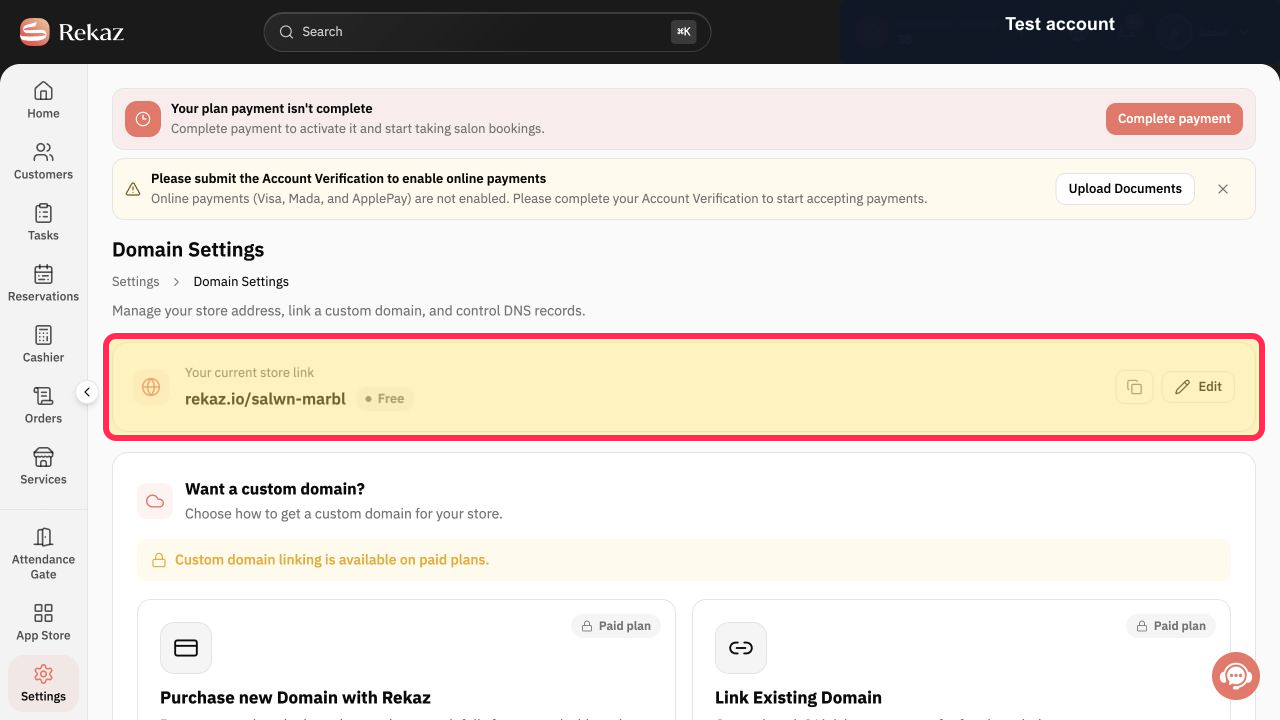
The current interface shows your free store link with an Edit action.
Steps
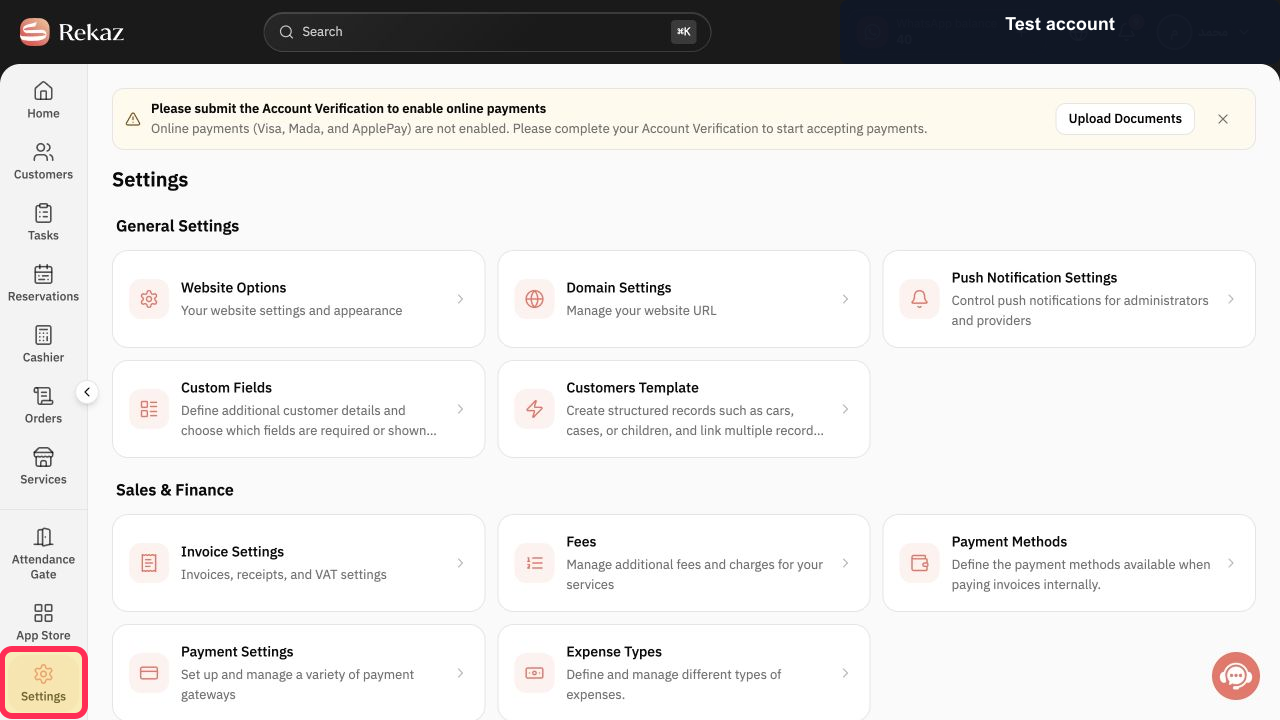
From the Rekaz sidebar, select Settings.
The Settings page opens.
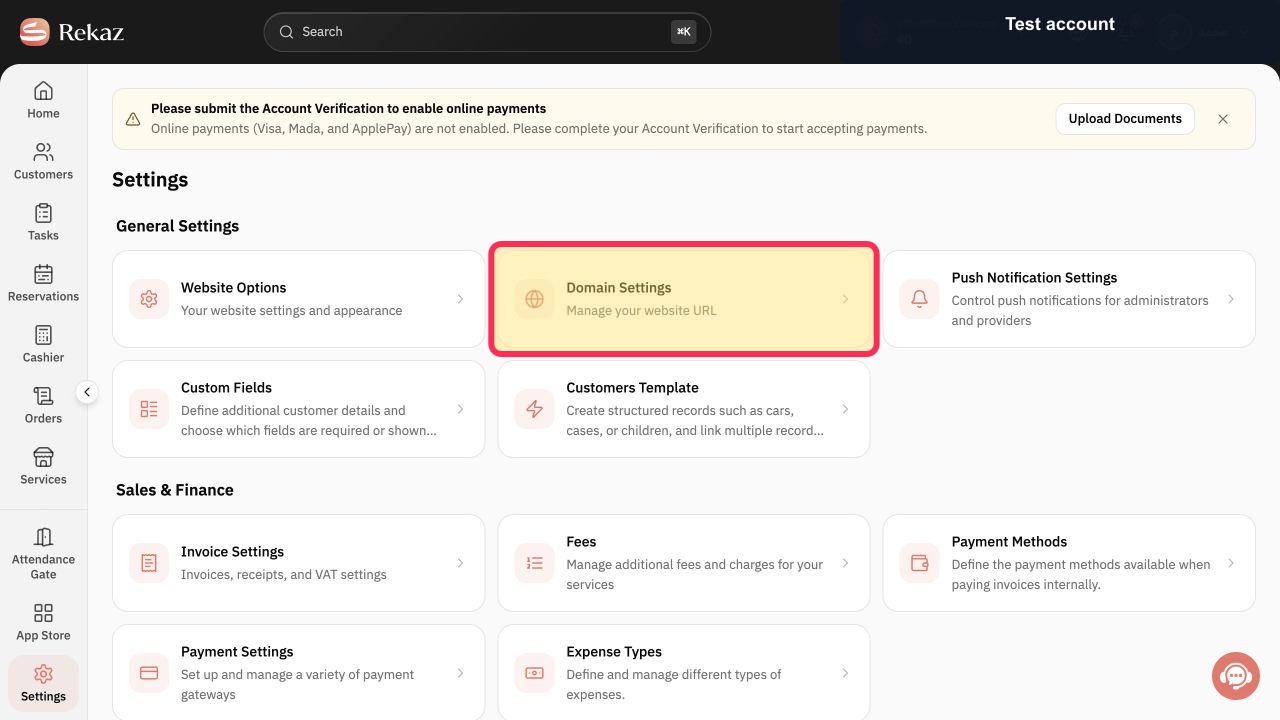
Select Domain Settings.
The Domain Settings page opens.
On the Domain Settings page, locate your current free store link. Your current store link is displayed with an Edit action.
Illustrated guide
Step 1: Select Settings from the Rekaz sidebar.
Step 2: Open Domain Settings from the Settings page.
Step 3: The current free store link and its Edit action in Domain Settings.
Related questions
How do I change my free Rekaz domain name?
Where can I find Domain Settings in Rekaz?
How do I update the custom part of my Rekaz website link?


