How do I enable Maintenance Mode in Rekaz?
In Rekaz Settings, Maintenance Mode is available in Website Options under the Other tab.
The current interface shows the Enable maintenance mode switch. It does not show maintenance-page title or description fields, or a Save control, .
Steps
On the Rekaz Settings page, select the Website Options card.
The Website Options page opens.
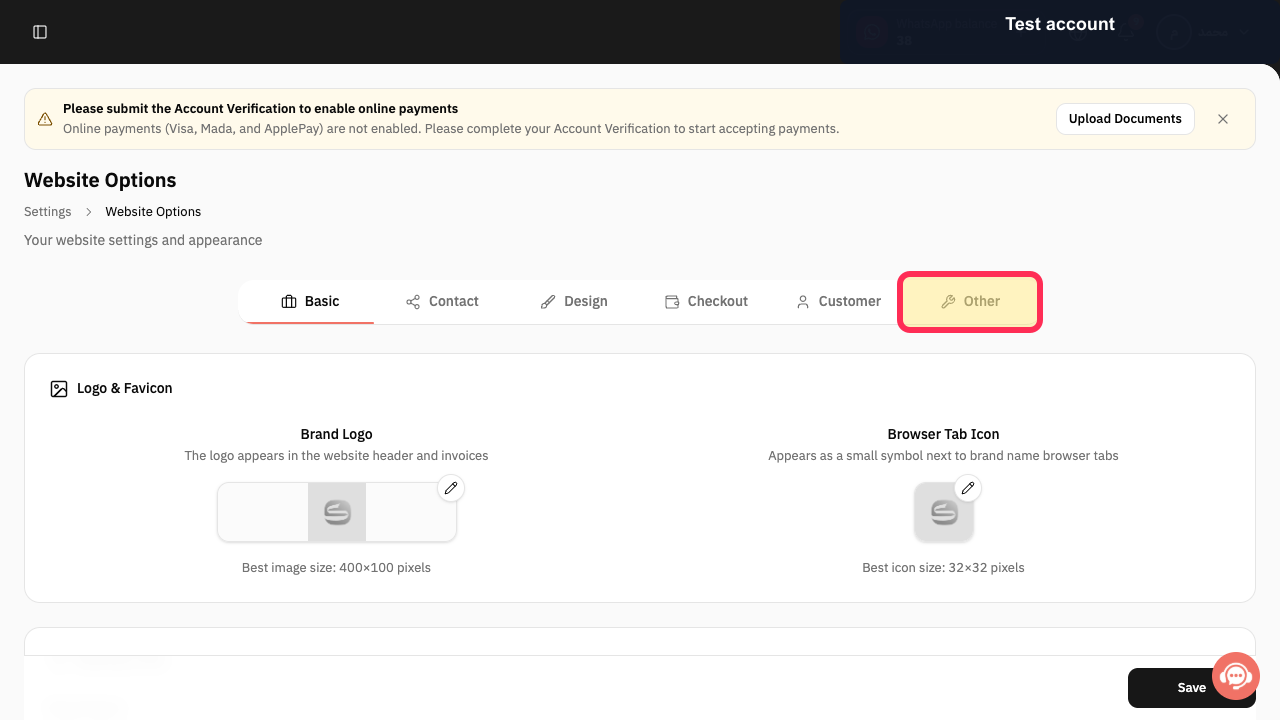
Select Other.
The Other tab opens and the maintenance-mode setting is available.
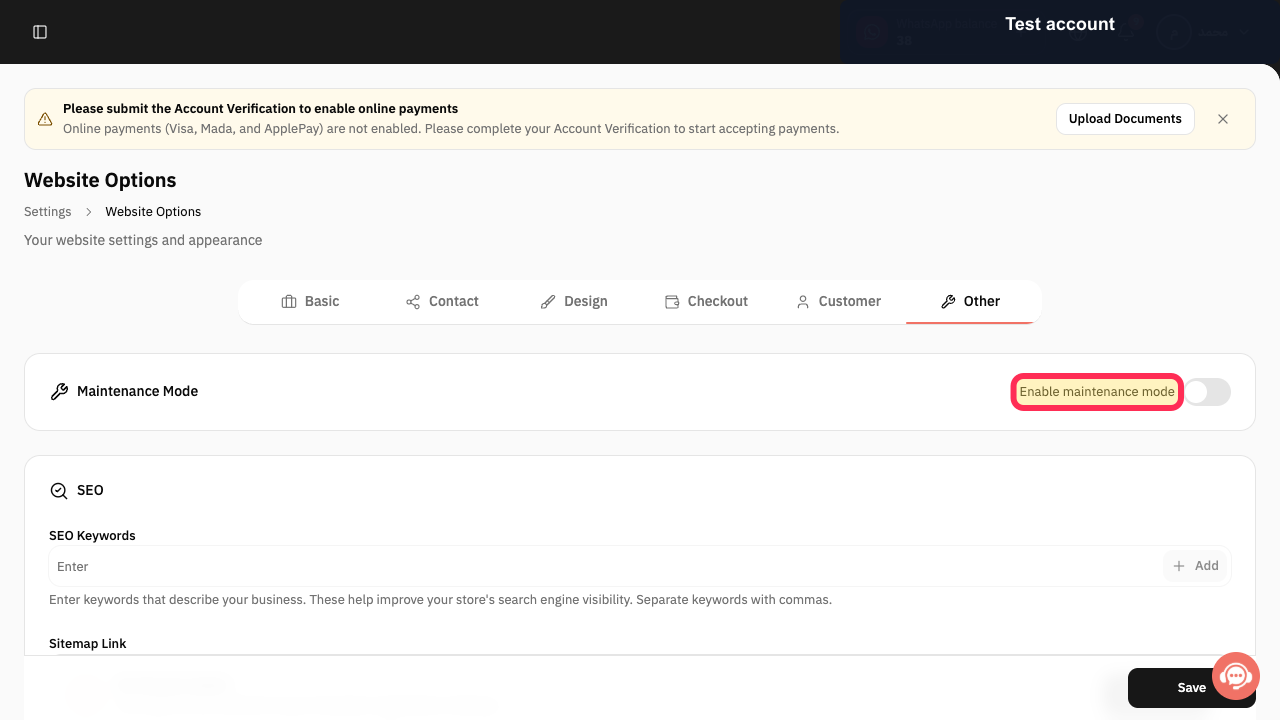
Turn on Enable maintenance mode.
Maintenance Mode is enabled using the available switch.
Illustrated guide
Step 1: Open Website Options from Settings.
Step 2: Open the Other tab in Website Options.
Step 3: Enable Maintenance Mode.
Turn Maintenance Mode off when your site is ready
When your website is ready to accept visitors again, turn off Maintenance Mode and select Save again.
Related questions
How do I temporarily close my website in Rekaz?
How do I show a maintenance message on my Rekaz website?
Where can I enable the maintenance page in Rekaz?


