How do I add English to my booking website in Rekaz?
To add English to your Rekaz booking website, open Localization Settings, enable English, and save the change. If English is already enabled, leave the switch on.
After enabling English, complete the description for each service in English as well.
Steps
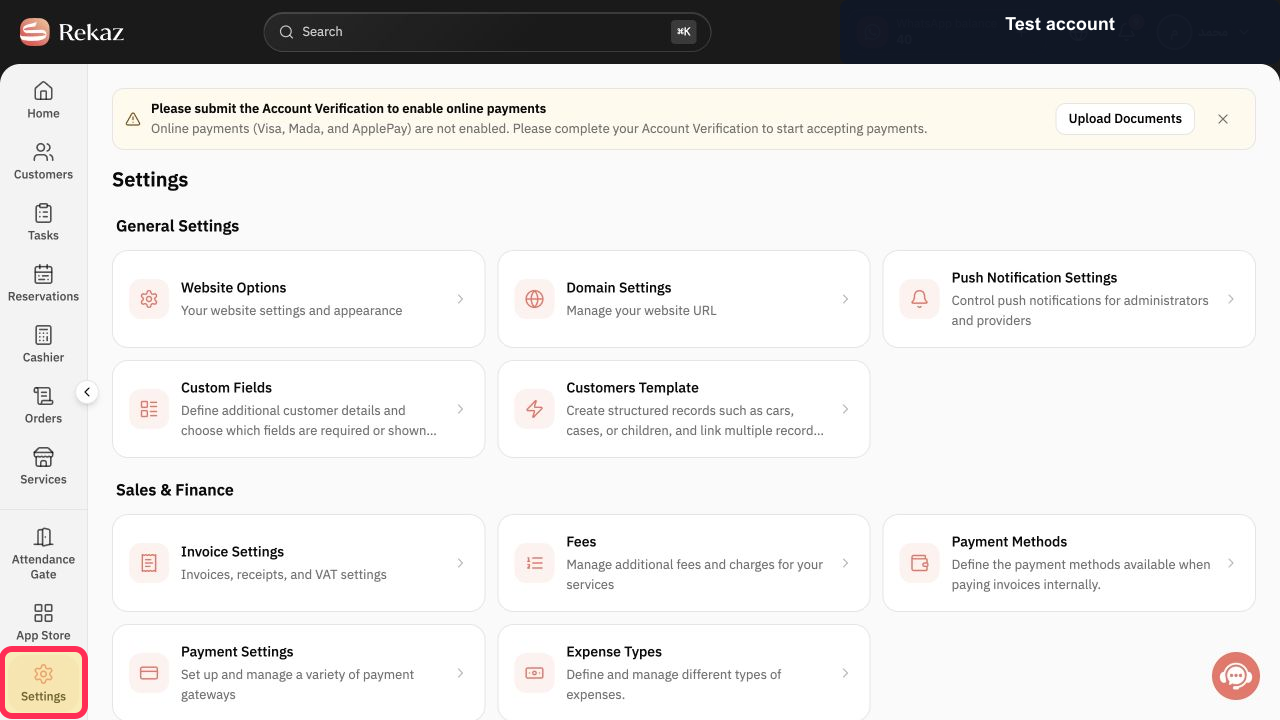
From the signed-in Rekaz dashboard, select Settings in the sidebar.
The Settings area opens.
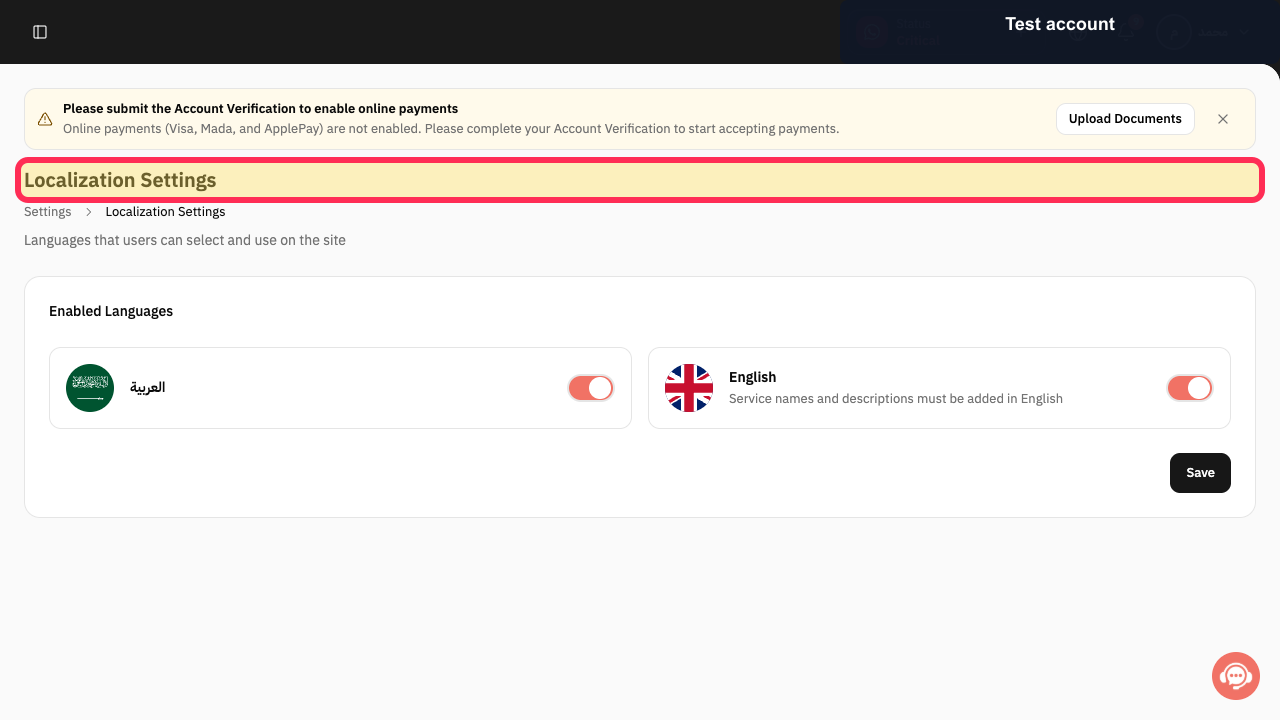
Select Localization Settings.
The Localization Settings page opens and shows the available language options.
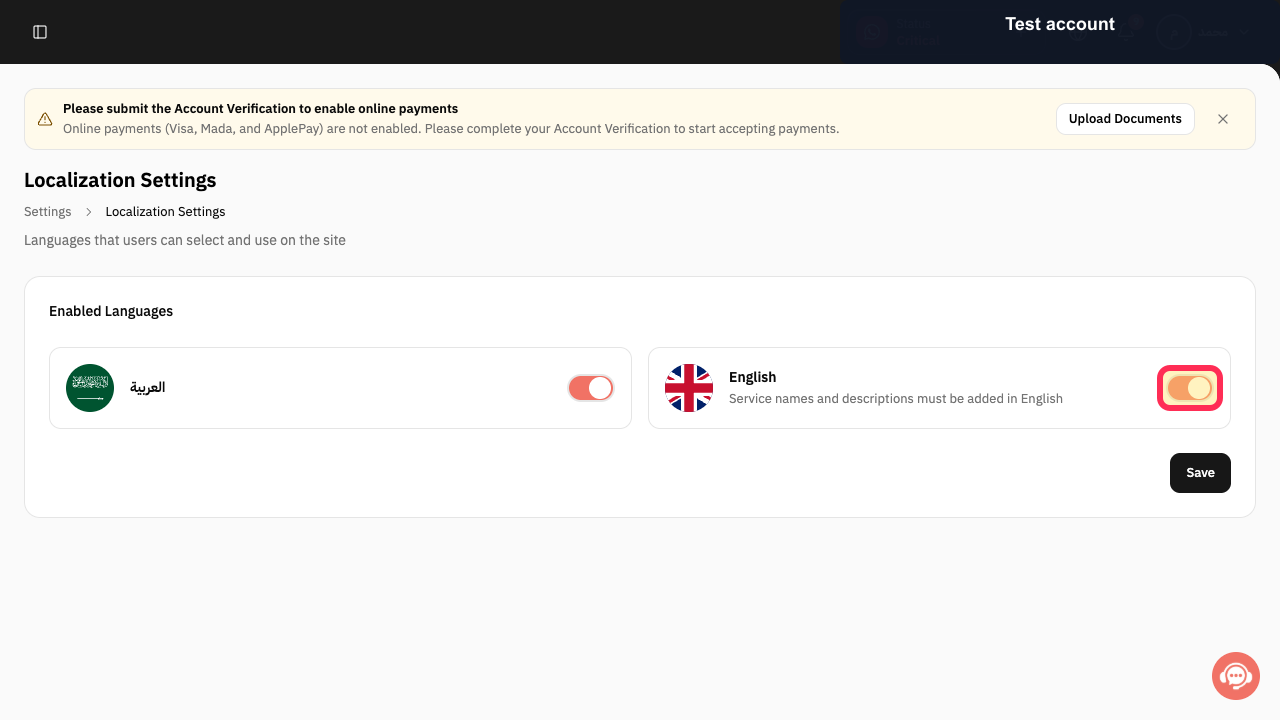
Enable the English switch. If it is already enabled, leave it on.
English is enabled for the booking website.
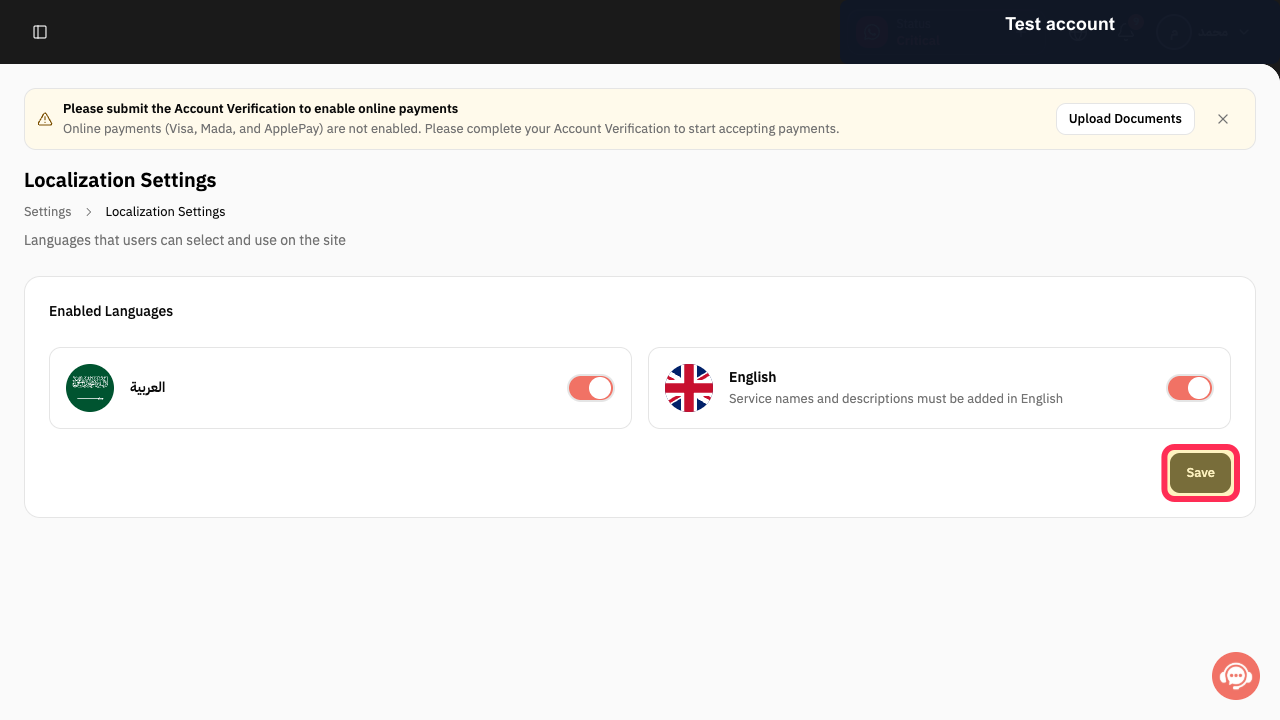
Select Save after changing the language setting.
Your language setting is saved.
Illustrated guide
Step 1: Select Settings from the Rekaz sidebar.
Step 2: Open Localization Settings.
Step 3: Enable English.
Step 4: Save the language setting.
Important note
After enabling English, complete the description for each service in English as well.
Related questions
How do I make my Rekaz booking website available in Arabic and English?
Where do I enable English in Rekaz?
How do I add another language to my Rekaz website?


