How do I change website contact details in Rekaz?
To change the contact details displayed on your website, go to Website Options, open the Contact tab, update the details you need, and save your changes.
Use contact details that are managed by your business. Do not use an employee’s personal email address or phone number unless it is dedicated to customer service.
Steps
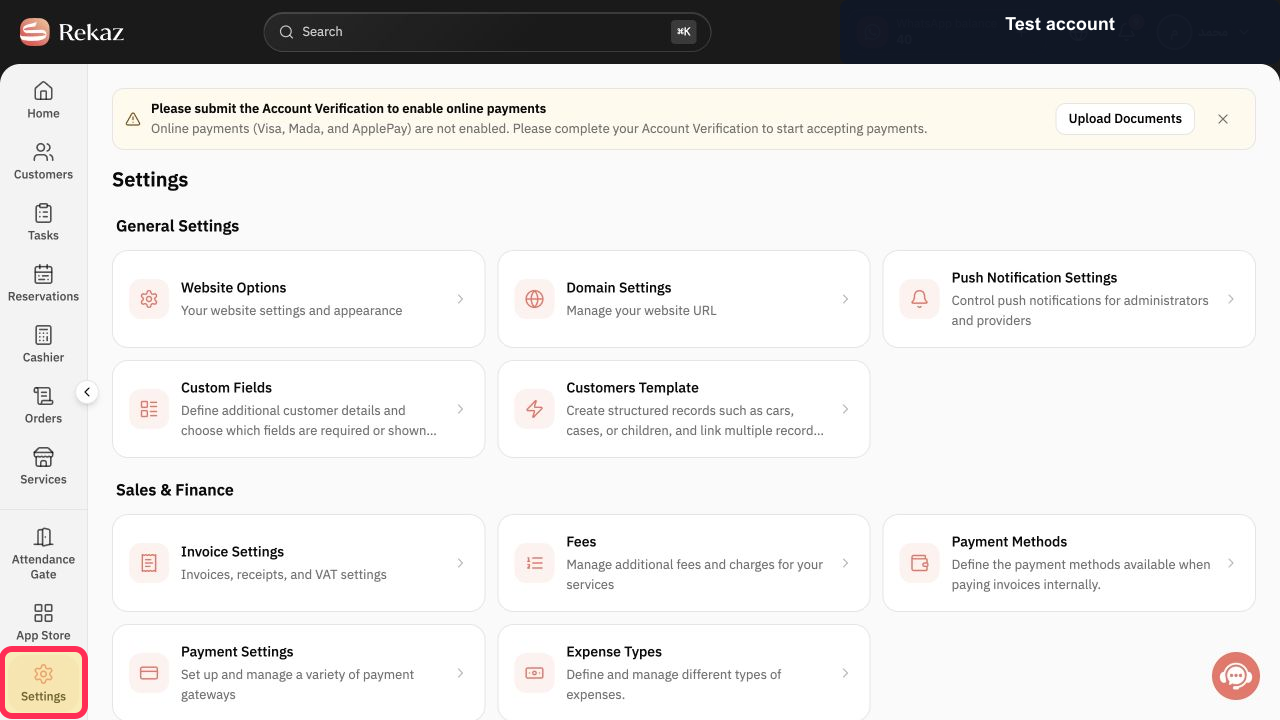
From Home, select Settings in the sidebar.
The Settings area opens.
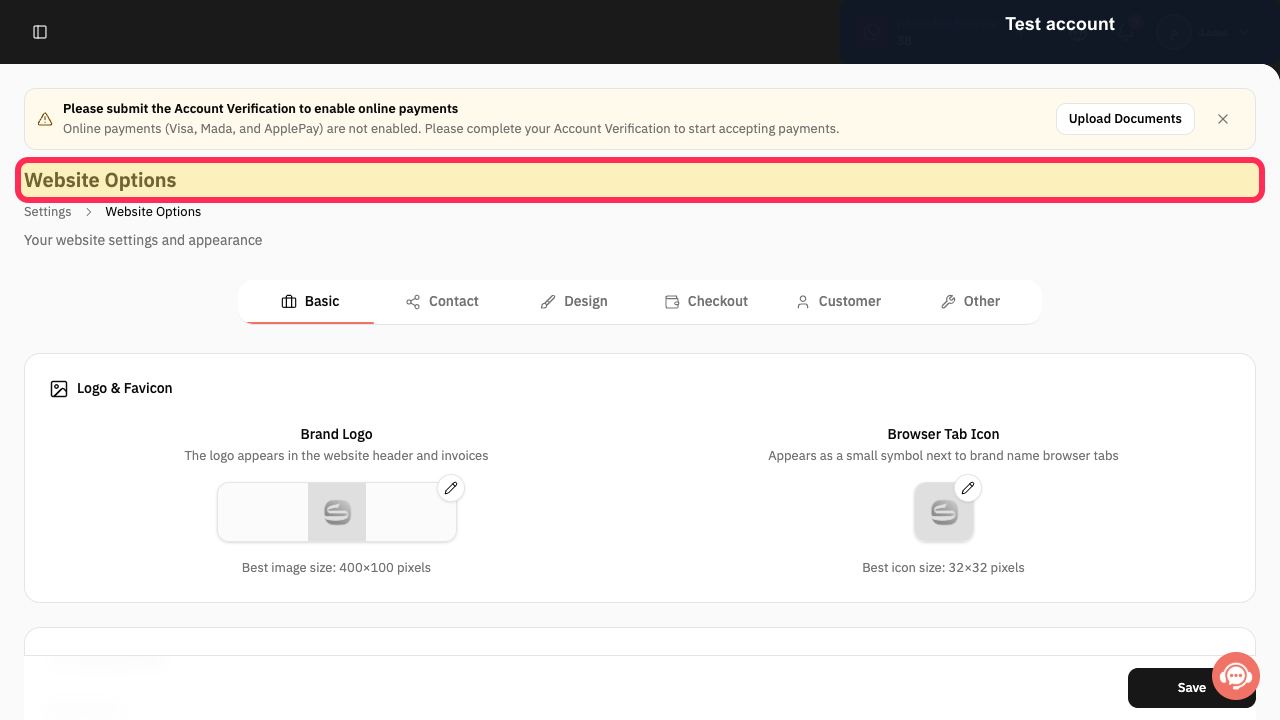
Open Website Options.
The Website Options page opens.
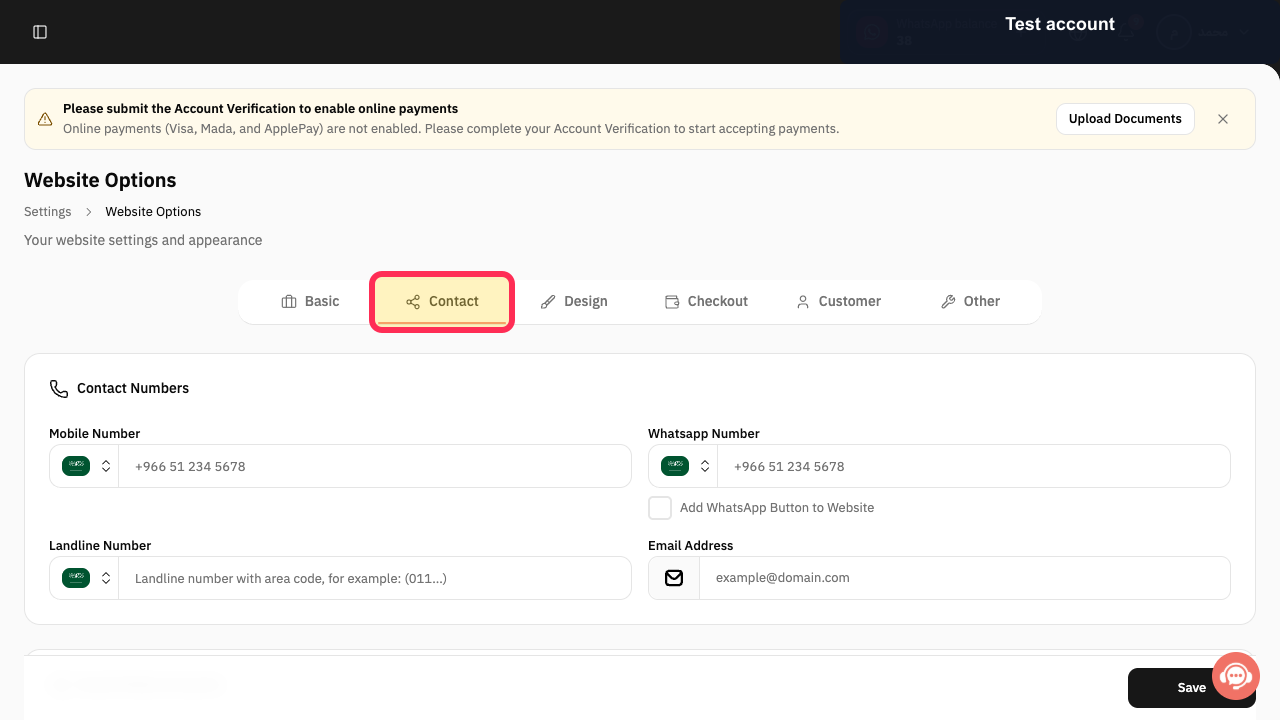
Select the Contact tab.
The website contact settings are displayed.
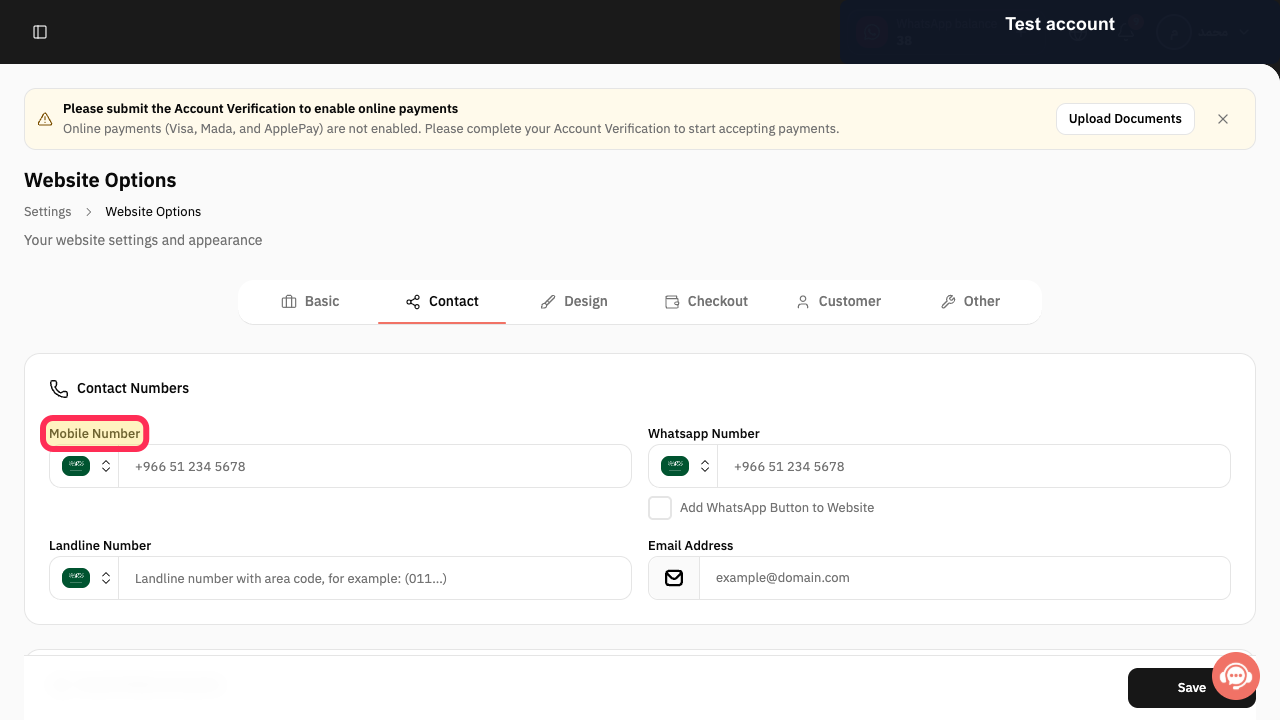
Update the required contact fields. Start with Mobile Number, then review the WhatsApp Number, WhatsApp button, landline, email address, and social accounts shown in the Contact tab.
The website contact details contain the current customer-facing information.
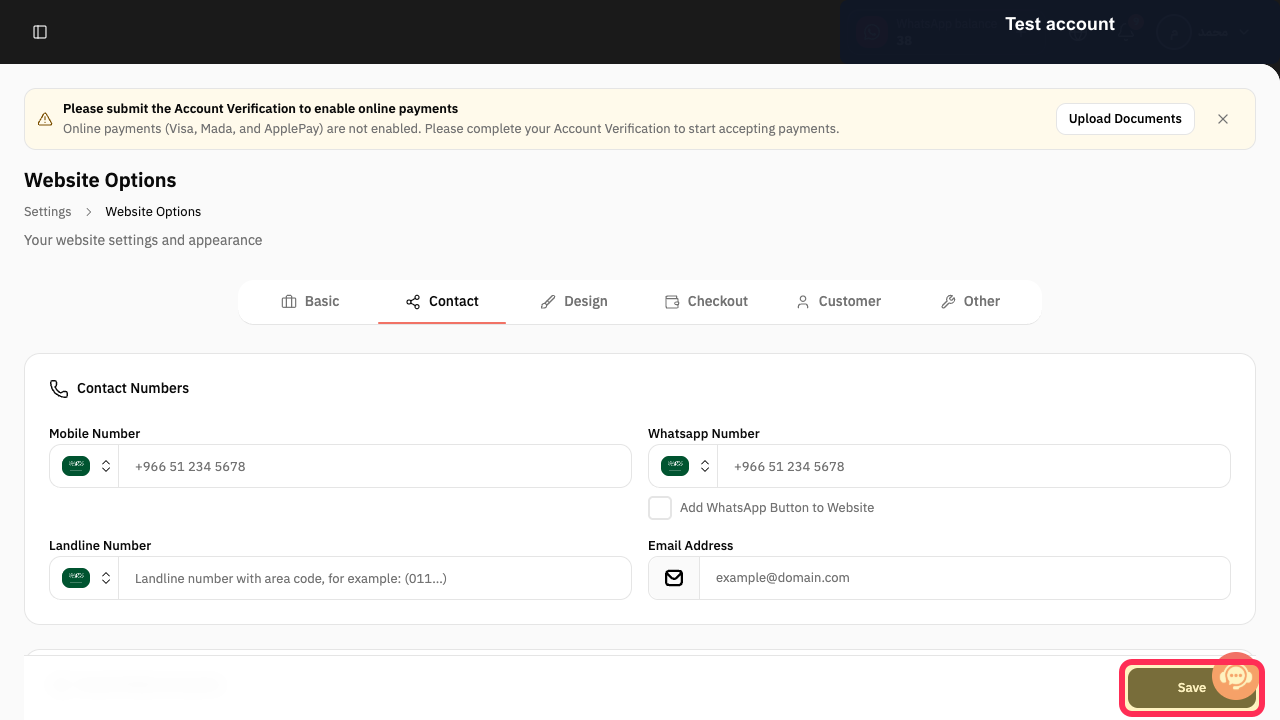
Select Save.
Your changes are saved.
Illustrated guide
Step 1: Settings in the Home sidebar.
Step 2: Website Options in the Settings area.
Step 3: Contact tab on the Website Options page.
Step 4: Update the Mobile Number and review the remaining website contact fields.
Step 5: Save button below the website contact fields.
Before you save
Review all contact details before saving to make sure customers can reach the correct business channels.
Use business-controlled phone numbers, email addresses, and accounts.
Avoid using personal employee contact details unless they are specifically used for customer service.
Related questions
How do I update the phone number shown on my Rekaz website?
Where can I change my website contact details in Rekaz?
How do I edit my website email address and social media accounts in Rekaz?


