How do I add website images in Rekaz?
In Rekaz, website appearance settings are available under Settings > Website Options > Design.
Steps
From Home, select Settings in the sidebar.
The Settings page opens.
Select the Website Options card.
Website Options opens, showing website settings and appearance options.
Select Design.
The Design area of Website Options opens for reviewing the currently available design settings.
Illustrated guide
Step 1: Select Settings from the Rekaz sidebar.
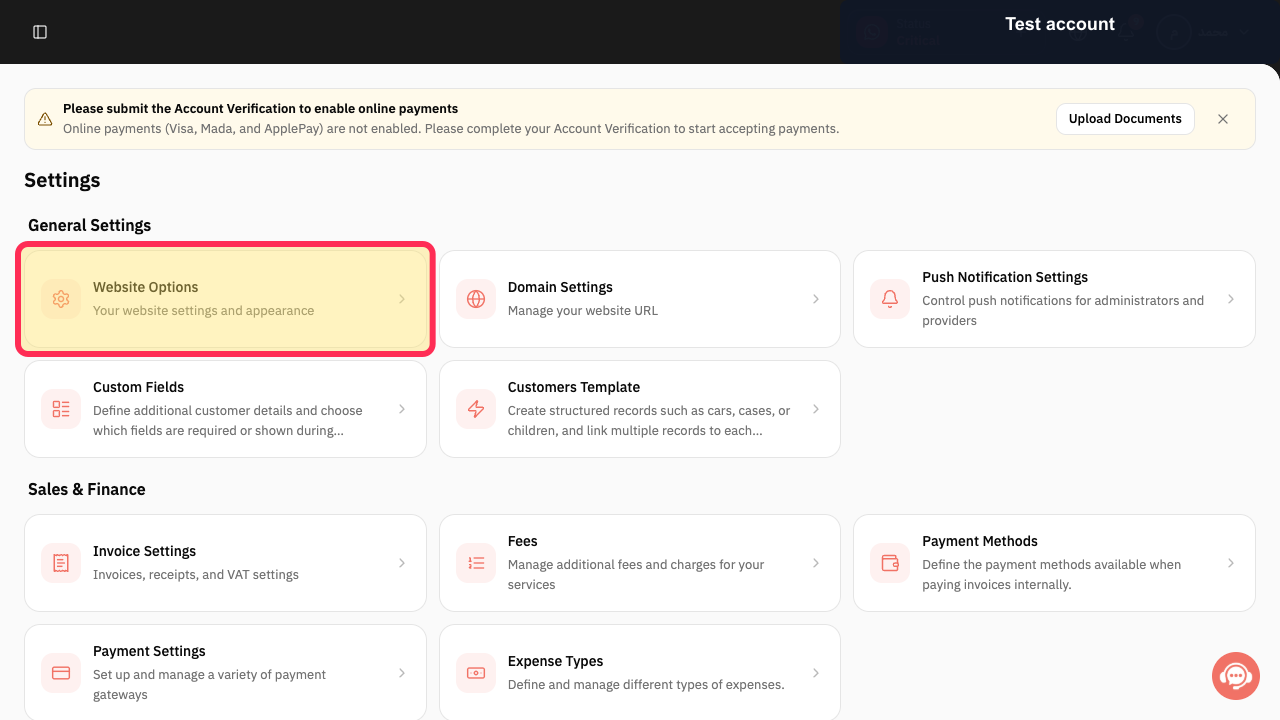
Step 2: Open Website Options from Settings.
Step 3: Open the Design area in Website Options.
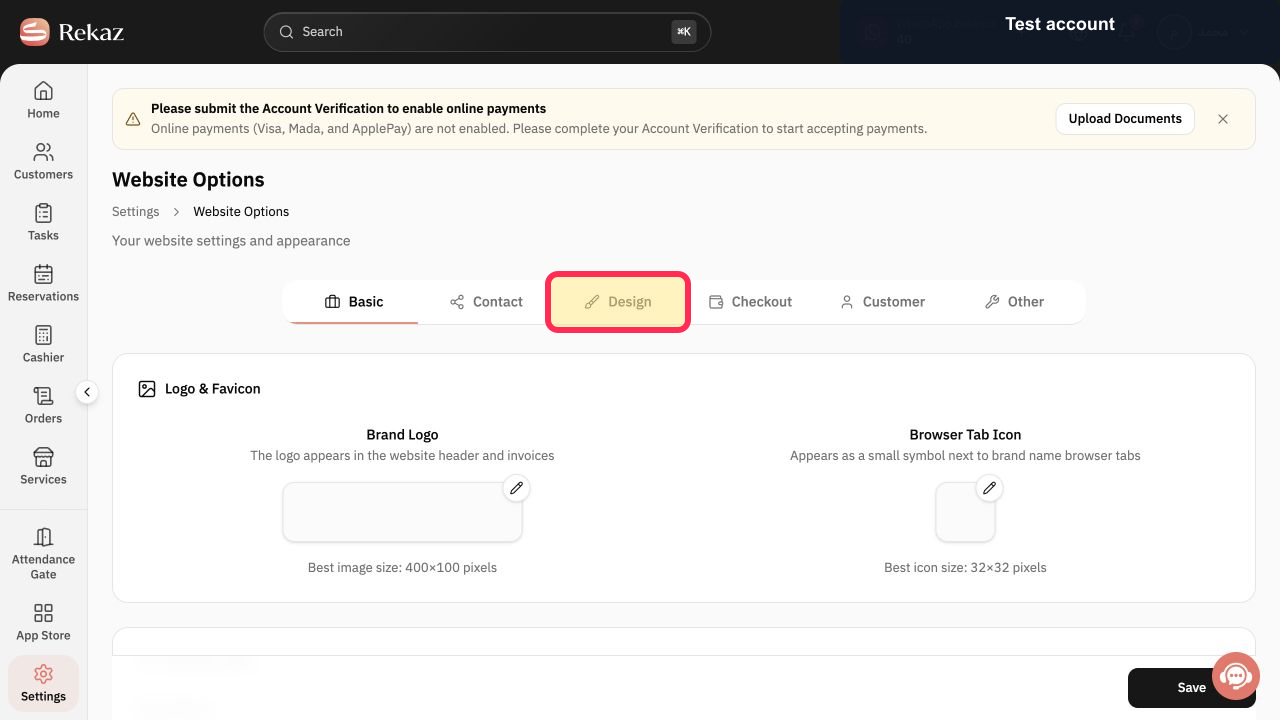
Image requirements and limits
Rekaz recommends website images at 1600 × 900 pixels, using a 16:9 aspect ratio.
The current Image Gallery supports up to seven images.
Privacy reminder
Make sure you have permission before uploading any image that includes a customer’s face or personal information.
Related questions
Where can I find Image Gallery in Rekaz?
How many website images can I add in Rekaz?
What image size should I use for my Rekaz website?


