How do I change my website font in Rekaz?
Rekaz Website Options is the place to review website settings and appearance.
The current interface shows a Design section, but it does not show the font list, font-selection control, or a save action for changing the website font. The steps below show the nearest available location.
Steps
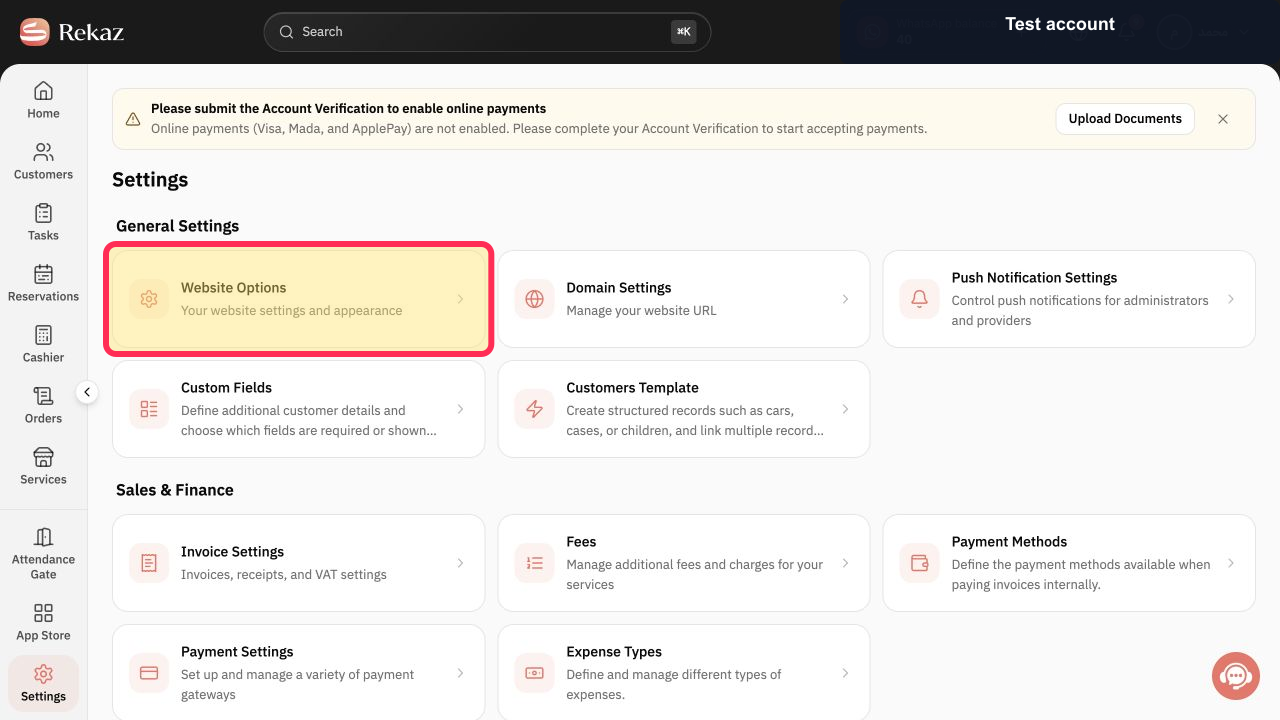
On the Settings page, select Website Options.
The Website Options area opens for your website settings and appearance.
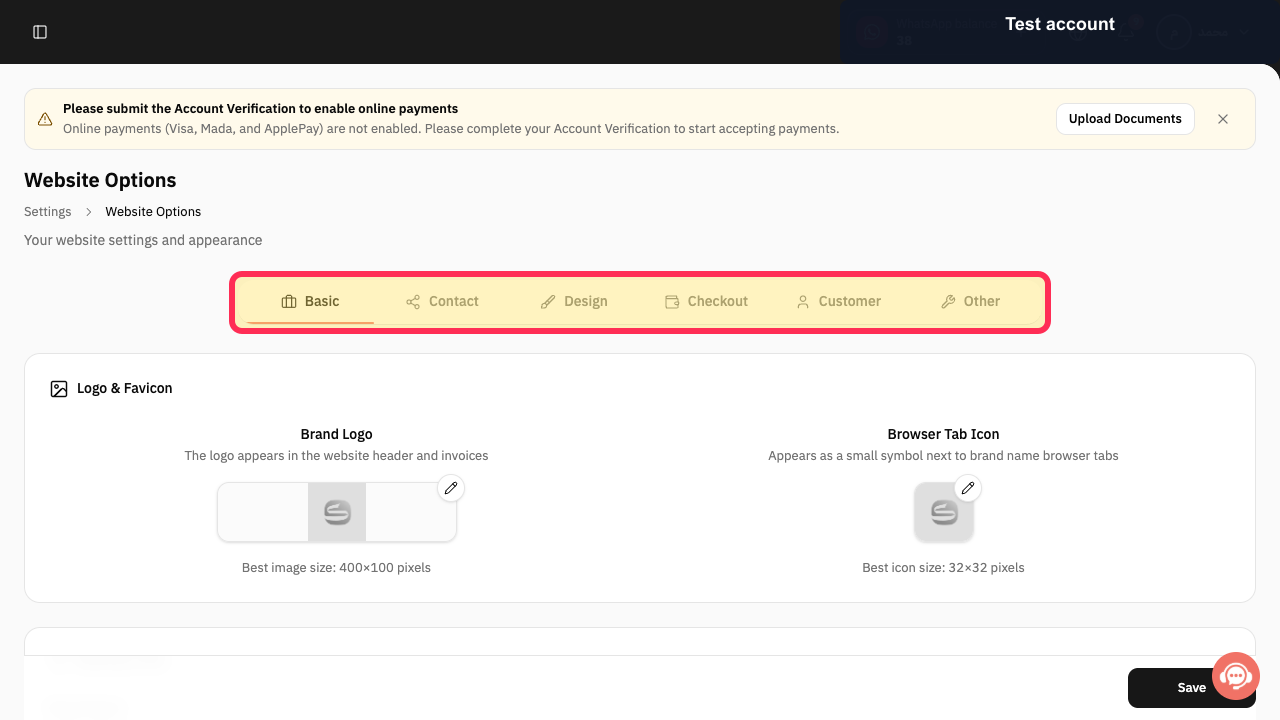
Verify that the Website Options navigation includes Design.
The Website Options navigation shows Basic, Contact, Design, Checkout, Customer, and Other.
Illustrated guide
Step 1: The Website Options card on the Settings page.
Step 2: The Website Options navigation, including Design.
Important notes
The selected font applies to the booking website elements supported by the current design.
If your website is available in Arabic and English, check both language versions after changing the font.
Review your font selection before saving.
Related questions
Where can I find the option to change my website font in Rekaz?
What are the steps to change my website font in Rekaz?
Why does my selected font apply only to some parts of my booking website in Rekaz?


