How do I open my booking website in Rekaz?
In Rekaz, go to Home and select Booking link to access your booking website link.
The current interface shows the Booking link control and the displayed link. It does not show the Share, Copy Link, or private/incognito-browser actions, so those instructions are not included.
Steps
From Home, select Booking link.
Your booking website link is displayed.
Verify that your booking website link is displayed.
Your booking website link remains visible.
Illustrated guide
Step 1: Select Booking link from Home to access your booking website link.
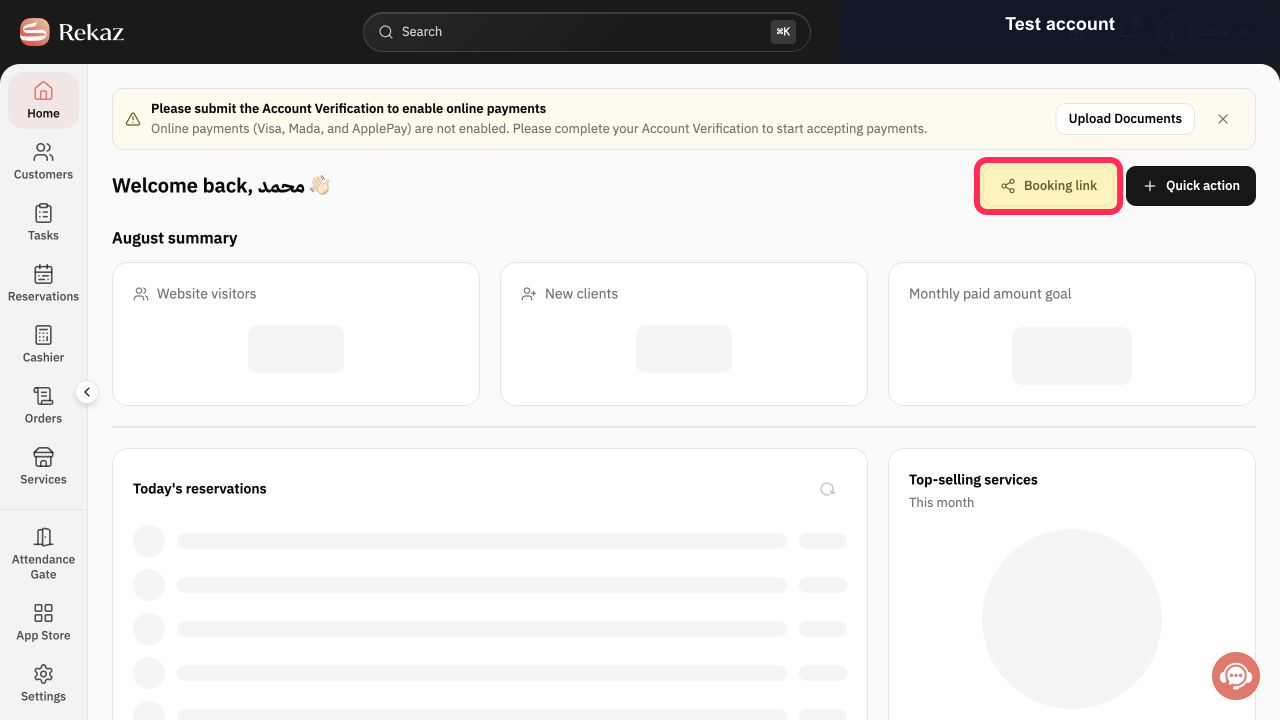
Step 2: Your booking website link is displayed after selecting Booking link.
If the booking website does not open
Check that your Domain is active, Maintenance Mode is not preventing public access, and the services you want customers to book are published.
Testing in a private or incognito browser window helps you view the website as a public visitor rather than as an administrator.
Related questions
Where can I find my booking website link in Rekaz?
How can I copy my Rekaz booking link?
How do I test my Rekaz booking website as a public visitor?
Why is my booking website not opening in Rekaz?


