How do I create a campaign with Rekaz Ads?
Create a campaign from the Rekaz Ads area in Rekaz. The current campaign form shows fields for a campaign name and targeted audience, with an option to add a new audience group.
The current interface does not show the campaign objective, budget, ad-content, summary, or final create action. Complete only the options displayed in your form and review the campaign warning before using any available start action.
Steps
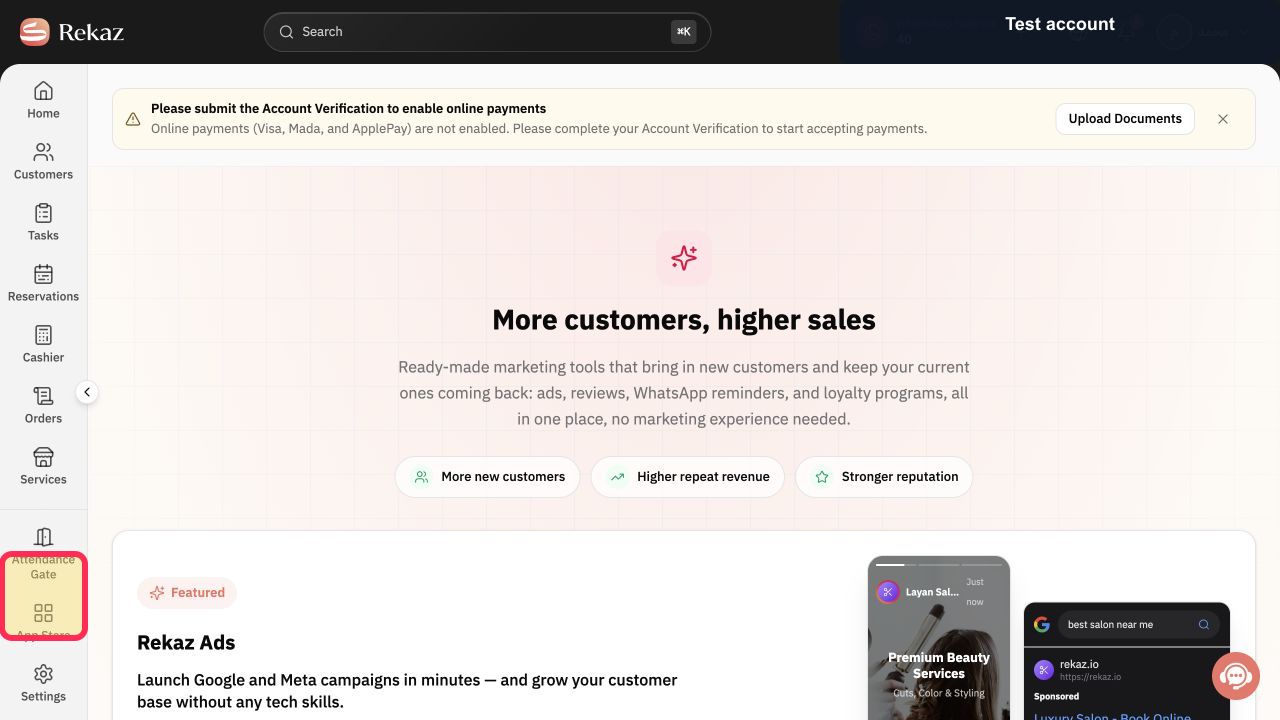
From the Rekaz sidebar, select Marketing Tools.
The Marketing Tools page opens.
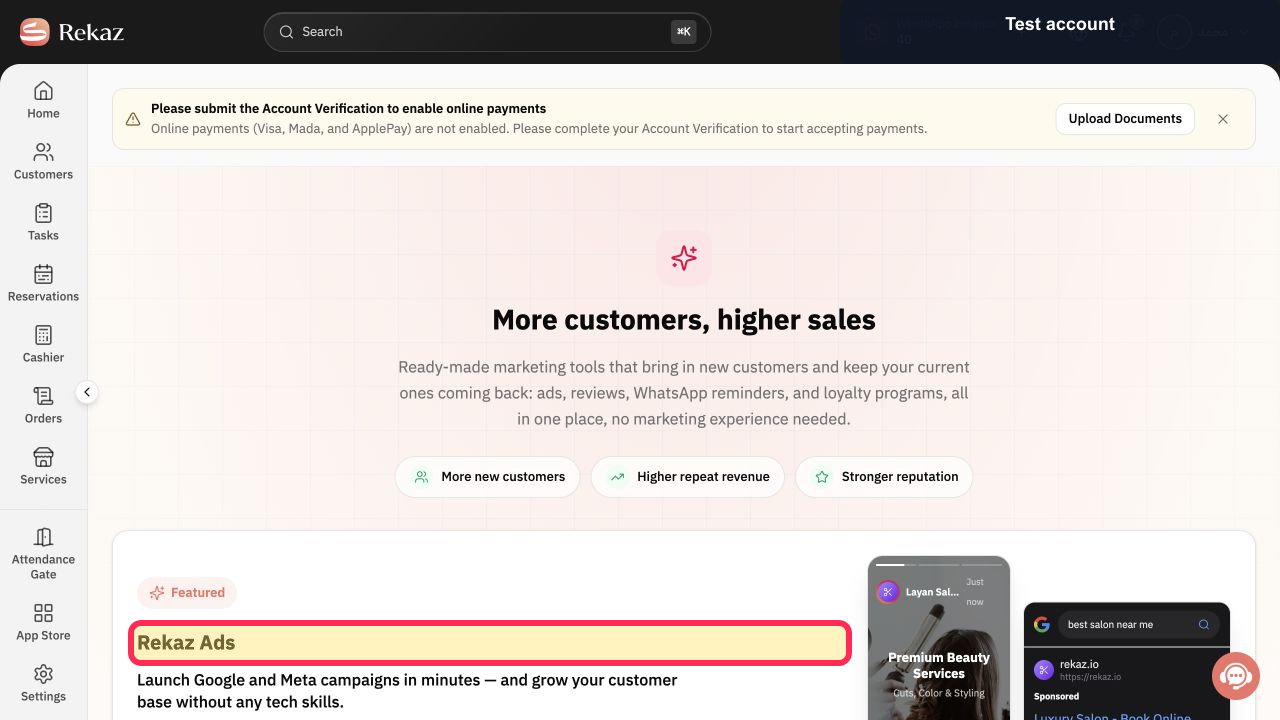
Open Rekaz Ads from Marketing Tools.
The Rekaz Ads option is visible.
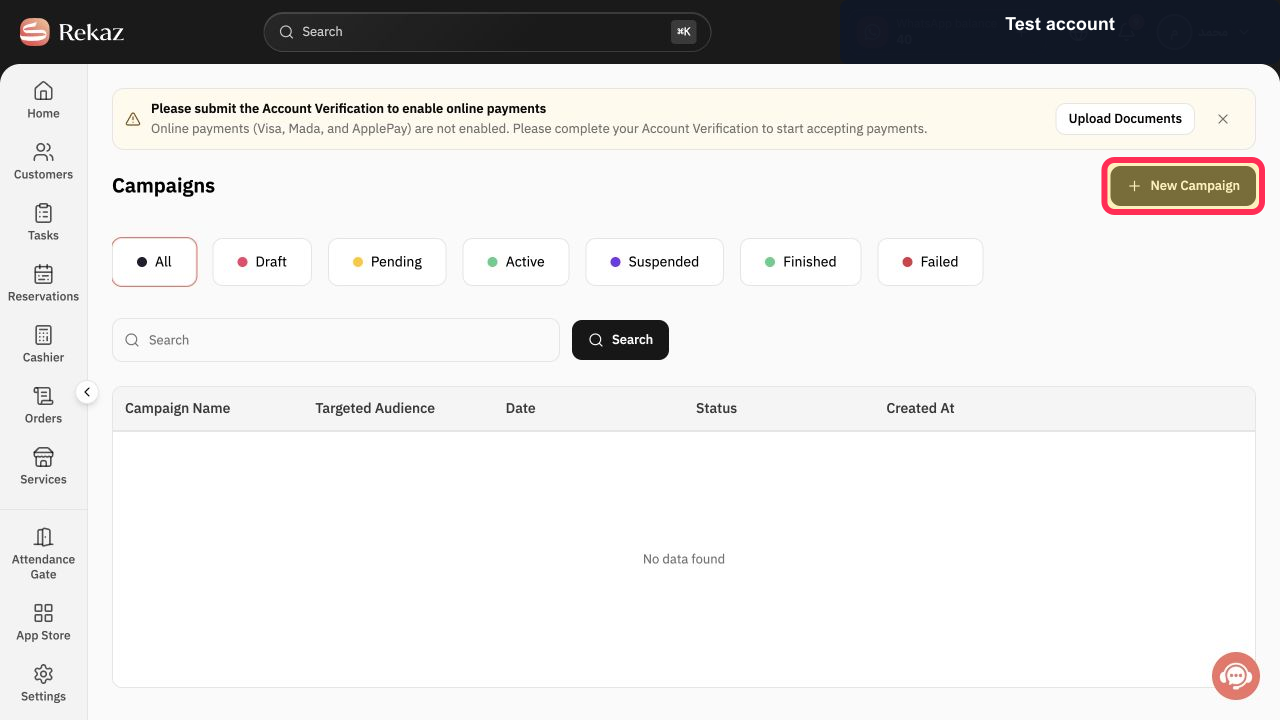
Select New Campaign.
The campaign creation form opens.
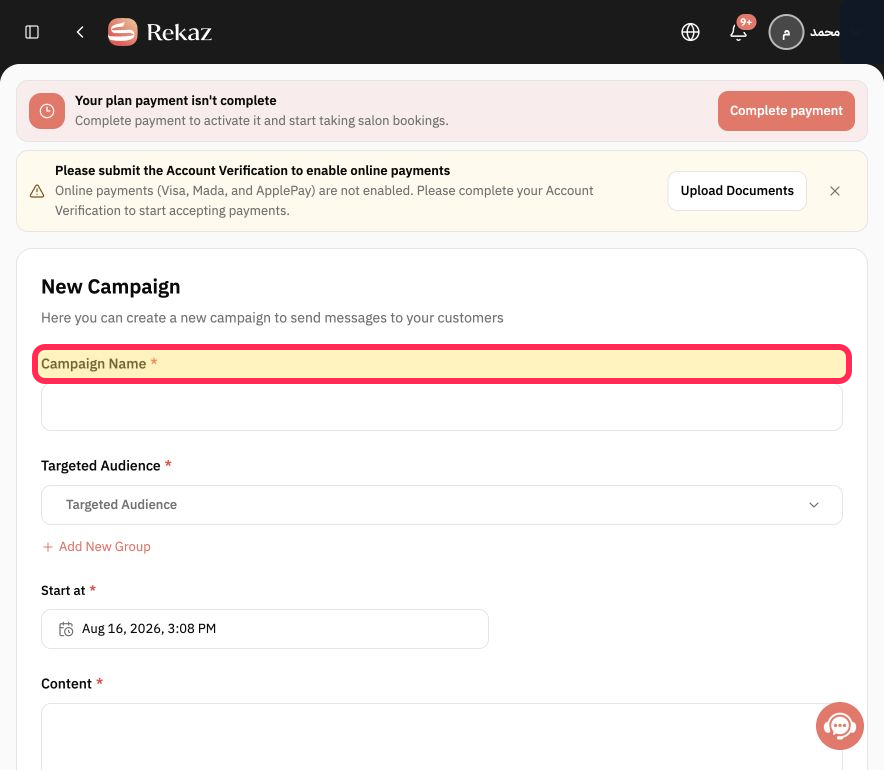
Enter a name for the campaign in the Campaign Name field.
The Campaign Name field is available for the campaign name.
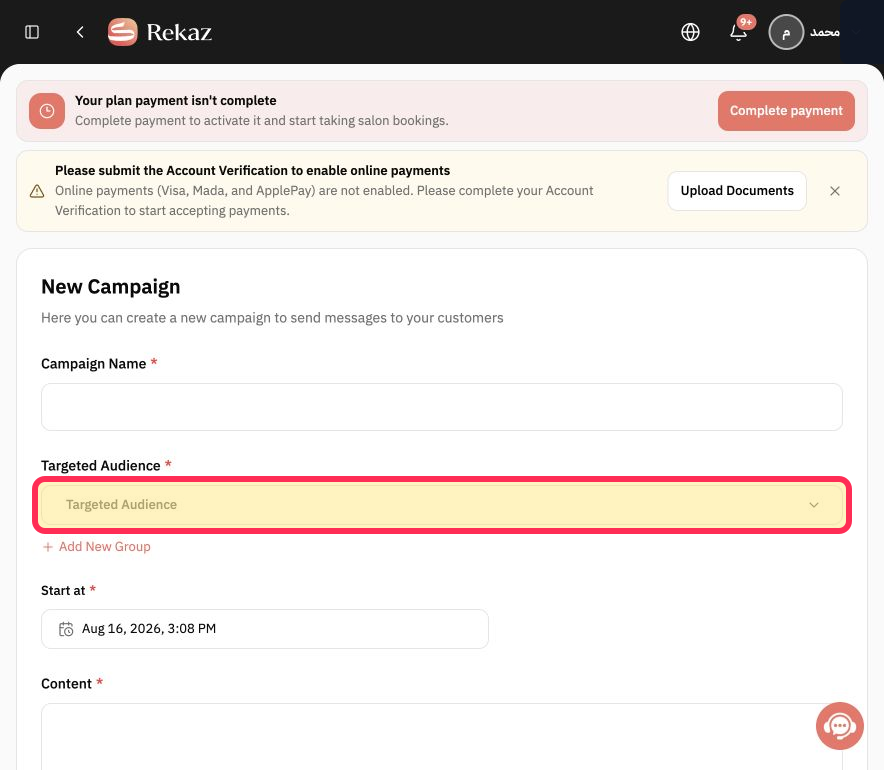
Select Targeted Audience and choose the audience group for the campaign.
The Targeted Audience selector is available.
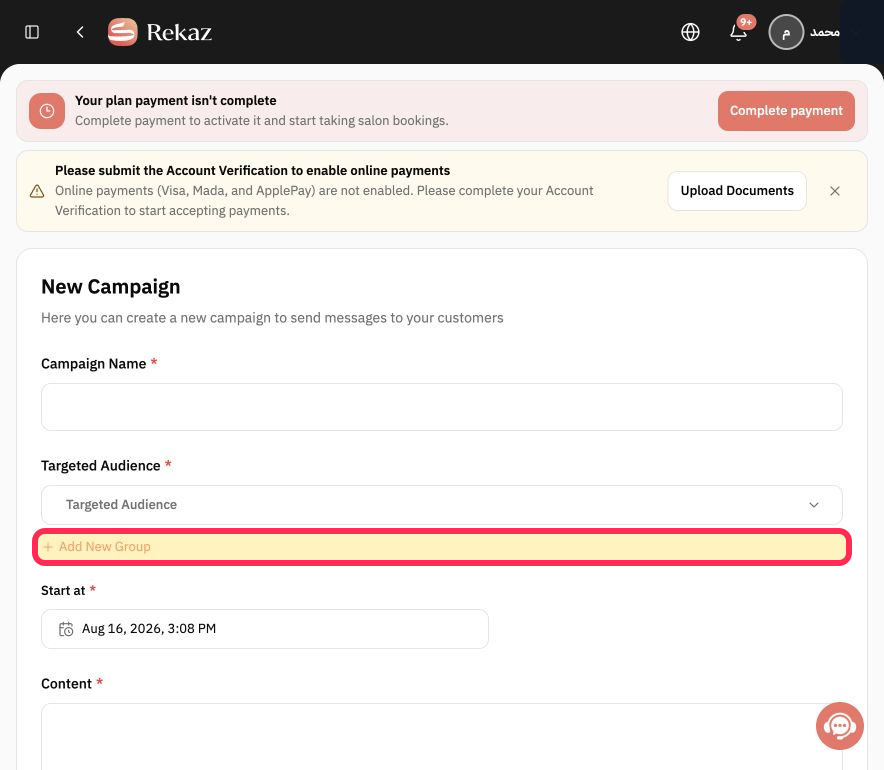
If you need an audience group that is not listed, select Add New Group.
The Add New Group link is available below the targeted-audience selector.
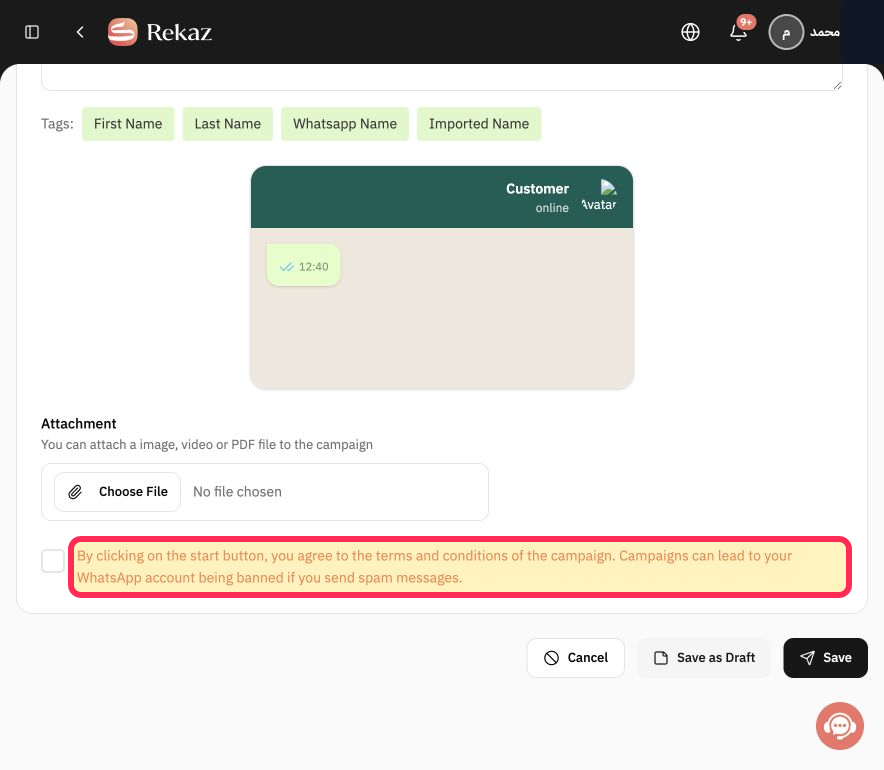
Review the campaign warning before proceeding with any available start action.
The form displays the terms-and-conditions and WhatsApp spam warning.
Illustrated guide
Step 1: Marketing Tools in the Rekaz sidebar.
Step 2: Rekaz Ads in Marketing Tools.
Step 3: New Campaign on the Campaigns page.
Step 4: Campaign Name field in the campaign form.
Step 5: Targeted Audience selector in the campaign form.
Step 6: Add New Group link in the campaign form.
Step 7: Campaign warning displayed near the start area.
Important notes
Only use the options displayed in your Rekaz Ads interface. If an option you need is unavailable, contact Rekaz support for assistance.
Review the displayed name, status, amount, or date before saving or completing a final action.
Related questions
How do I create an advertising campaign in Rekaz?
Where can I find the option to create a campaign in Rekaz Ads?
What are the correct steps to create a campaign in Rekaz Ads?


