How do I set up loyalty stamps or visits in Rekaz?
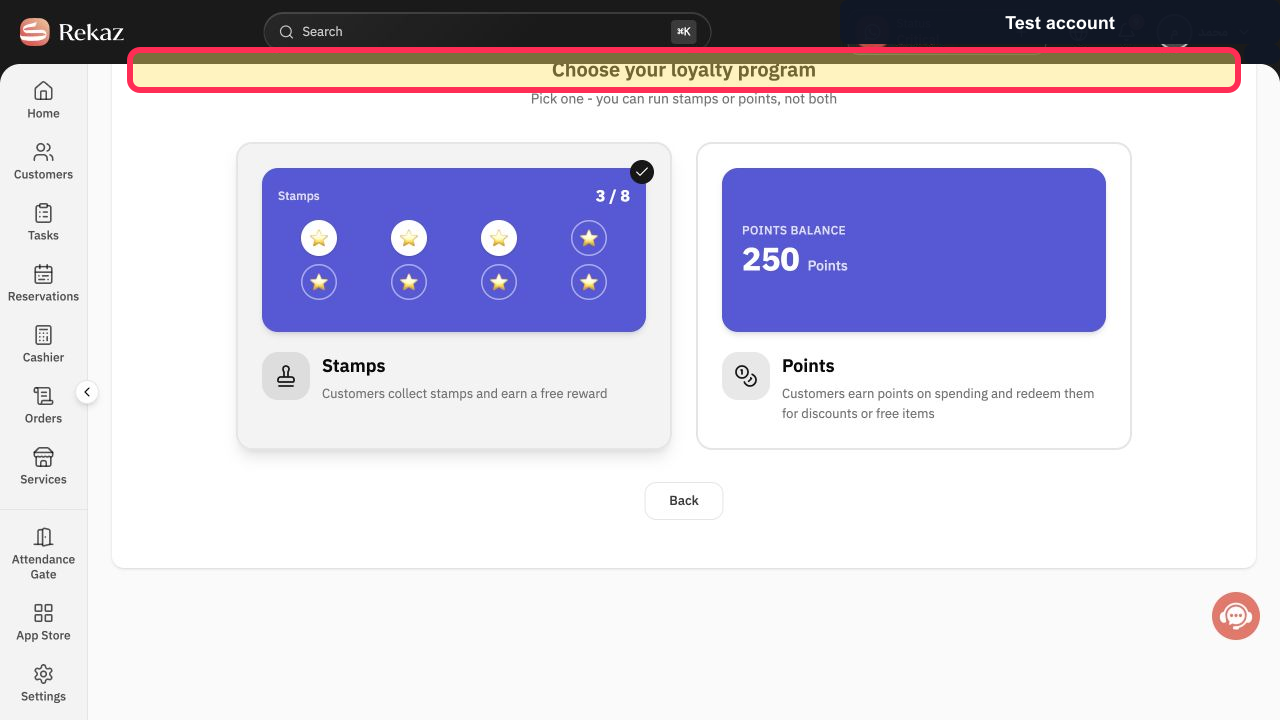
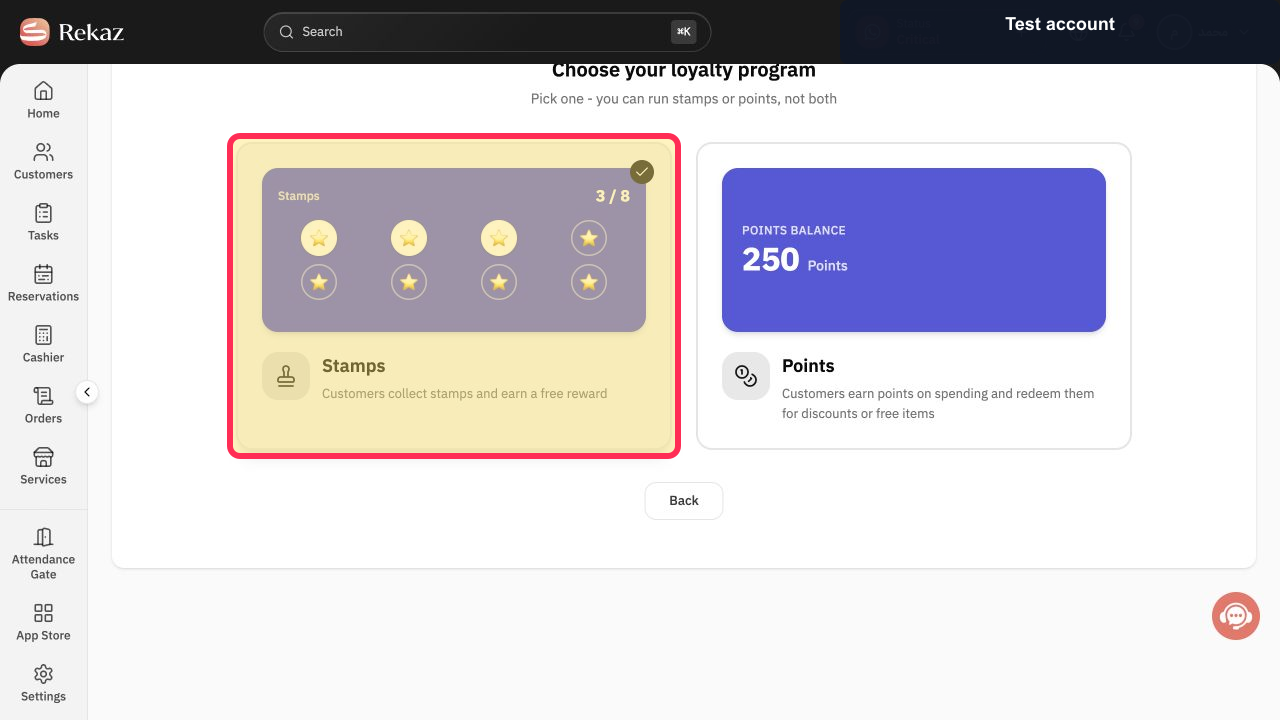
Rekaz Loyalty Setup currently presents a choice between Stamps and Points. Select Stamps to begin a program in which customers collect stamps and earn a free reward.
The current interface verifies the Stamps selection and the subsequent “Customize Your Card” stage. It does not show the actions for configuring earning services, reward services, a required number of stamps or visits, or a final save, publish, or activation action.
Steps
On the Rekaz Loyalty Setup screen, confirm that the loyalty-program selection screen is open.
The heading “Choose your loyalty program” is visible.
Select the Stamps program card to start a stamp-based loyalty program.
The card-customisation stage opens.
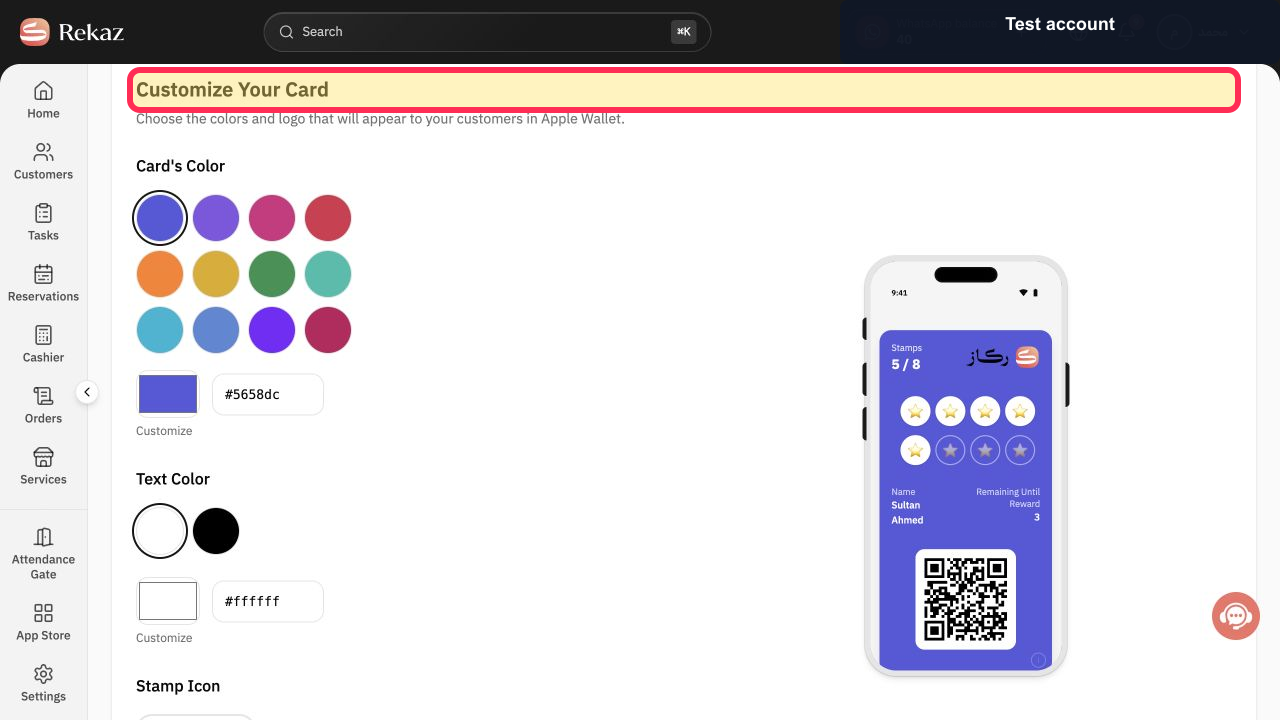
At the next stage, confirm that “Customize Your Card” is displayed before configuring the card using the options available on that screen.
The heading “Customize Your Card” is visible.
Illustrated guide
Step 1: The Rekaz Loyalty Setup screen lets you choose a loyalty-program type.
Step 2: Choose the Stamps program, where customers collect stamps and earn a free reward.
Step 3: The stamp-program flow continues to the card-customisation stage.
What you can configure
The loyalty setup covers the appearance of the stamp card, the services that earn stamps, the number of stamps or visits required, and the services available as rewards.
Card's Color and Stamp Icon
Earning services
Required number of stamps or visits
Reward services that customers can redeem for free
Important note
This information does not confirm the current navigation path to the Loyalty Program setup or whether an additional save, publish, or activation action is required. Interface labels and placement may change over time.
Related questions
How do I edit loyalty stamps in Rekaz?
Where can I find the loyalty stamp or visit setup in Rekaz?
How do I choose the services that earn loyalty stamps in Rekaz?
How do I set the number of stamps needed for a loyalty reward in Rekaz?


