How do I set coupon terms in Rekaz?
To set coupon terms in Rekaz, configure the eligible services, total and per-customer usage limits, active schedule, customer targeting, and Advanced settings before you create the coupon.
These options are configured as part of the coupon-creation flow. The documented steps begin after you have opened that flow; the navigation path to it is not confirmed in the available source.
Steps
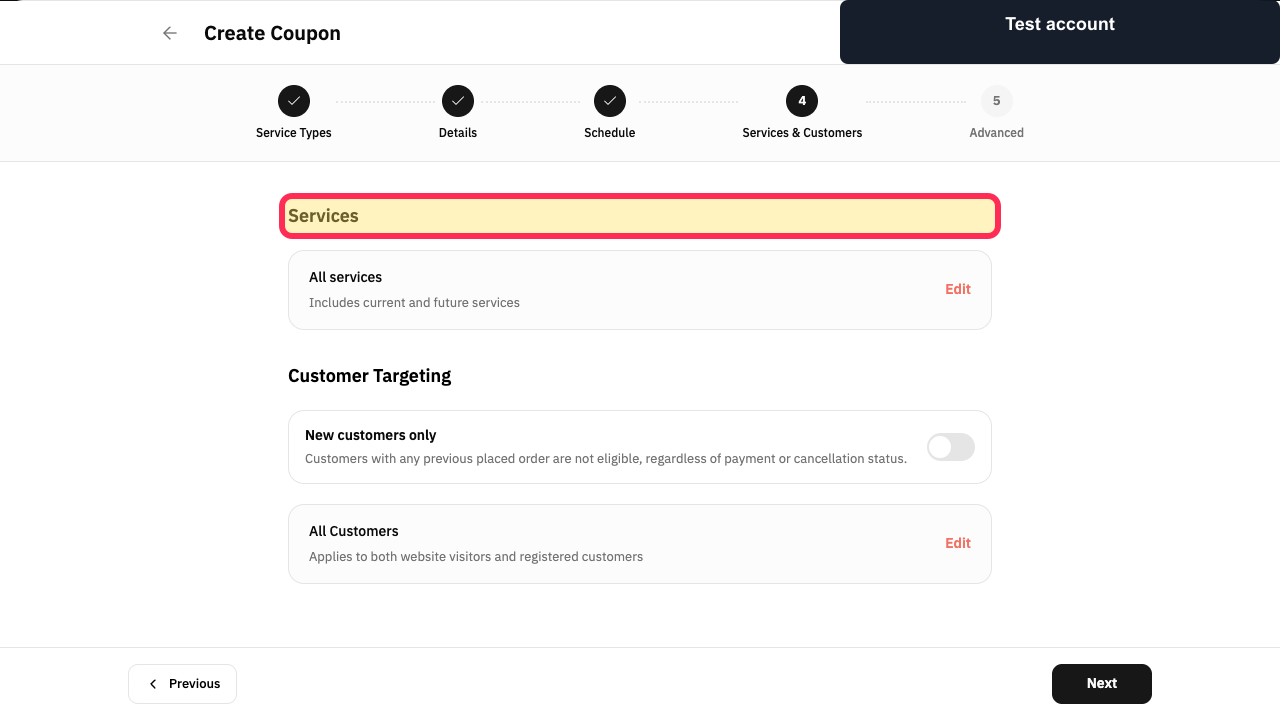
In the coupon-creation flow, choose the services to which the coupon applies.
The services eligible for the coupon are selected.
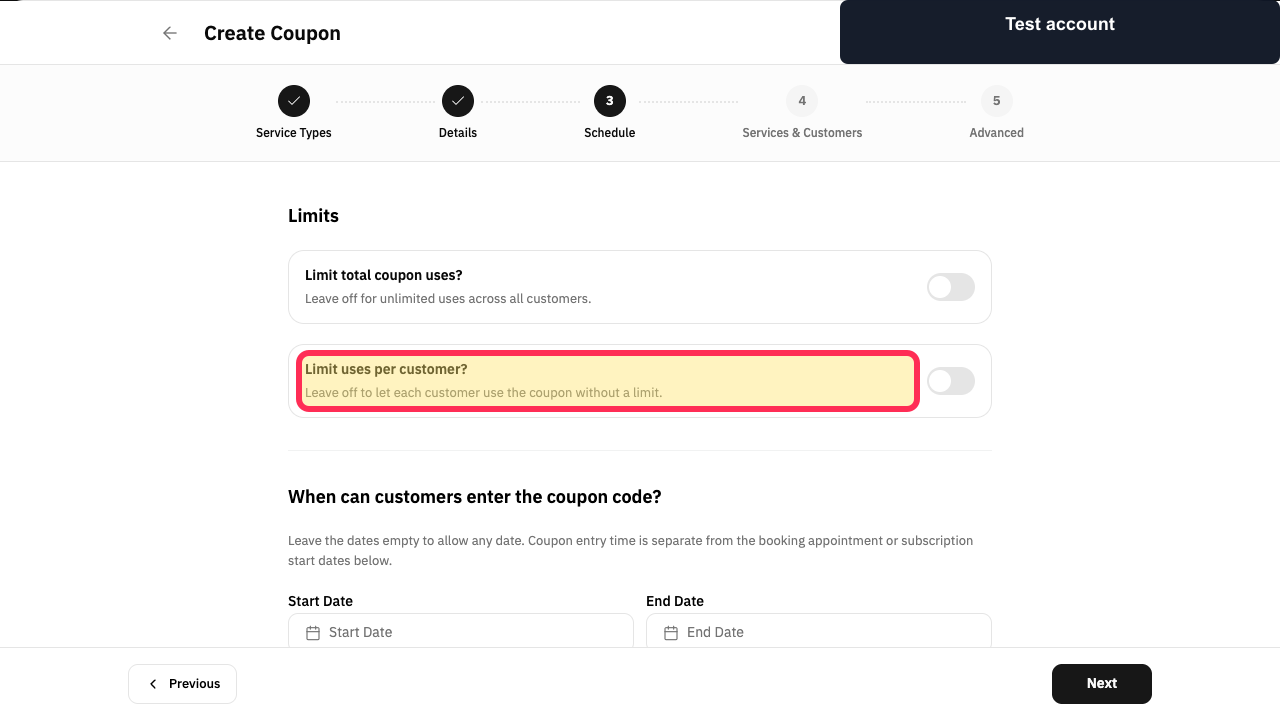
Set the total usage limit and the limit for each customer.
The coupon’s overall usage limit and per-customer limit are defined.
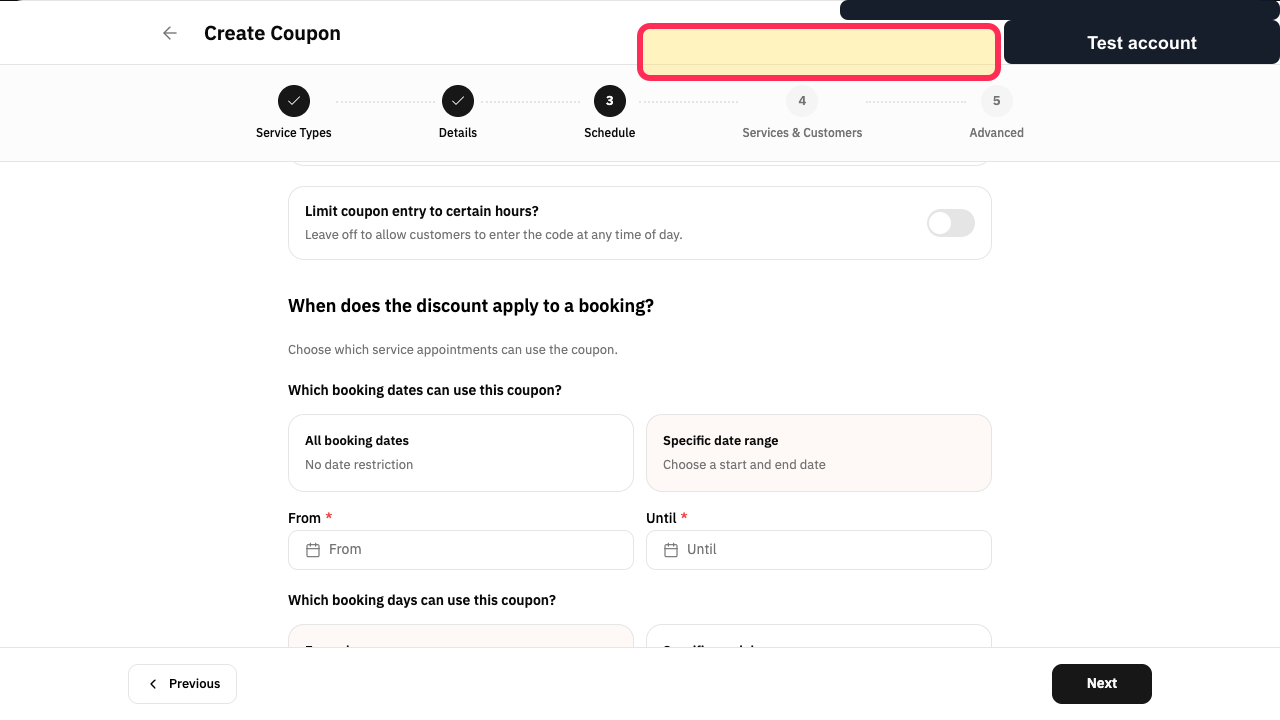
Set the Start & End Date, then choose the active days and hours.
The coupon has an active date range and schedule.
When needed, customise the customers and Covered services included in the coupon.
Customer and service eligibility is tailored as needed.
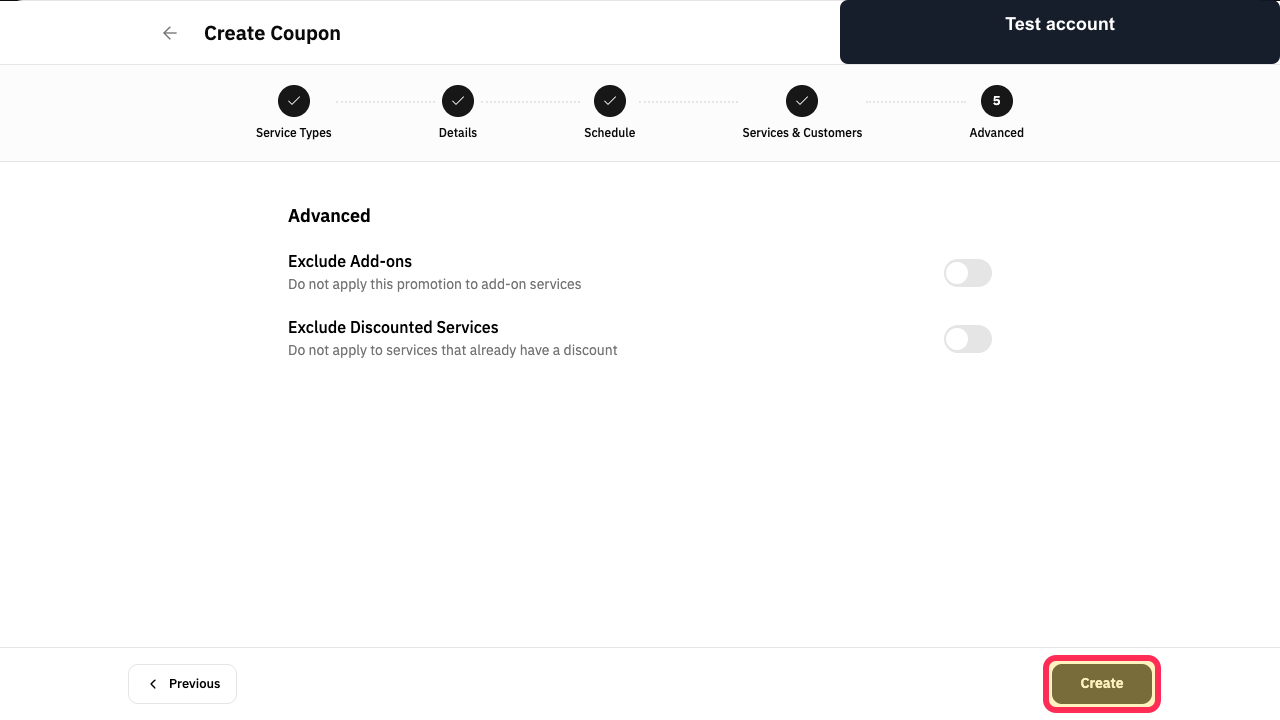
Review the Advanced settings, then select Create.
The coupon is created with the configured terms.
Illustrated guide
Step 1: Choose the services to which the coupon applies.
Step 2: Set the total usage limit and the limit for each customer.
Step 3: Set the start and end dates, active days, and hours.
Step 4: Customise customers and covered services when needed.
Step 5: Review the Advanced settings, then select Create.
Important notes and limitations
The illustrated flow matches the referenced coupon-creation flow.
If the Rekaz interface changes, check the visible button name before completing a financial or final action.
Related questions
Where can I set coupon terms in Rekaz?
How do I set coupon usage limits in Rekaz?
How do I choose the services and customers eligible for a coupon in Rekaz?
How do I set a coupon’s active dates and hours in Rekaz?


