How do I stop WhatsApp rating request messages in Rekaz?
To stop WhatsApp rating request messages in Rekaz, open Customer Reviews from Marketing Tools, go to Settings, turn off WhatsApp Rating Request, and save your changes.
This setting controls whether customers receive rating requests through WhatsApp.
Steps
From the signed-in Rekaz dashboard, select **Marketing Tools** in the sidebar.
The Marketing Tools area opens.
Select **Customer Reviews**.
The Customer Reviews page opens.
Open **Settings**.
Customer Reviews settings are displayed.
Turn off the **WhatsApp Rating Request** option.
The WhatsApp Rating Request option is disabled.
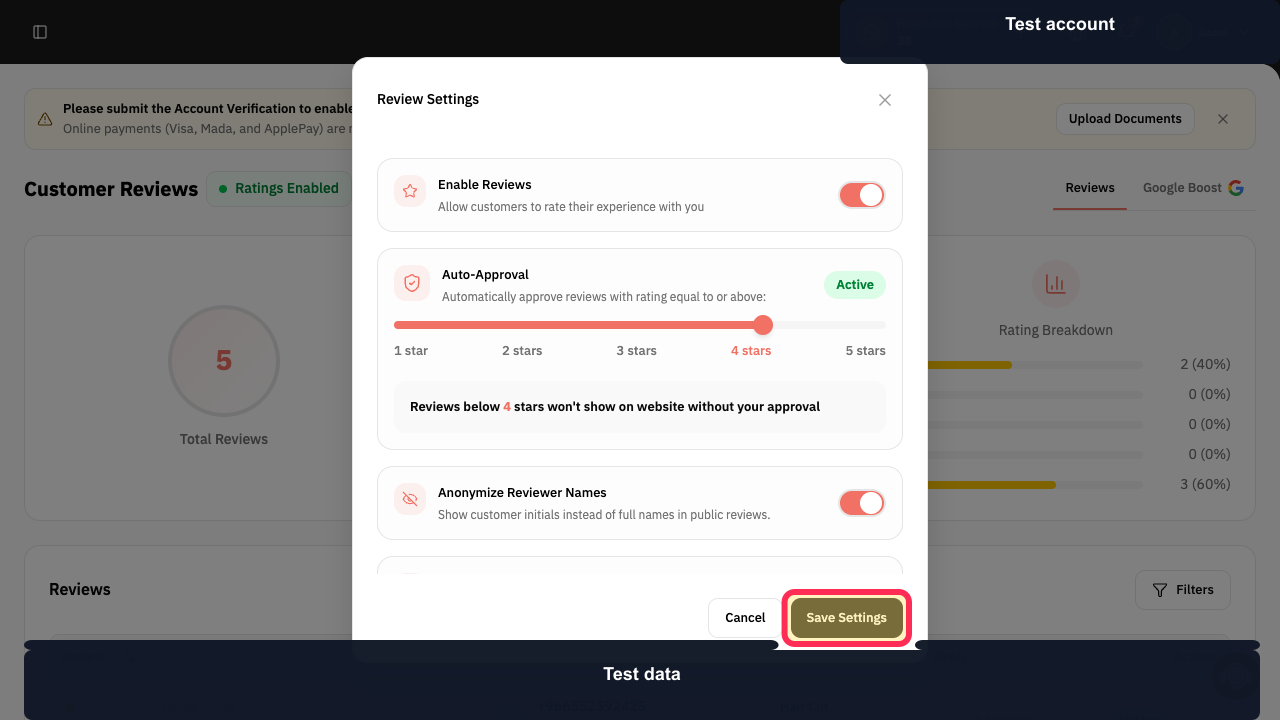
Select **Save Settings**.
Your updated Customer Reviews settings are saved.
Illustrated guide
Step 1: Select Marketing Tools from the sidebar.
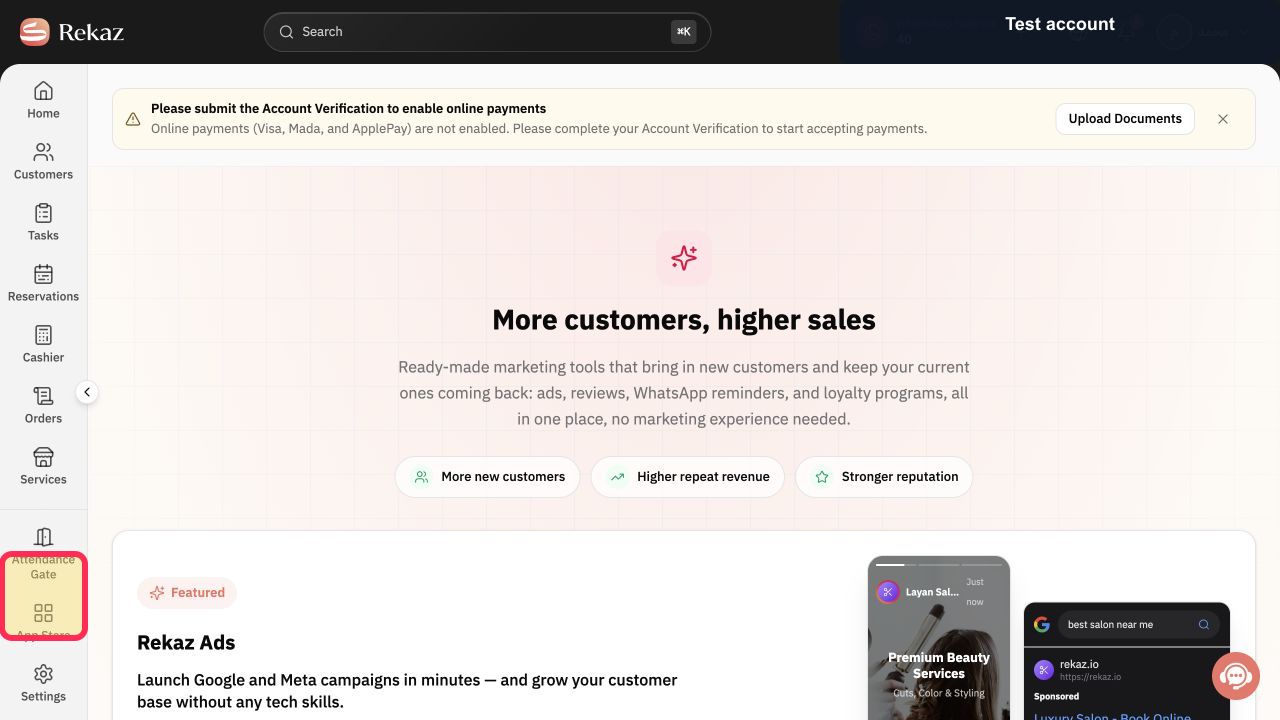
Step 2: Open Customer Reviews.
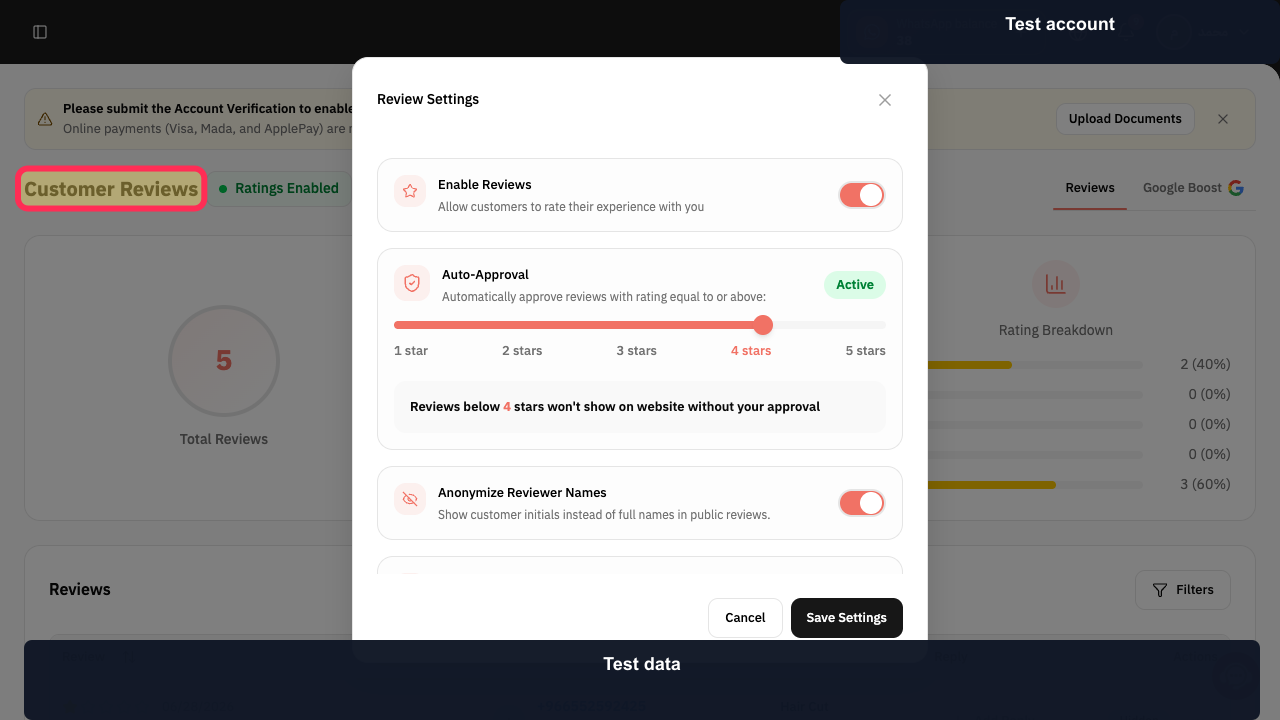
Step 3: Open Customer Reviews settings.
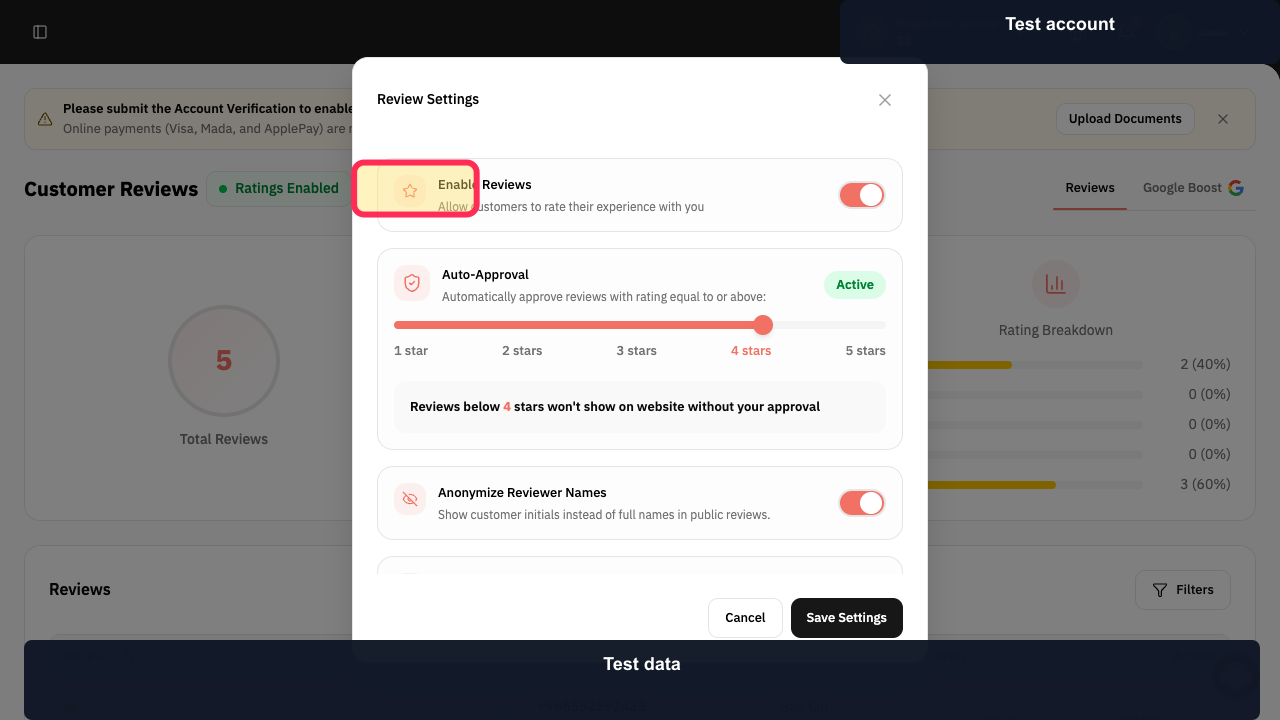
Step 4: Disable WhatsApp Rating Request.
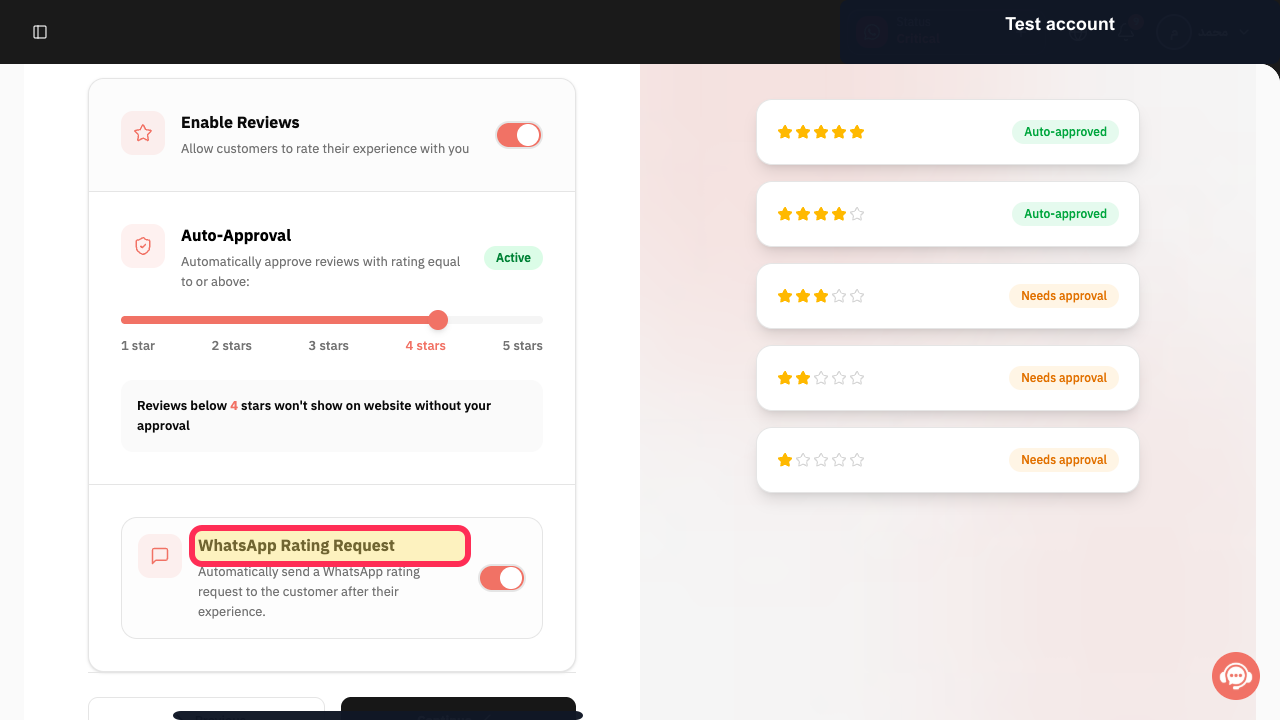
Step 5: Save the updated settings.
Important note
Interface labels or element locations may vary slightly if Rekaz has been updated since this guide was published.
Related questions
Where can I find the WhatsApp Rating Request setting in Rekaz?
How do I disable WhatsApp rating requests in Rekaz?
How do I stop sending customer rating requests through WhatsApp in Rekaz?


