How do I check whether a WhatsApp message was sent in Rekaz?
In Rekaz, review the WhatsApp messaging summary to see message counts by status over the last seven days. For the status of an individual message, open the WhatsApp notification history instead of relying on your message balance.
The available statuses show whether a message was sent, is pending, or failed. Review the message record for the most specific status available.
Steps
From the signed-in dashboard, select Home in the sidebar.
The Home dashboard opens.
In the WhatsApp messaging section, review the message totals and the statuses shown for the last seven days, including sent, pending, and failed messages.
A summary of WhatsApp message counts by status is visible.
Select Whatsapp notification history to view individual messages and their detailed statuses.
The WhatsApp notification history opens, showing messages and their statuses.
Illustrated guide
Step 1: Open the Home dashboard in Rekaz.

Step 2: Review the WhatsApp messaging summary and its message-status totals.
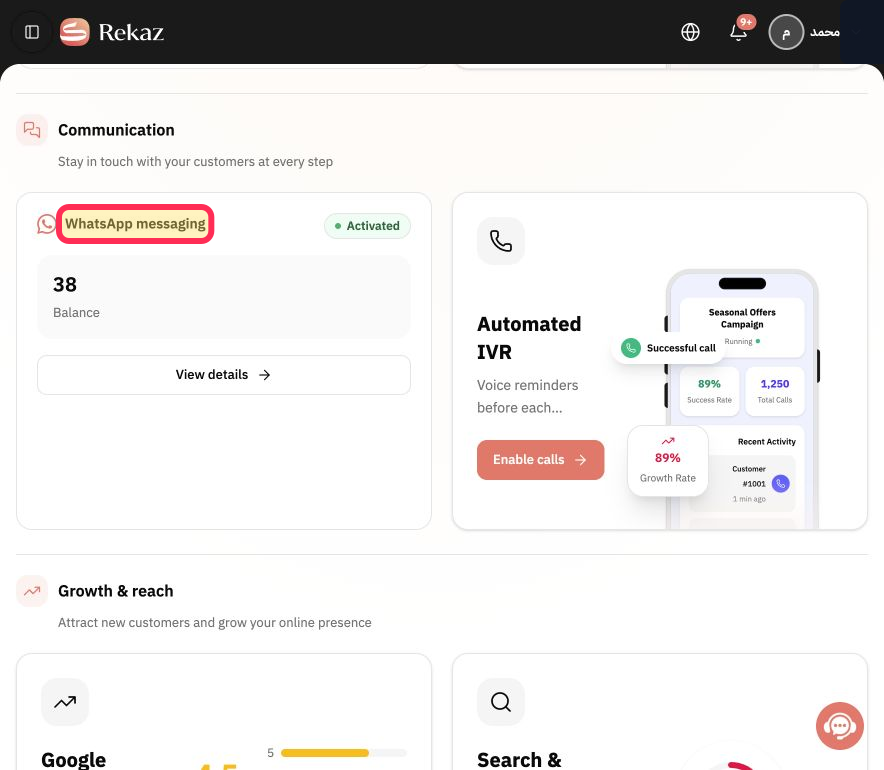
Step 3: Open Whatsapp notification history to check the status of a specific message.
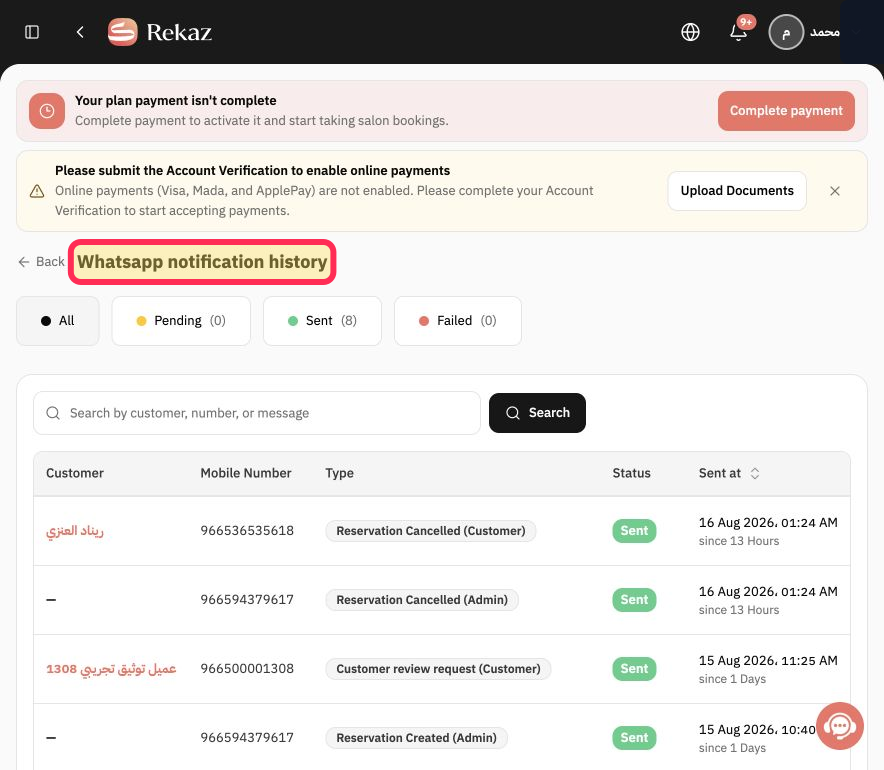
Important notes
Use the WhatsApp notification history to check a specific message. Your message balance alone does not show the message status.
Review the displayed values and message records before taking any final or financial action.
Related questions
Where can I find the WhatsApp notification history in Rekaz?
How do I check whether a WhatsApp message is pending or failed in Rekaz?
Why should I check the WhatsApp notification history instead of the message balance in Rekaz?


