How do I configure WhatsApp notifications in Rekaz?
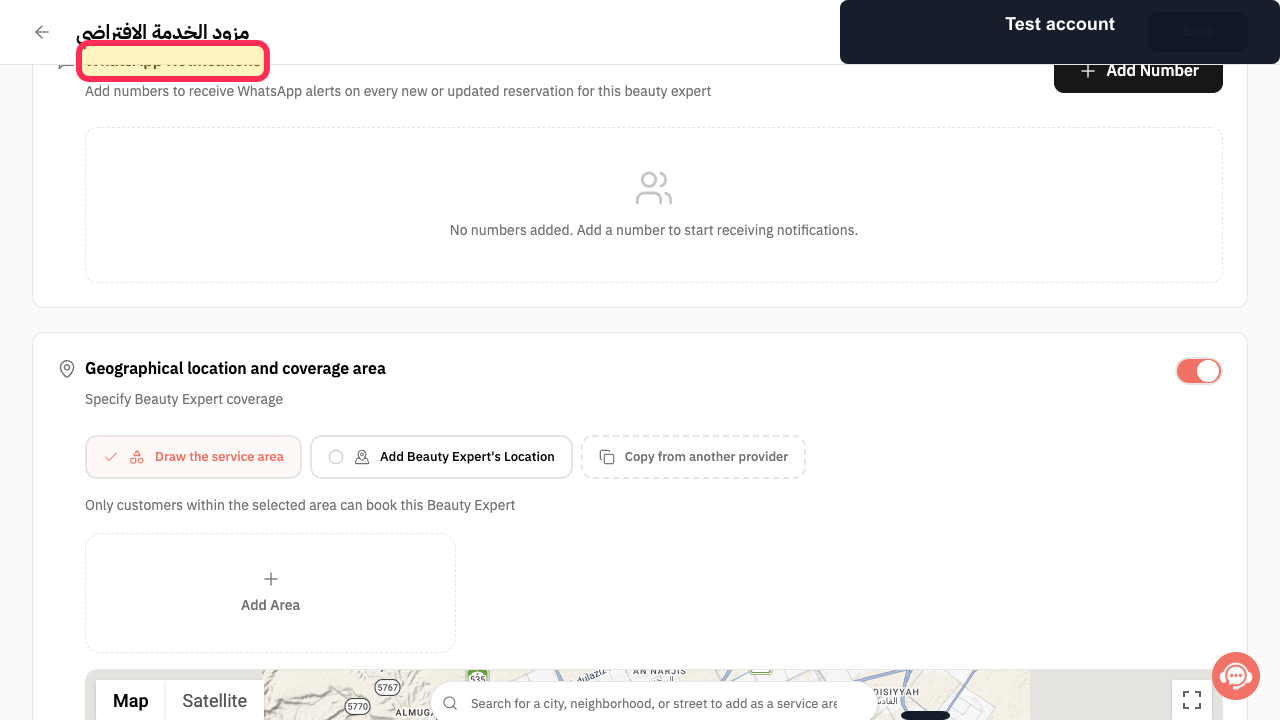
To configure WhatsApp notifications in Rekaz, open the relevant provider profile and look for the **WhatsApp Notifications** section.
The current interface does not show the global notification configuration flow. In particular, it does not show Notification Settings, event-based recipient controls, or a Customize option for WhatsApp messages and timing.
Steps
On the relevant provider profile, verify that the **WhatsApp Notifications** section is available.
The **WhatsApp Notifications** heading is visible on the provider profile.
Use the visible **WhatsApp Notifications** section only as the current available location for provider-related WhatsApp notification settings; no global event, recipient, message, or timing controls are shown in the supplied interface.
The provider profile continues to show the **WhatsApp Notifications** section, with no global notification controls available in this workflow.
Illustrated guide
Step 1: WhatsApp Notifications section on a provider profile.
Step 2: Current provider-profile location for WhatsApp Notifications.
Available notification groups
WhatsApp notification settings are organised by event group. Available groups include reservations, subscriptions, orders, packages, gifts, attendance, tasks and reviews.
Choose the correct recipient
Before enabling or disabling an event, check who should receive it. Recipients can include the Customer, Service Provider and Admin.
Before you make changes
Review the selected event, recipient, message content and timing before making final changes.
Related questions
Where can I find WhatsApp notification settings in Rekaz?
How do I turn a WhatsApp notification on or off for a customer in Rekaz?
How do I customise the message and timing of a WhatsApp notification in Rekaz?


