How do I connect WhatsApp in Rekaz?
To connect WhatsApp in Rekaz, open the official WhatsApp connection flow, select Switch now, then go to Notifications and choose Link your number. Complete the remaining steps in Meta’s secure window.
Use the official connection method to help reduce the risk of your WhatsApp account being blocked or restricted. Do not share verification codes in public screenshots or messages.
Steps
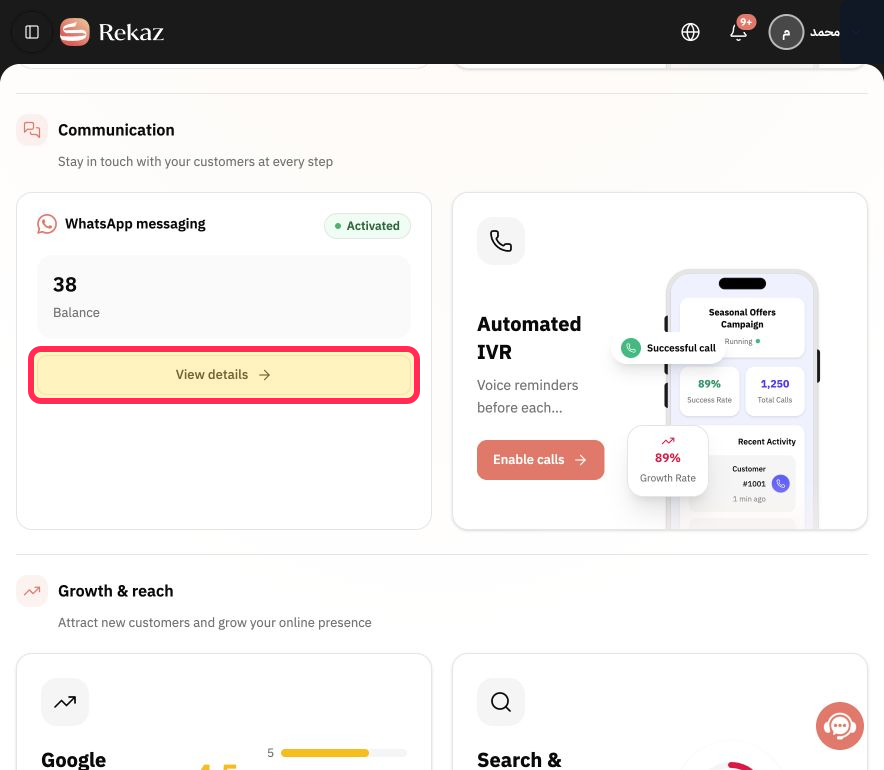
From Marketing Tools, open the WhatsApp messaging card and select View details.
The official WhatsApp connection area opens.
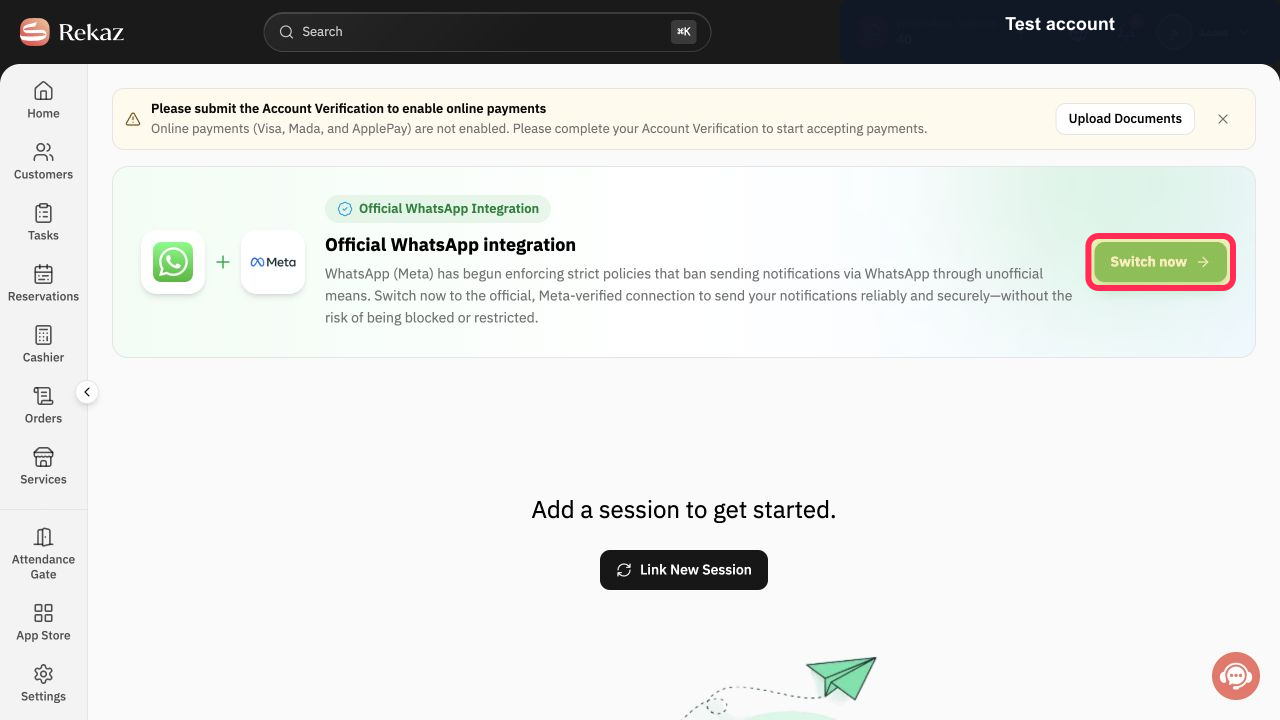
On the official WhatsApp connection page, select Switch now.
You are directed to the WhatsApp connection flow.
Open Notifications.
The Notifications screen is displayed.
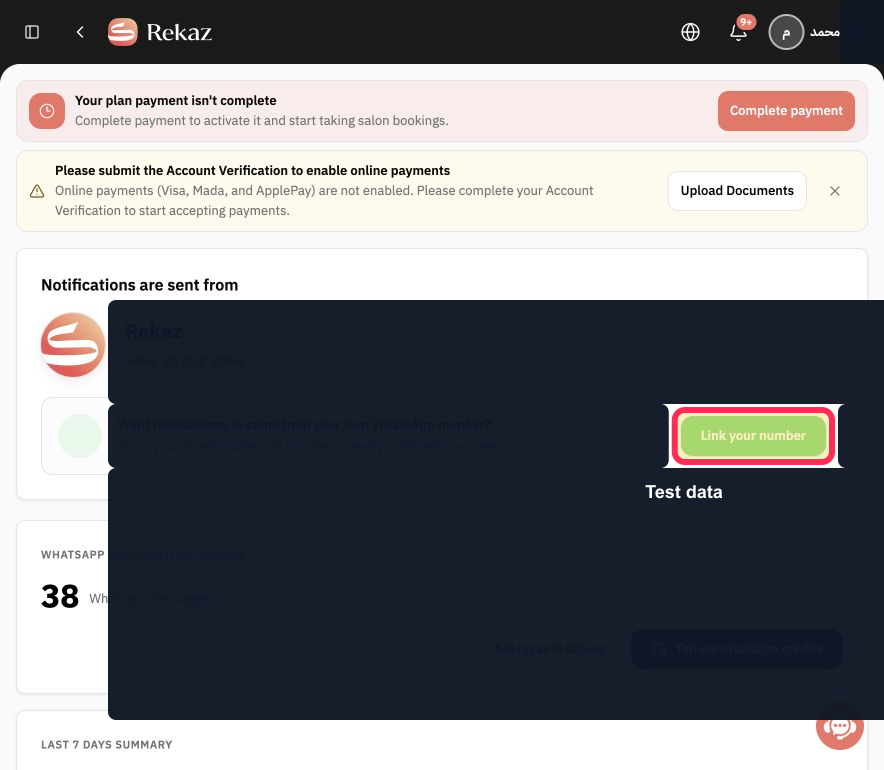
Select Link your number, then complete the Meta steps shown in the secure window.
The secure Meta connection window opens so you can complete the linking process.
Illustrated guide
Step 1: Open the WhatsApp messaging details from Marketing Tools.
Step 2: Select Switch now on the official WhatsApp connection page.
Step 3: Open Notifications to continue linking WhatsApp.
Step 4: Select Link your number and continue in Meta’s secure window.
Important notes
Follow the Meta registration steps shown in the secure window.
Check all values and information before taking any final or financial action.
Related questions
Where can I find the WhatsApp connection option in Rekaz?
What are the correct steps to link my WhatsApp number in Rekaz?
Why should I use the official WhatsApp connection method in Rekaz?


