How do I connect Rekaz to the Zakat, Tax and Customs Authority (ZATCA)?
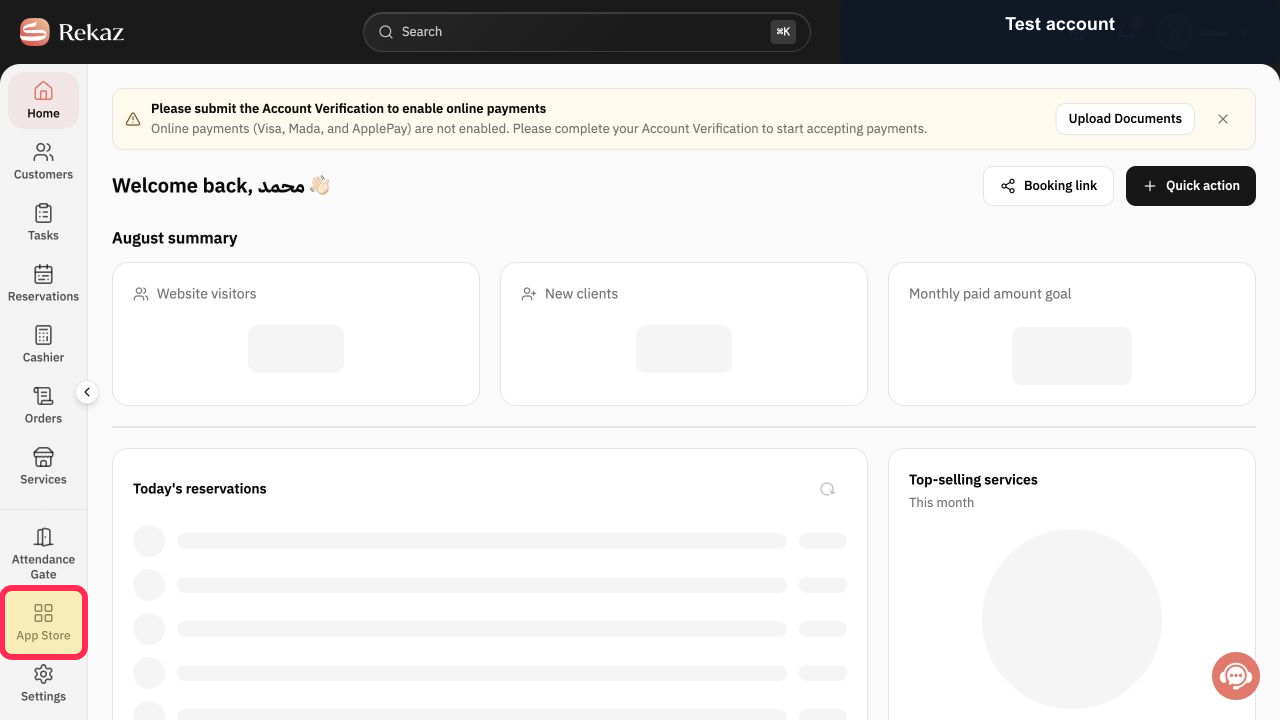
To start a ZATCA connection in Rekaz, open App Store and use the visible Activate action for the integration when it is available.
The current interface does not show the ZATCA-specific selection, connection details, second-phase video, or a successful-connection confirmation.
Steps
From the signed-in Rekaz dashboard, select App Store from the sidebar.
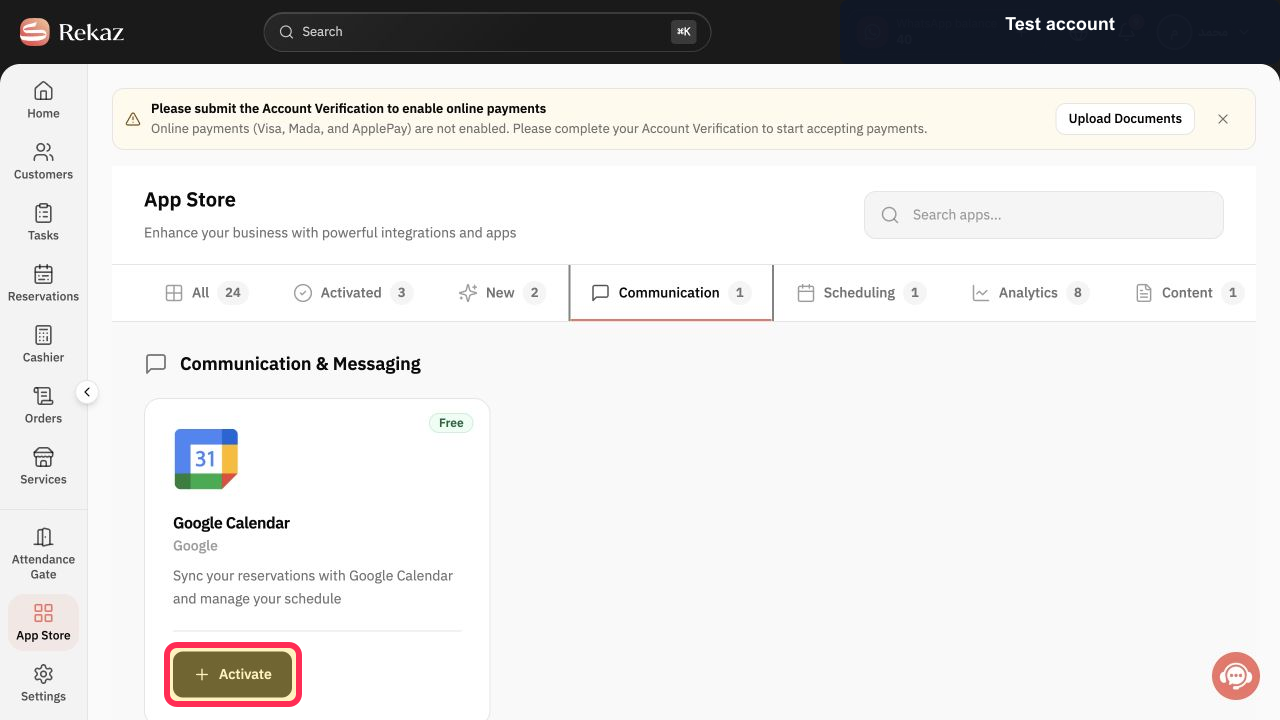
The App Store page opens.
Verify that the App Store heading is visible.
The page heading reads App Store.
When the ZATCA integration is available, select Activate to start its activation. The activation action is submitted, but the next ZATCA setup screen and completion status are not shown.
Illustrated guide
Step 1: Select App Store from the Rekaz sidebar.
Step 2: Confirm that the App Store page is open.
Step 3: Select Activate for the available integration.
Important notes
Selecting Activate starts the ZATCA second-phase connection process, but successful completion is not confirmed.
Follow the video shown during setup for the remaining second-phase instructions.
Interface labels or element locations may differ if Rekaz has been updated.
Related questions
Where can I find the ZATCA integration in Rekaz?
How do I activate the Zakat, Tax and Customs Authority integration in Rekaz?
What should I do after activating the ZATCA integration in Rekaz?


