How do I add a fee type in Rekaz?
Fees add an extra charge according to the calculation and application method you select. Use a clear name so the charge is understandable in internal reviews and customer-facing totals.
Confirm whether the fee should be Fixed or Percentage and whether it applies Per cart or Per item before saving.
Steps
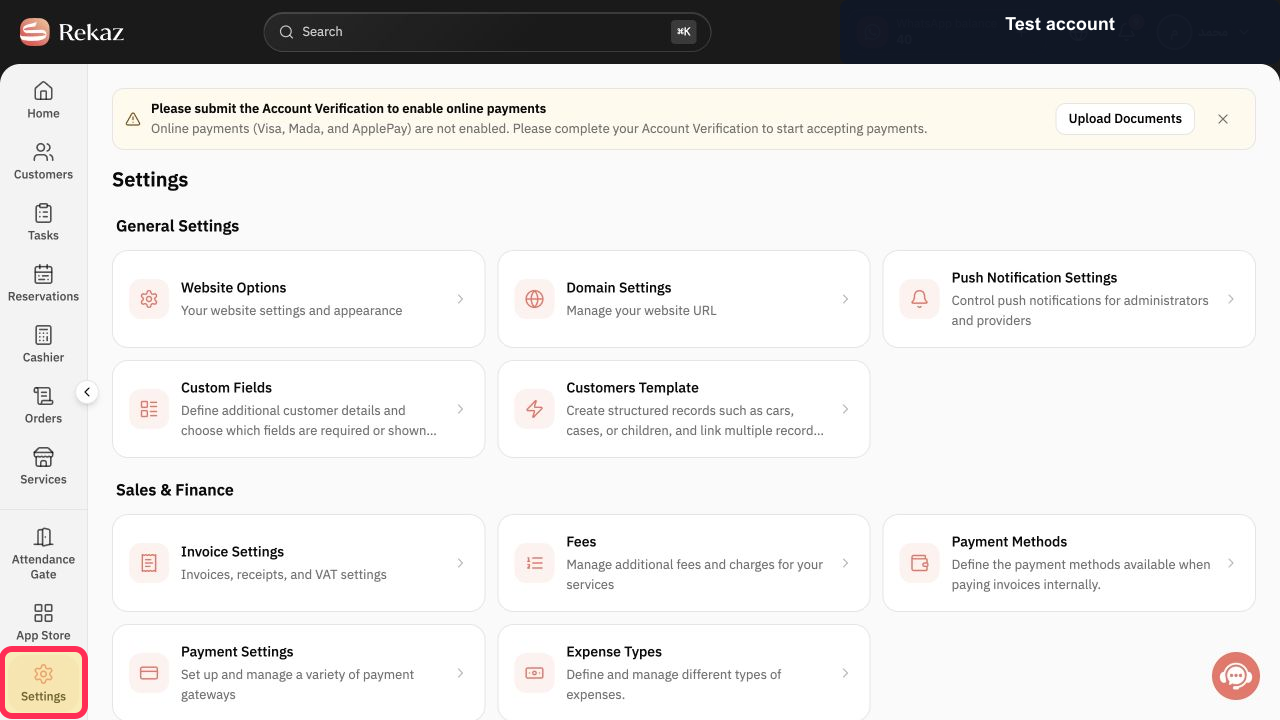
Open Settings from the Rekaz navigation.
The Settings page opens.
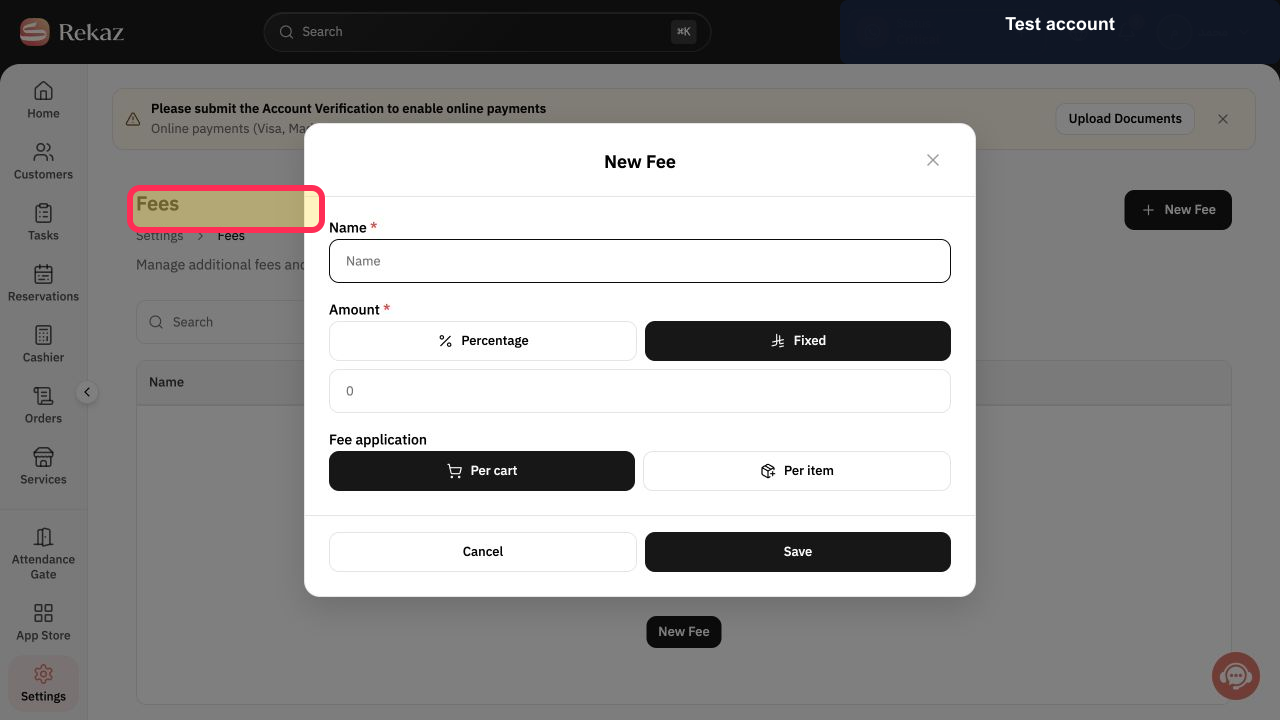
Select Fees.
The Fees page opens.
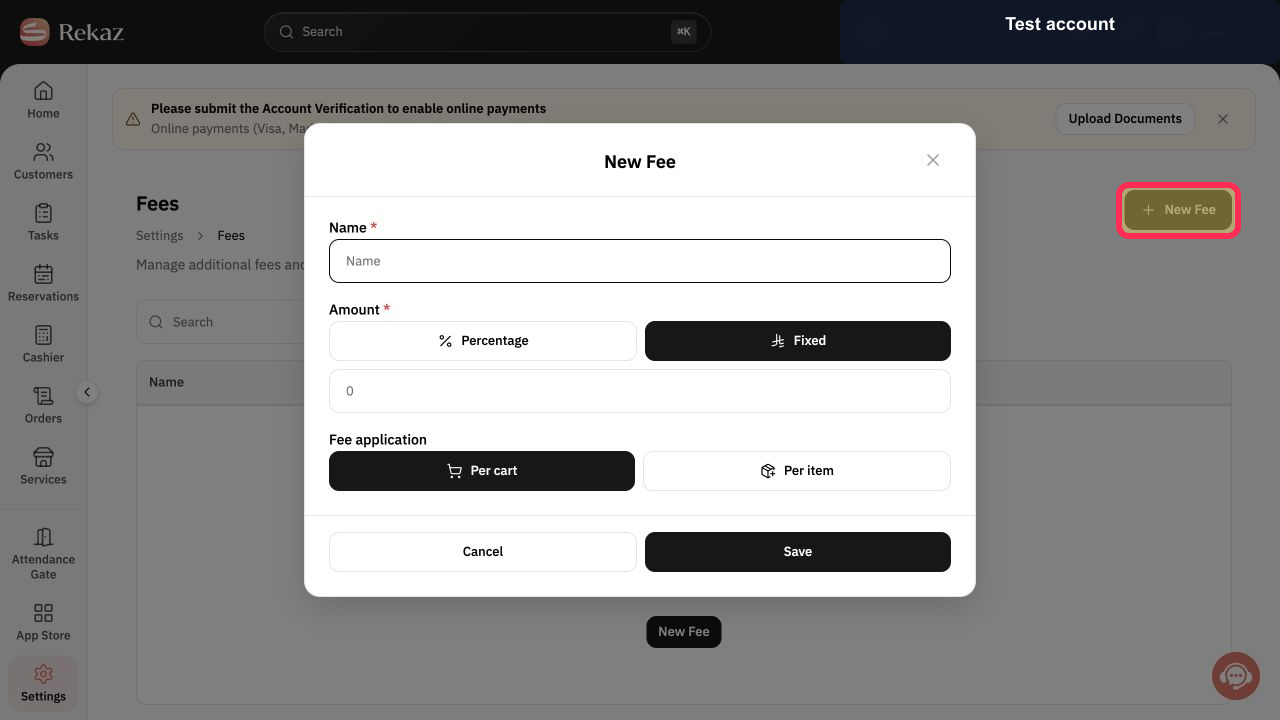
Select New Fee.
The New Fee form opens.
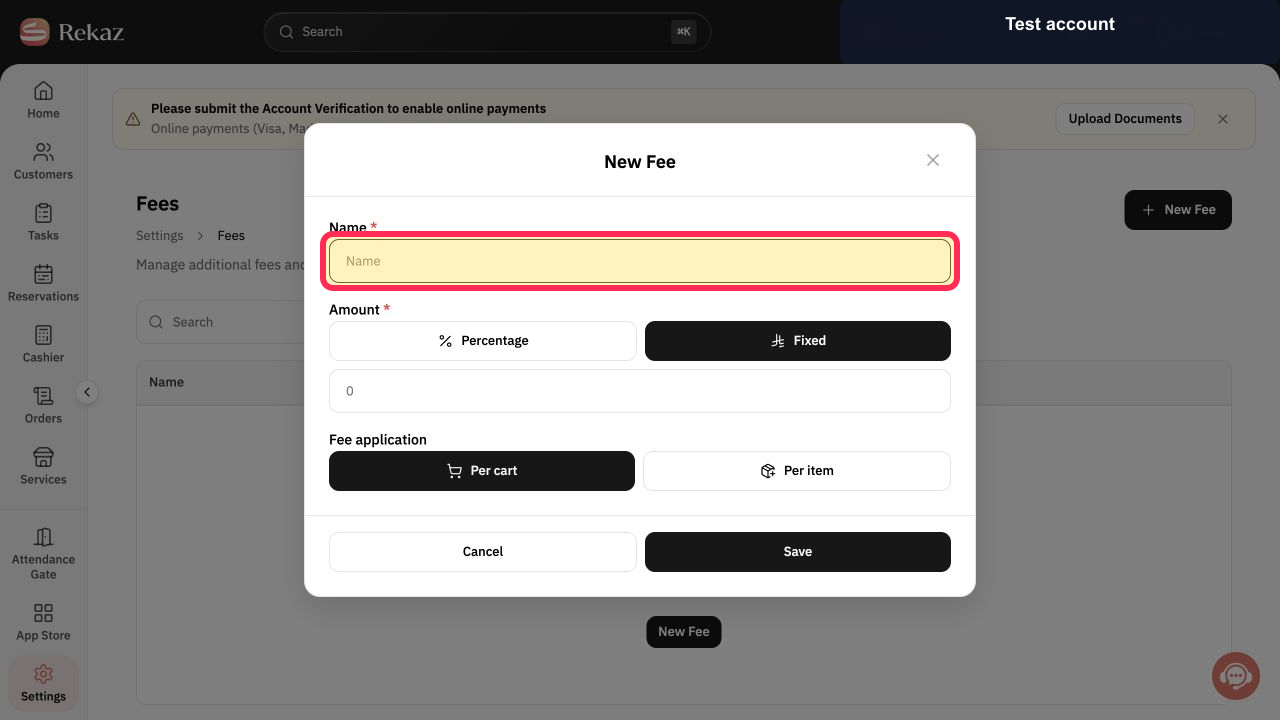
Enter a clear fee name in Name.
The fee can be identified in later totals and reviews.
Choose Percentage for a rate-based charge or Fixed for a fixed currency amount.
The intended fee calculation method is selected.
Enter the fee value in Amount.
The selected percentage or fixed amount is entered.
Choose Per cart to charge once per cart, or Per item to charge for each applicable item.
The fee application scope is selected.
Review the name, calculation method, amount, and application scope, then select Save.
The fee is created with the reviewed settings.
Illustrated guide
Step 1: Open Rekaz Settings.
Step 2: Open the Fees settings.
Step 3: Open the New Fee form.
Step 4: Name the new Rekaz fee.
Step 5: Choose the fee calculation method.
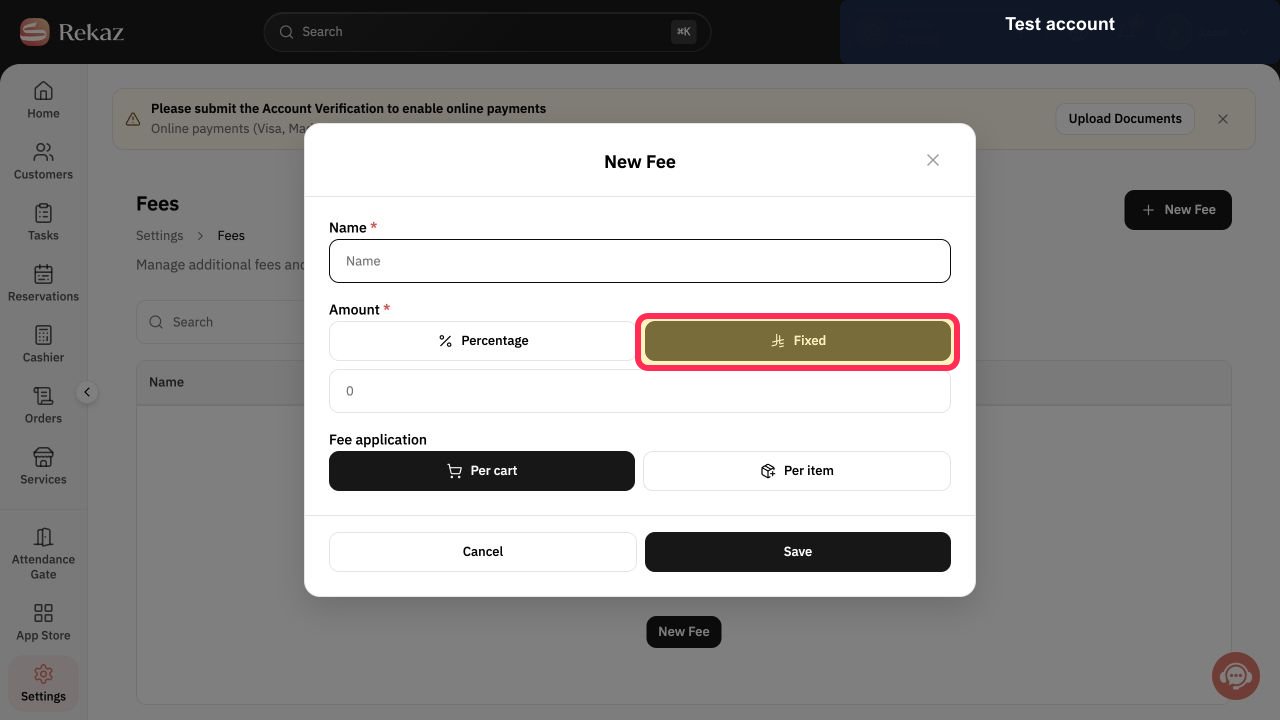
Step 6: Enter the fee amount.
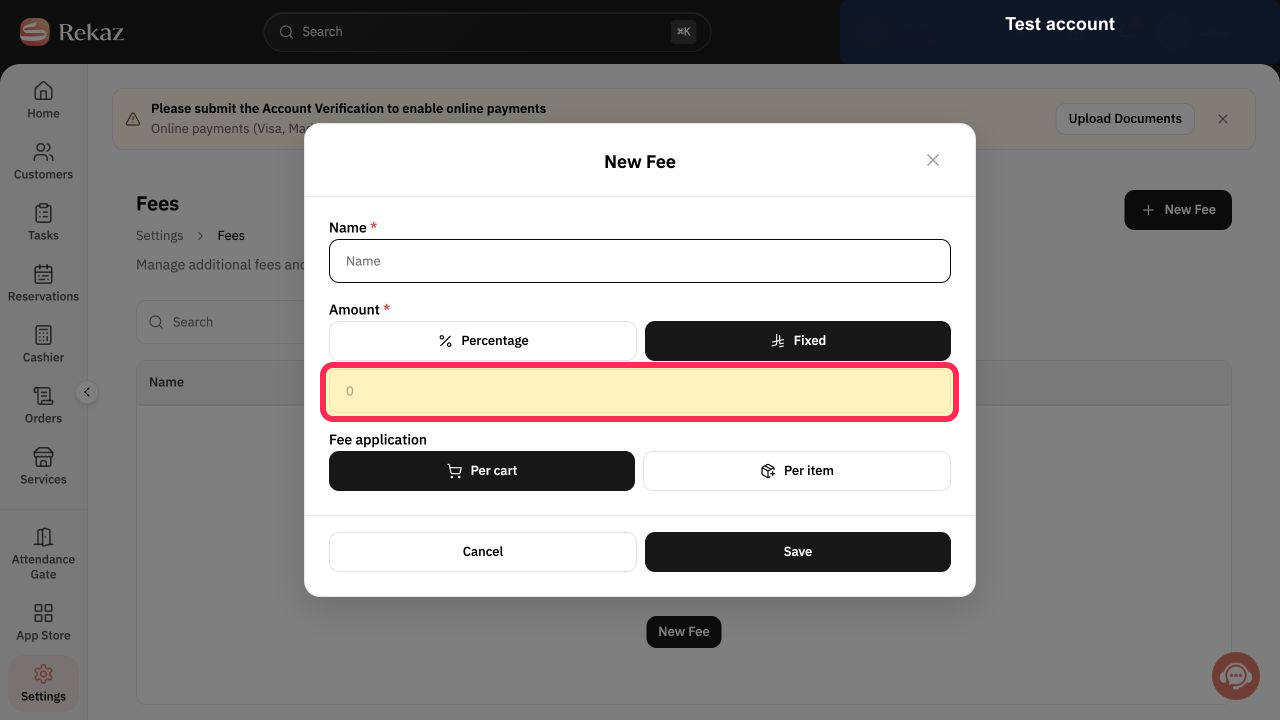
Step 7: Choose whether the fee applies per cart or per item.
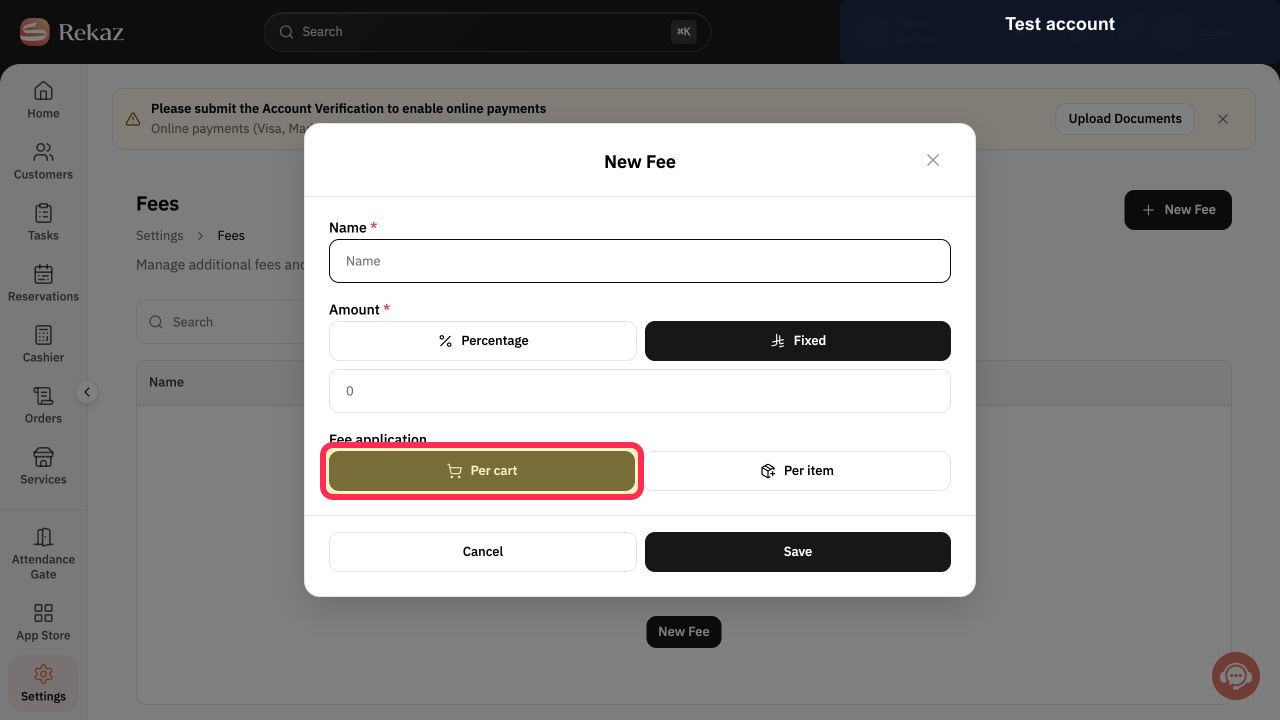
Step 8: Save the new Rekaz fee.
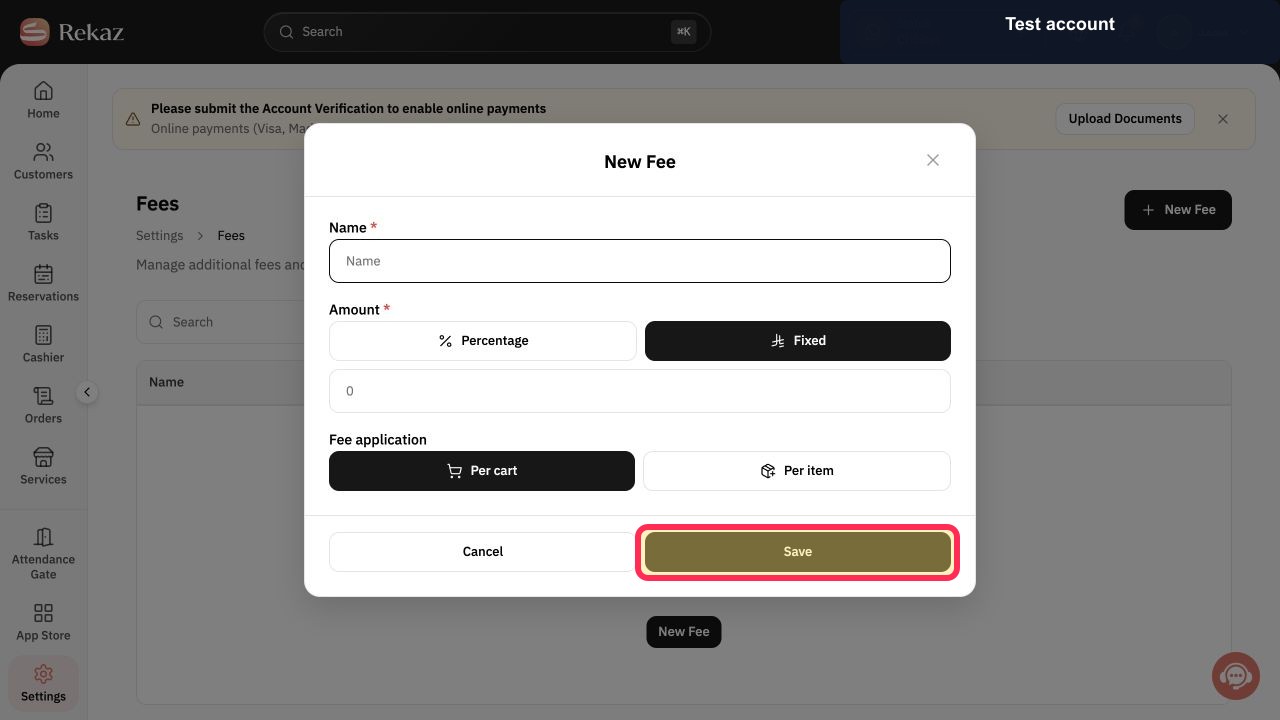
Important notes
A fee can be applied to the whole cart or to each item.
Check the fee name, calculation method, value, and application method before saving any financial setting.
Related questions
How do I create a new fee in Rekaz?
How do I apply a fee per cart in Rekaz?
How do I apply a fee per item in Rekaz?
How do I set a percentage or flat fee in Rekaz?


