What payment methods are available in Rekaz?
In Rekaz, payment methods are managed from Settings and are shown on the payment screen when you complete a reservation or order.
You may see manually added methods such as Cash, as well as Online Payments when they are enabled for your account. Only payment methods enabled and available for the current flow are displayed.
Steps
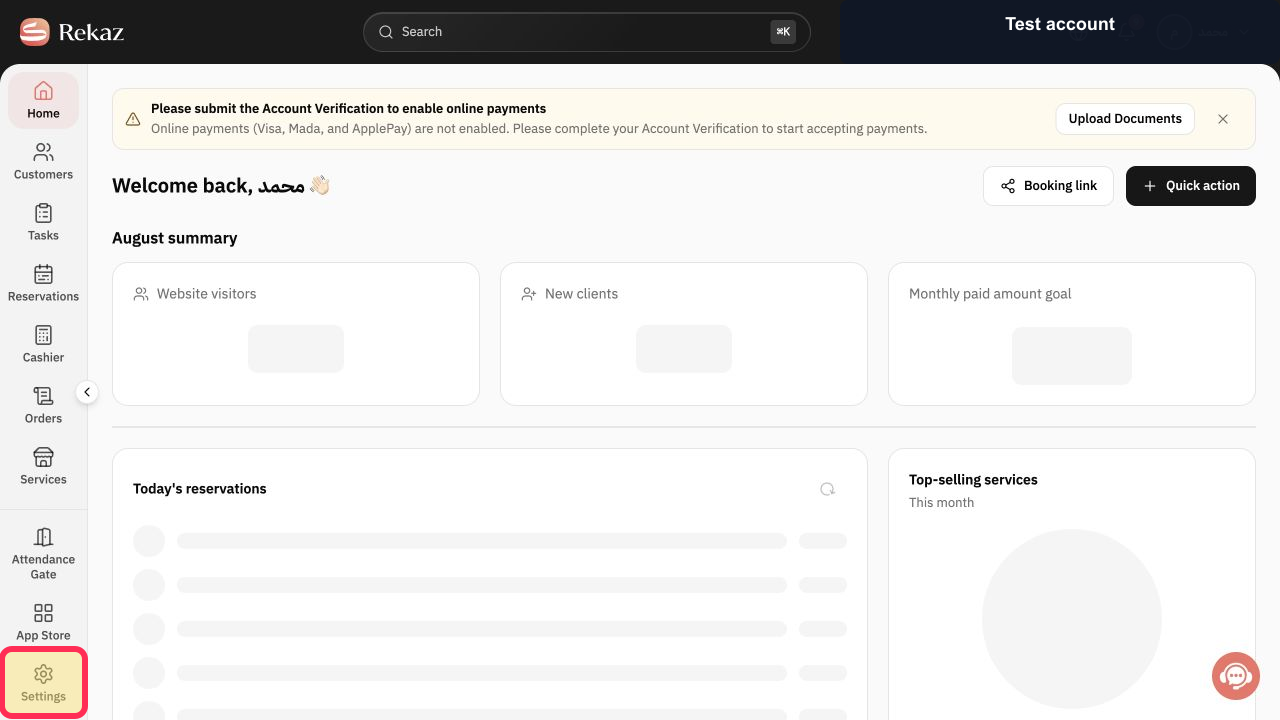
From Home, select Settings in the sidebar.
The Settings area opens.
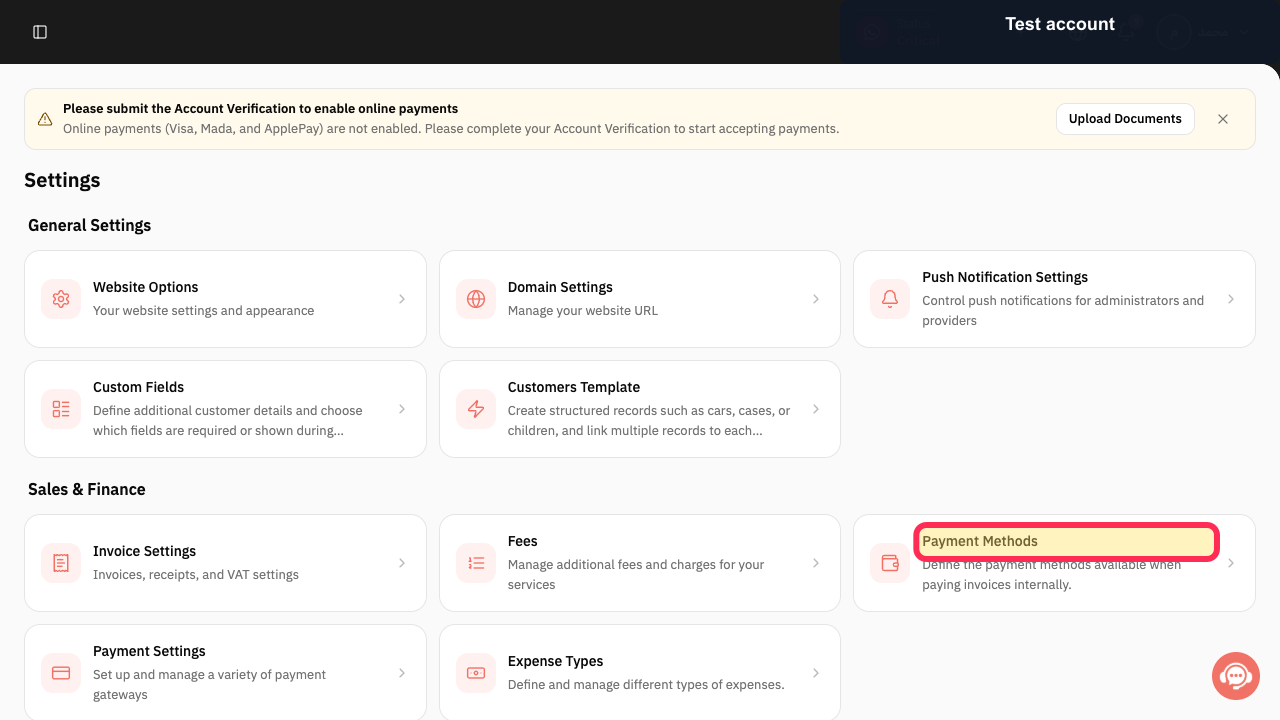
Select Payment Methods to review the methods that are enabled.
The Payment Methods page opens and shows the payment methods configured for your account.
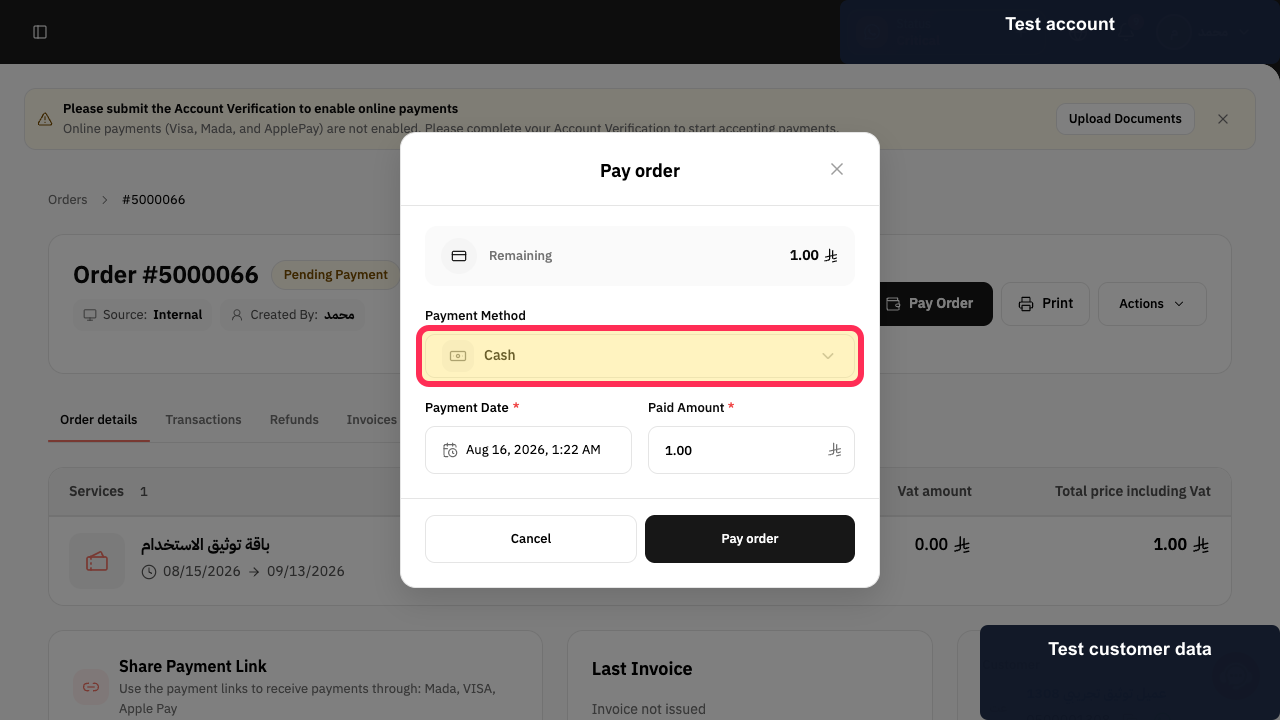
When completing a reservation or order and the payment screen appears, select an available method, such as Cash.
The selected available payment method is chosen for the payment.
Illustrated guide
Step 1: Select Settings from the Rekaz sidebar.
Step 2: Open Payment Methods from Settings.
Step 3: Select an available payment method, such as Cash.
Important notes
Only payment methods that are enabled and available for the current flow appear on the payment screen.
Availability of Online Payments depends on your account activation and configuration.
Related questions
Where can I view payment methods in Rekaz?
Can customers pay with Cash and Online Payments in Rekaz?
Why is a payment method not shown at checkout in Rekaz?


