How do I record a cash payment for a reservation in Rekaz?
To record that a customer paid in cash in Rekaz, continue from the Reservation Summary to Payment and select Cash. Review the amount due before completing the payment.
This flow creates the reservation according to the payment path shown on screen.
Steps
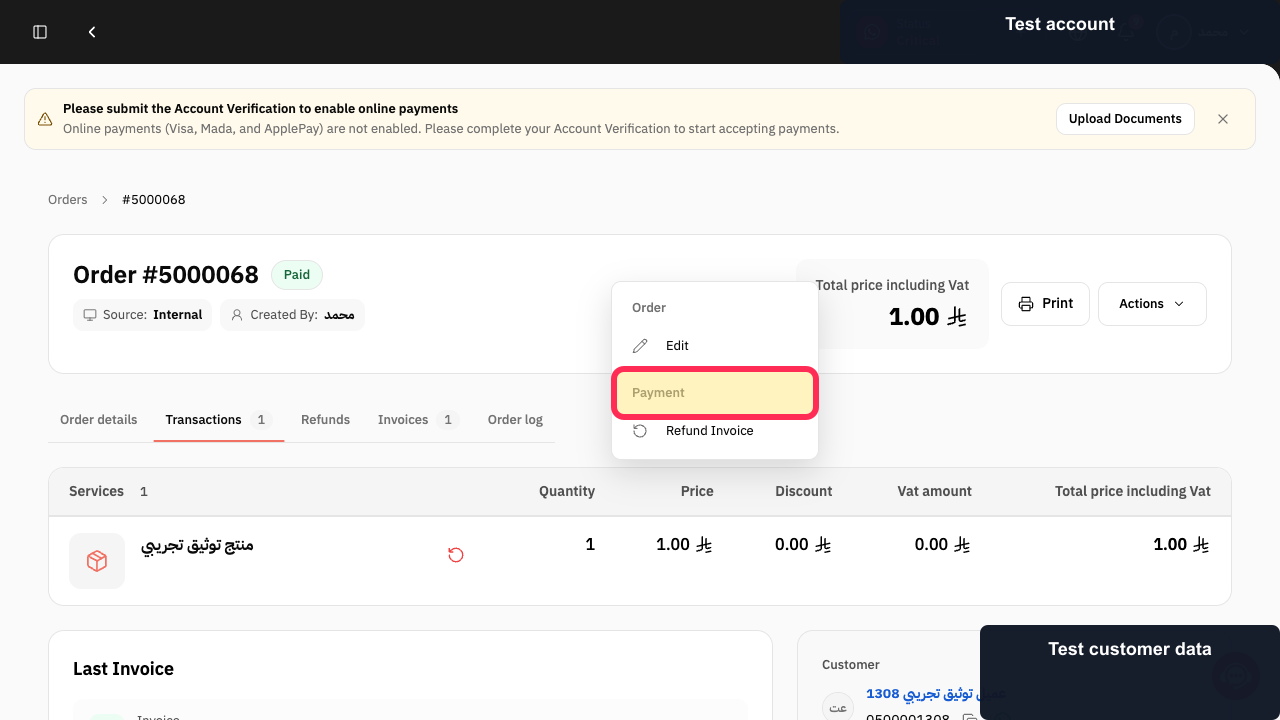
After selecting the service and appointment, review the Reservation Summary and select Payment.
The Payment Methods screen opens.
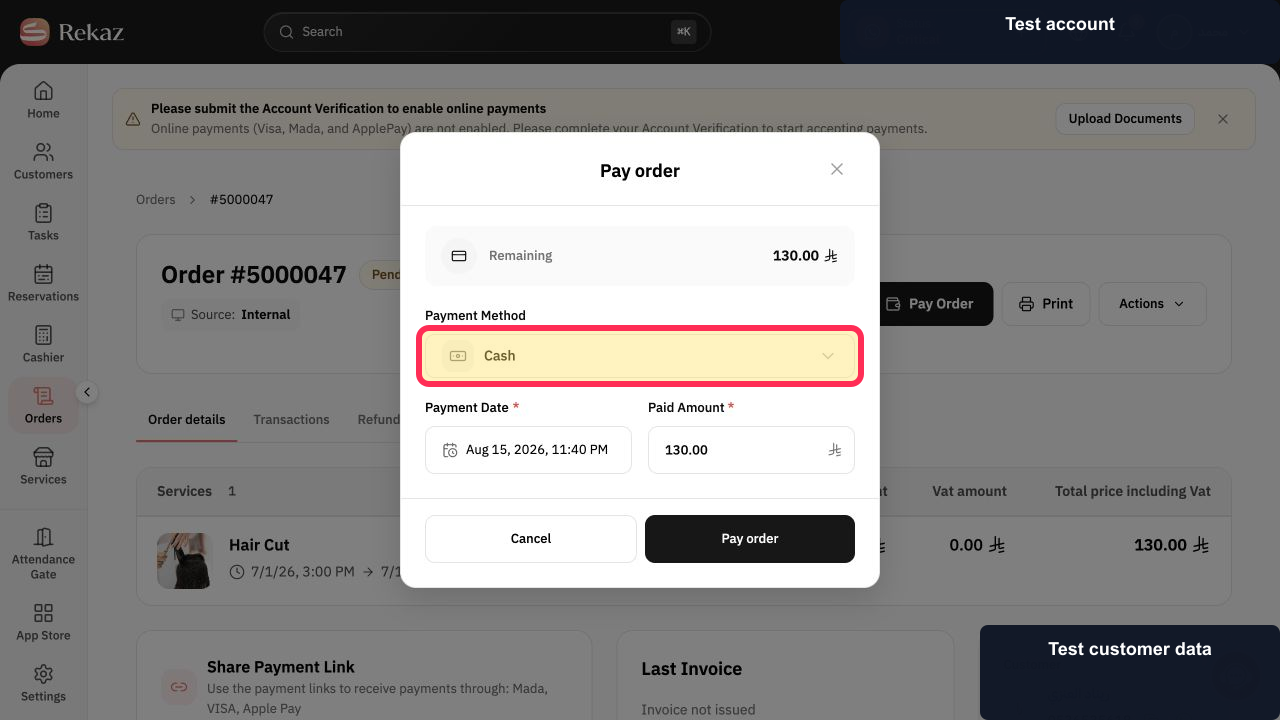
From Payment Methods, select Cash to record the cash payment and complete the reservation.
The cash payment is recorded and the reservation is completed according to the displayed flow.
Illustrated guide
Step 1: Select Payment from the Reservation Summary.
Step 2: Select Cash from Payment Methods to record the cash payment.
Important notes
Review the amount due before recording the payment.
Selecting and completing a payment method creates the reservation according to the flow displayed in Rekaz.
Related questions
How do I record a cash payment in Rekaz?
The customer paid cash. Which option should I select in Rekaz?
Where can I find the Cash option when completing a reservation in Rekaz?


