When will I receive Online Payments settlements in Rekaz?
Online Payments settlements above SAR 100 are automatically transferred according to the bank provider’s instructions on Sundays, Tuesdays, and Thursdays.
To check scheduled settlements and their statuses, open Rekaz Pay and review Deposits history.
Steps
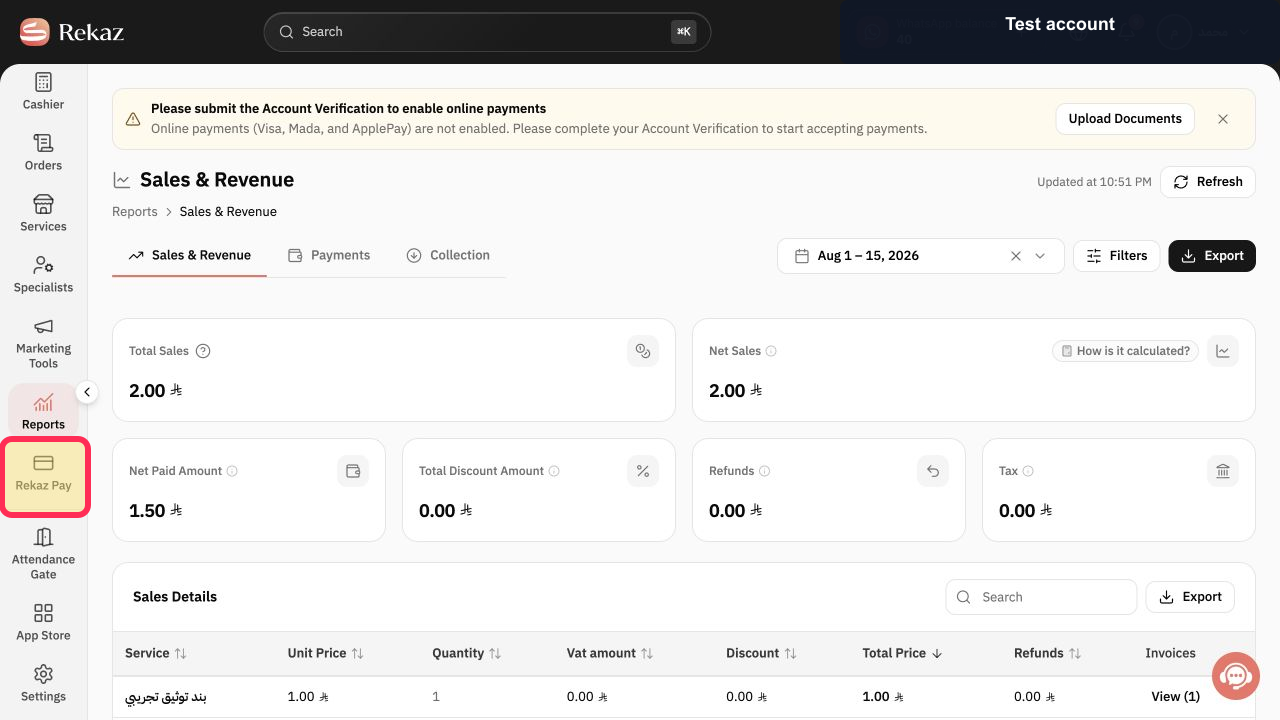
From the sidebar, click Rekaz Pay.
The Rekaz Pay section opens.
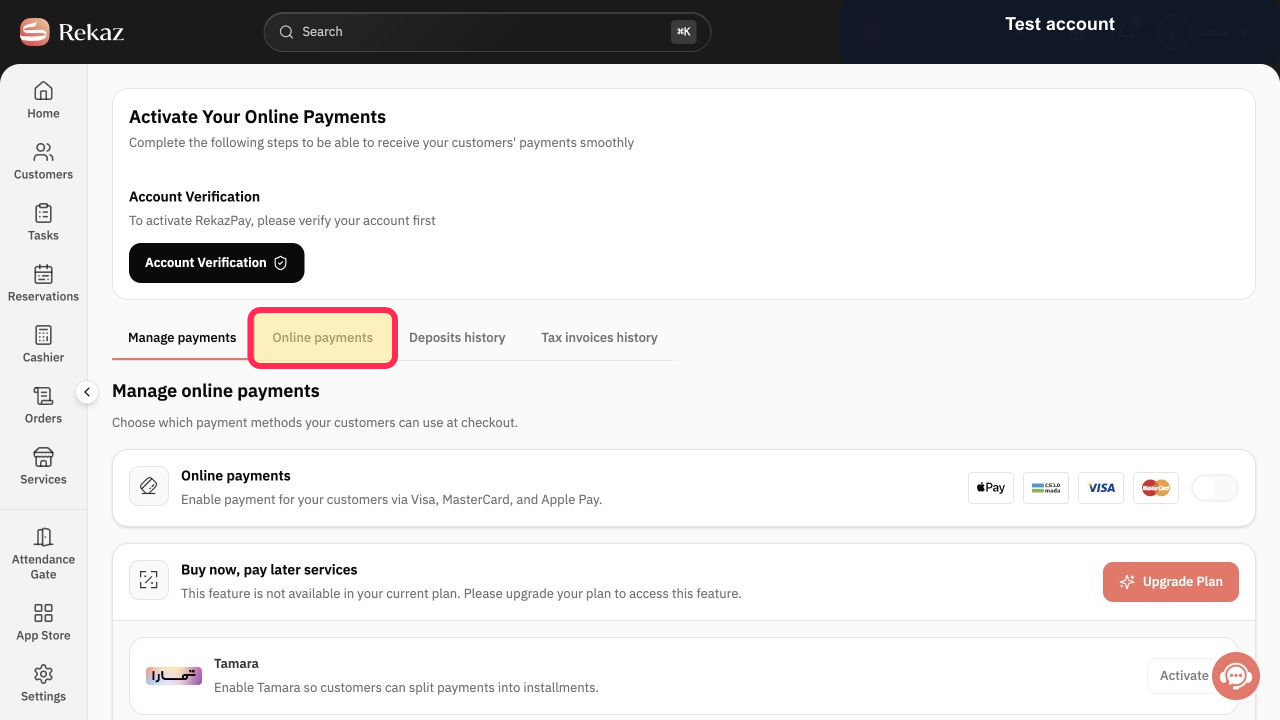
Open Online Payments.
The Online Payments area opens.
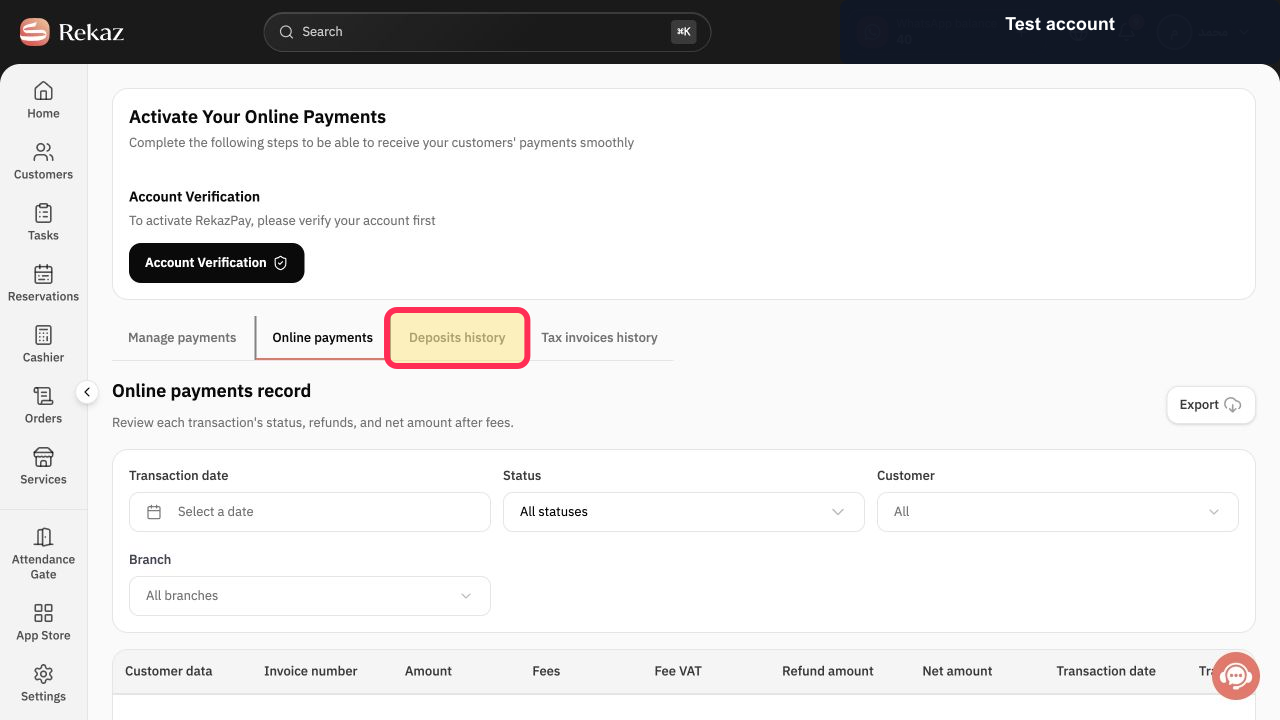
Open Deposits history to review scheduled settlements and their statuses.
Deposits history displays the scheduled settlement records and their statuses.
Illustrated guide
Step 1: Rekaz Pay in the Rekaz sidebar.
Step 2: Online Payments in the Rekaz Pay section.
Step 3: Deposits history under Online Payments, where scheduled settlements and their statuses can be reviewed.
Settlement schedule
For amounts above SAR 100, settlements are transferred automatically on Sundays, Tuesdays, and Thursdays, in line with the bank provider’s instructions.
Only amounts above SAR 100 are included in this stated schedule.
Use Deposits history to monitor scheduled settlements and their status.
Related questions
When are my Online Payments settlements transferred in Rekaz?
How do I check the status of an Online Payments settlement in Rekaz?
Where can I find Deposits history in Rekaz Pay?


