How do online payments work in Rekaz?
To receive online payments through Mada, Visa, and Apple Pay in Rekaz, first verify your account. After verification, use Rekaz Pay to manage available payment methods, review online payment activity and deposits, and access invoices.
The payment methods and services you can activate may vary based on your business verification status and subscription plan. Review all values and details before completing any financial action.
Steps
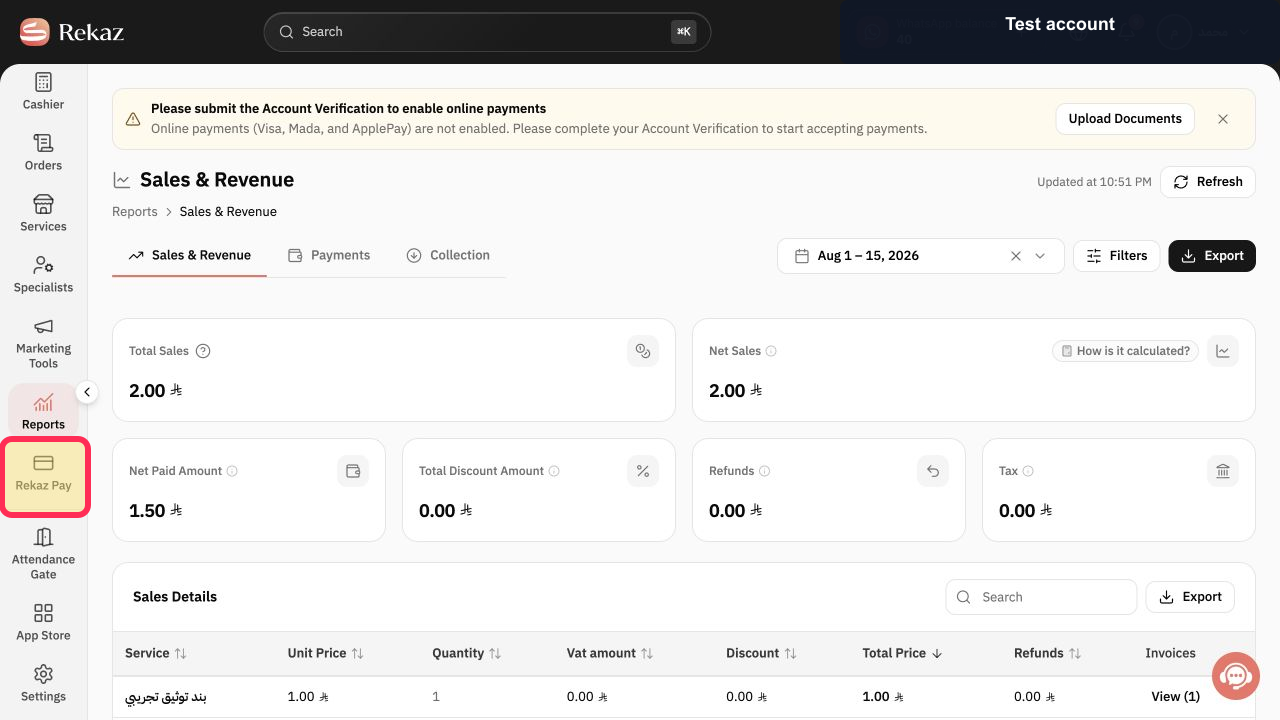
From Home, select Rekaz Pay in the sidebar.
The Rekaz Pay area opens, showing your online-payment setup and management options.
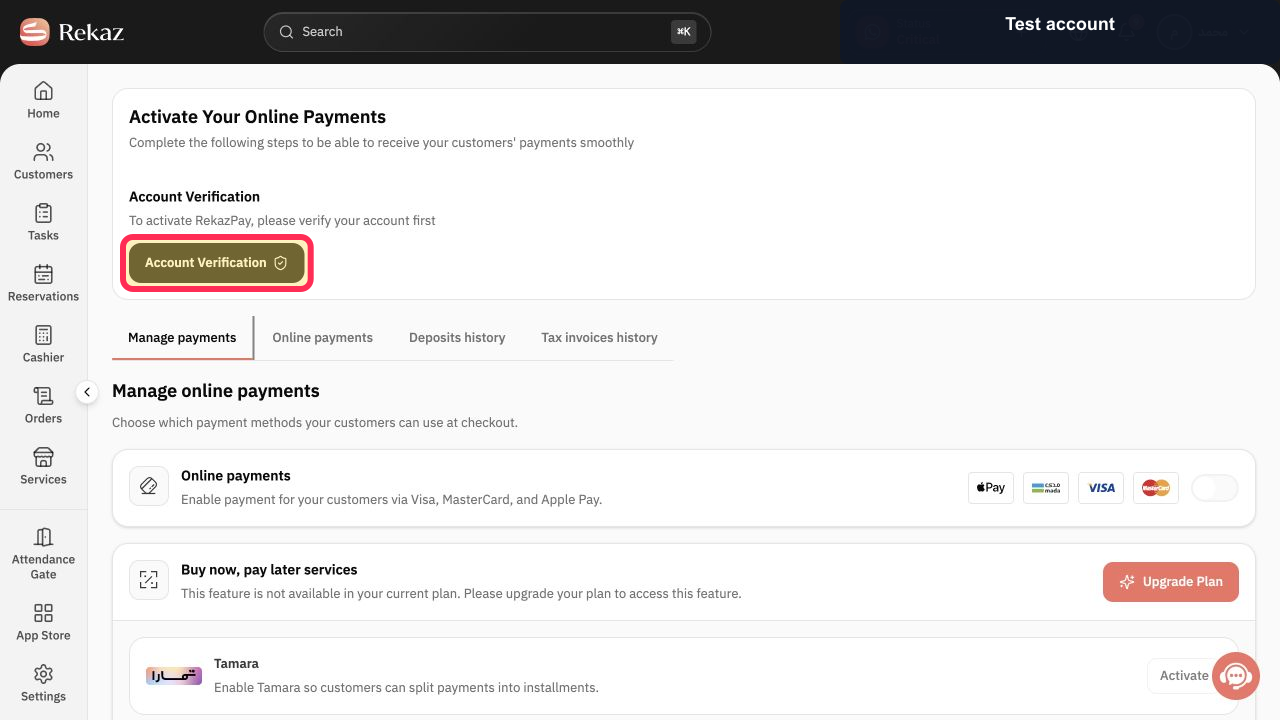
Select Verify Account and complete the account-verification process shown in Rekaz.
Your account verification status is available in Rekaz Pay.
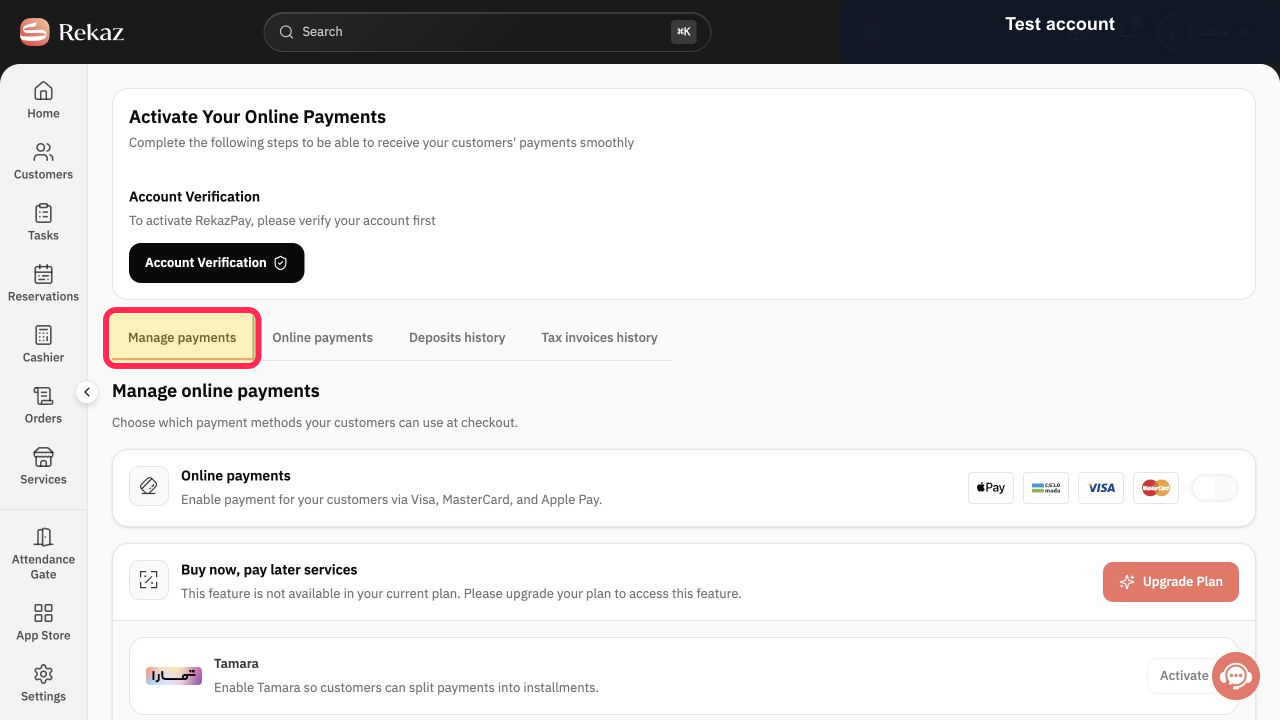
Select Manage payments to review the payment methods available for your business.
The payment-management area opens, where available payment methods can be reviewed.
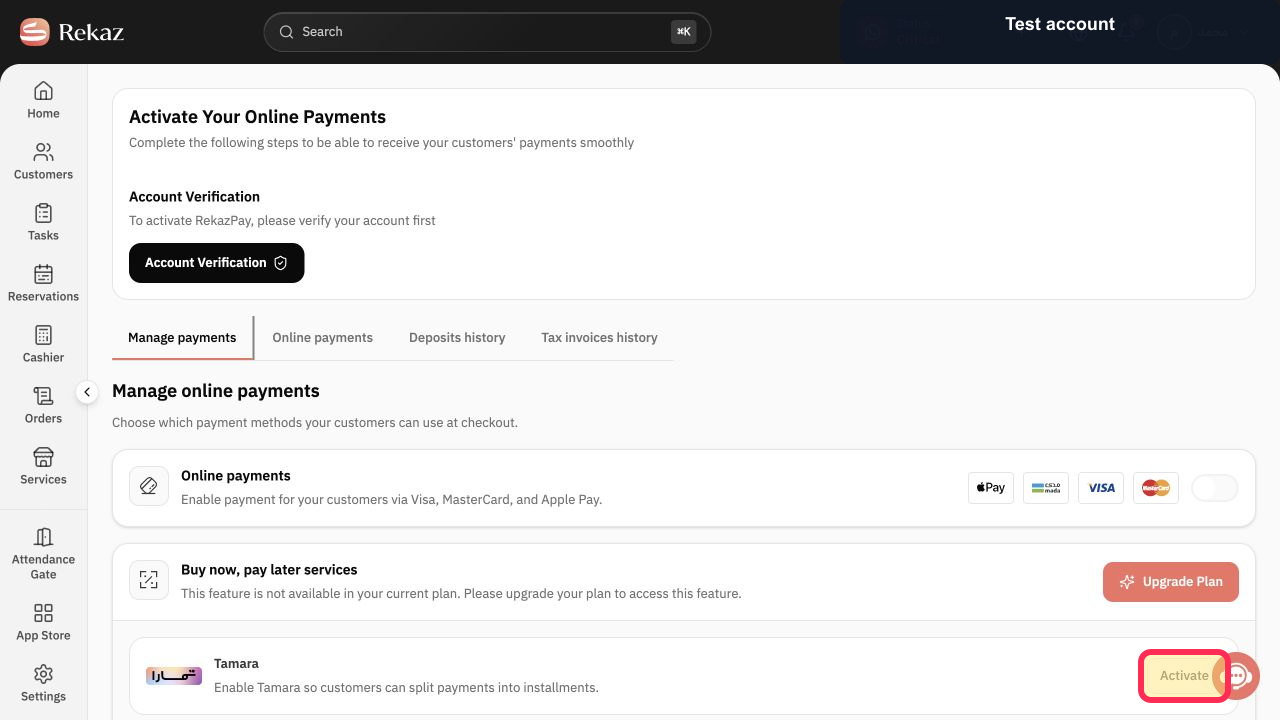
Activate the available payment methods that you want to offer, such as Mada, Visa, or Apple Pay.
The selected available payment method is activated for your business.
Illustrated guide
Step 1: Open Rekaz Pay from the sidebar.
Step 2: Start account verification before activating online payments.
Step 3: Open payment management after account verification.
Step 4: Activate an available online payment method.
What you can manage in Rekaz Pay
After your account is verified, Rekaz Pay provides access to payment management and related records.
Manage payments and available payment methods.
Review online payment activity.
Review Deposits history.
Access invoices, including tax invoices where available.
Important limitations
Account verification is required before you can activate online payments. The activation status and available services depend on your business verification and subscription plan.
Before completing any final or financial action, check the displayed amounts and information carefully.
Related questions
How do I verify my account to activate online payments in Rekaz?
Where can I manage online payment methods in Rekaz?
Why are some online payment methods unavailable in Rekaz?
Where can I view online payment activity and deposits in Rekaz?


