How do I edit a product's stock quantity in Rekaz?
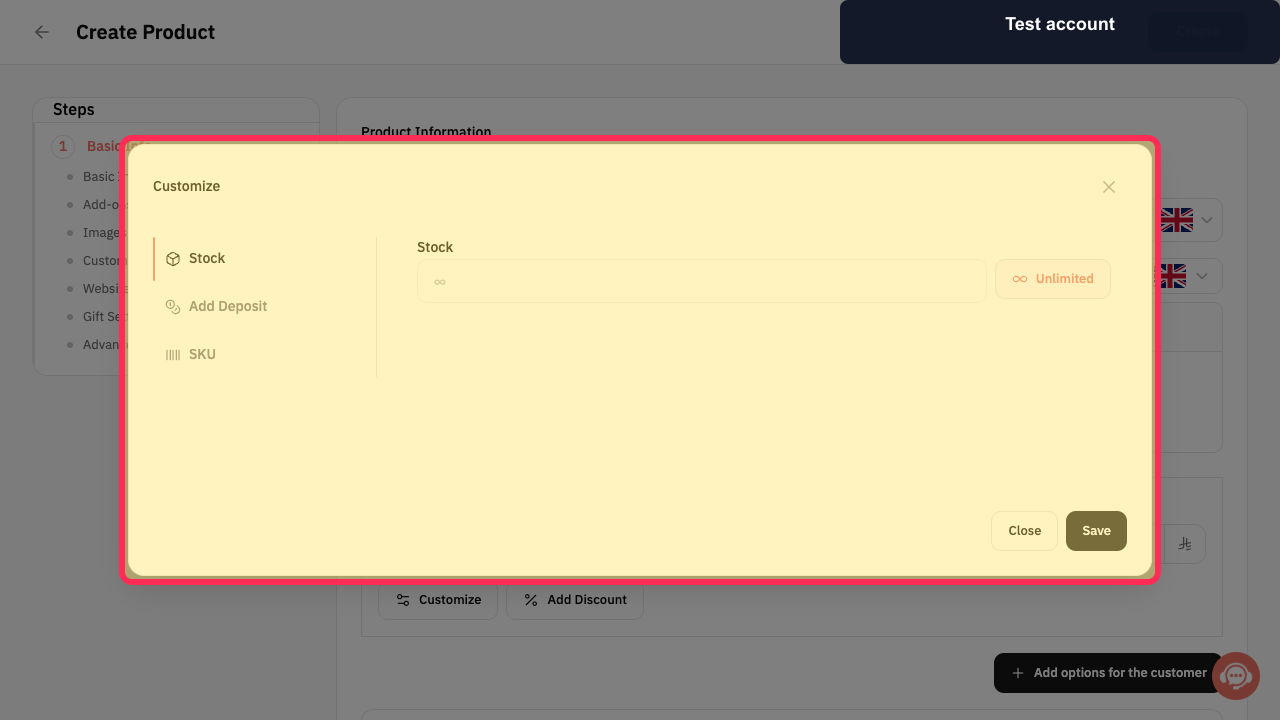
Rekaz currently does not show the direct Stock Quantity editing action for a product. The Customize dialog shows a Stock setting and an Unlimited option, but no quantity input is visible in the current interface.
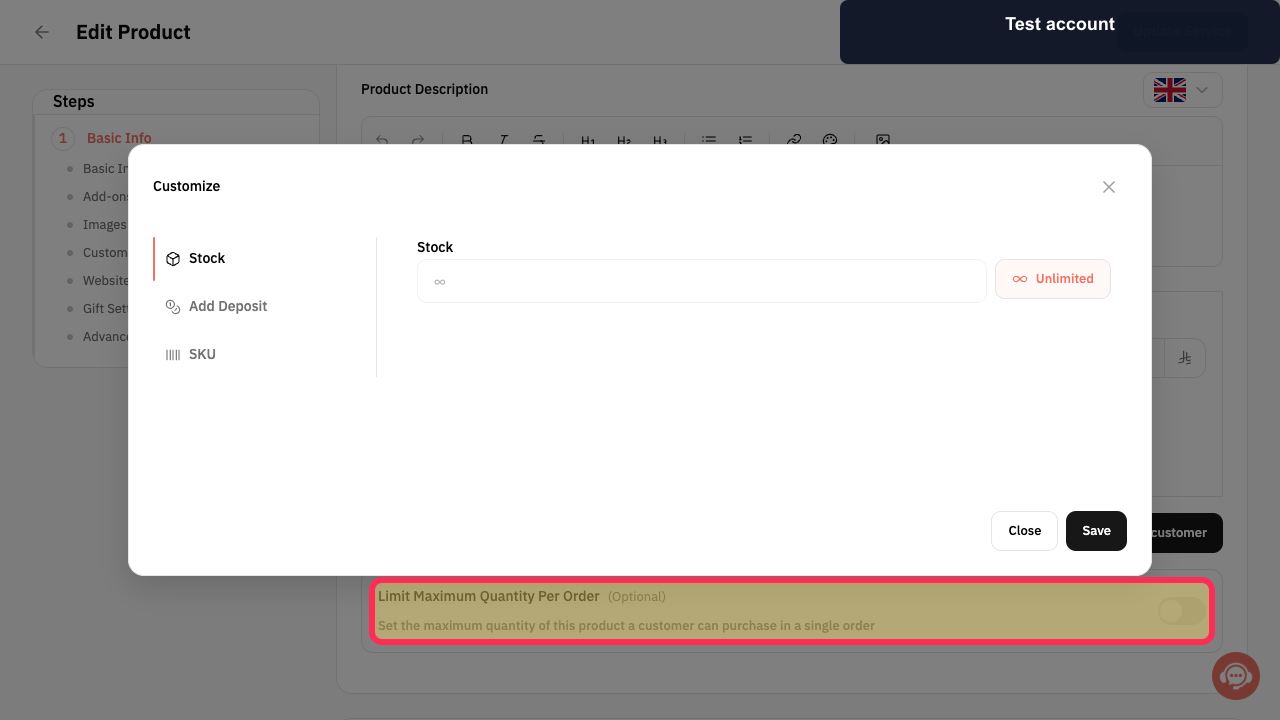
Do not use Limit Maximum Quantity Per Order as a stock balance: it controls how many units a customer can purchase in one order, not the product’s inventory quantity.
Steps
In the product’s Customize dialog, the Stock setting includes an Unlimited option, but no Stock Quantity field for entering a numeric stock balance.
Do not use Limit Maximum Quantity Per Order(Optional) to change inventory. This setting only sets the maximum quantity a customer can purchase in a single order.
The setting description states that it controls the maximum quantity a customer can purchase in a single order.
Illustrated guide
Step 1: The Customize dialog shows Stock and Unlimited, without a Stock Quantity field.
Step 2: Maximum quantity per order is a purchase limit, not a stock balance.
Related questions
How do I correct the stock balance for one product in Rekaz?
Where can I find the Stock Quantity field in Rekaz?
Why can’t I edit a product’s stock quantity in Rekaz?
How do I update a product after changing its stock quantity in Rekaz?


