How do I add or edit an order item in Rekaz?
Use Add New Item in Create New Order to add a catalog service or product. The selector lets you search, choose the matching item, and then adjust the added line before saving.
Select the actual service or product required for the customer's order.
Steps
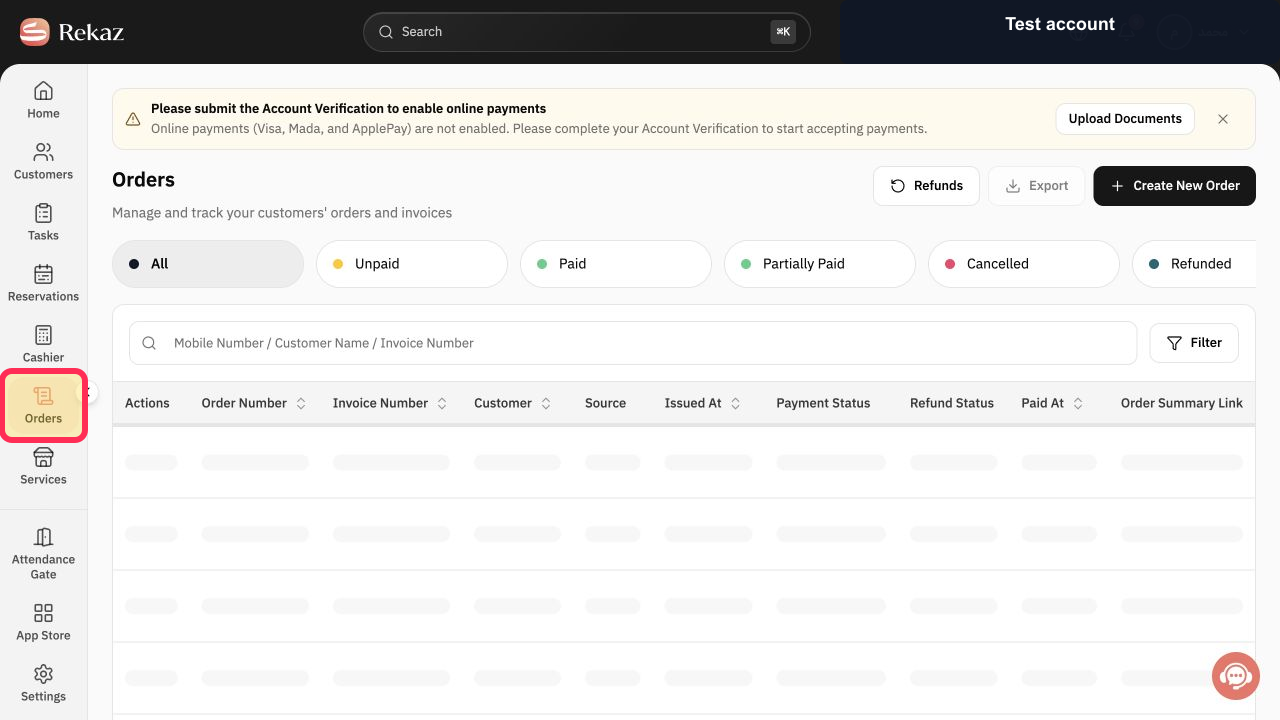
From the Rekaz sidebar, select Orders.
The Orders page opens.
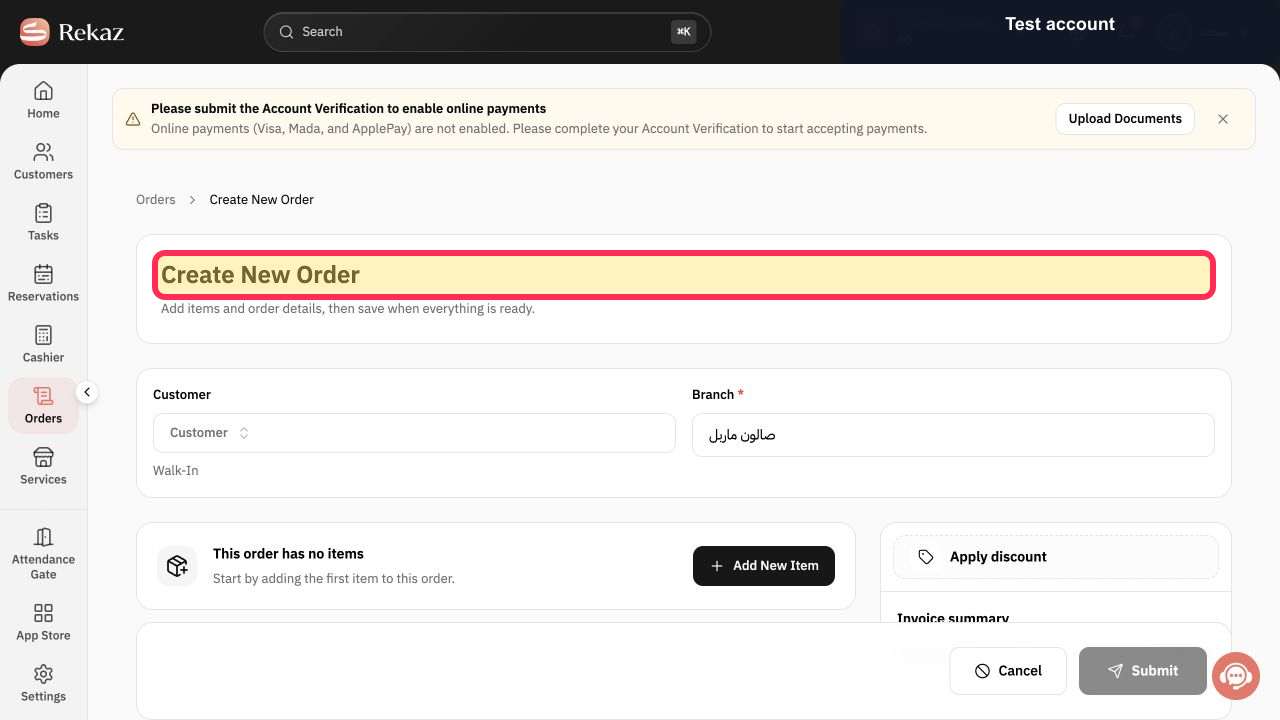
Select Create New Order to start an editable order draft.
The Create New Order form opens.
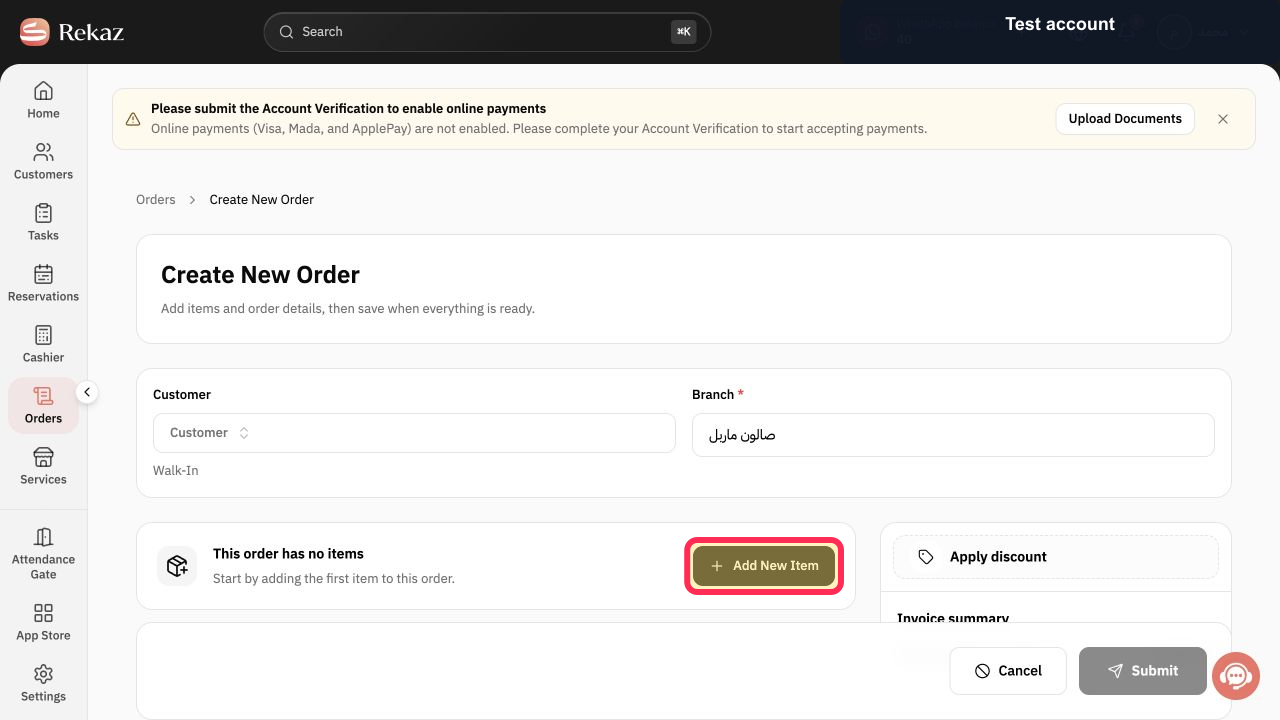
Select Add New Item.
The item-type menu opens.
Select Product / service.
The service and product selector opens.
In Search for service..., enter the service or product name.
Matching services and products remain visible.
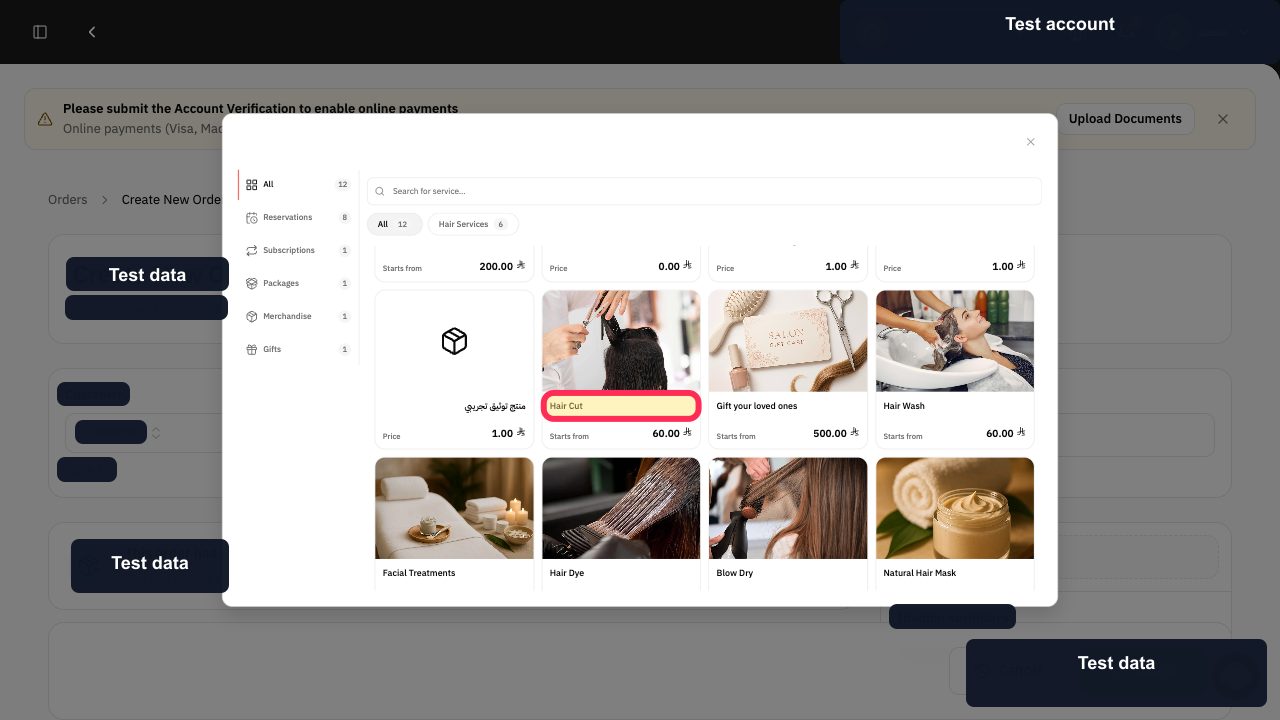
Select the matching result. For example, select Hair Cut only when that is the required service.
The item is added to the order draft.
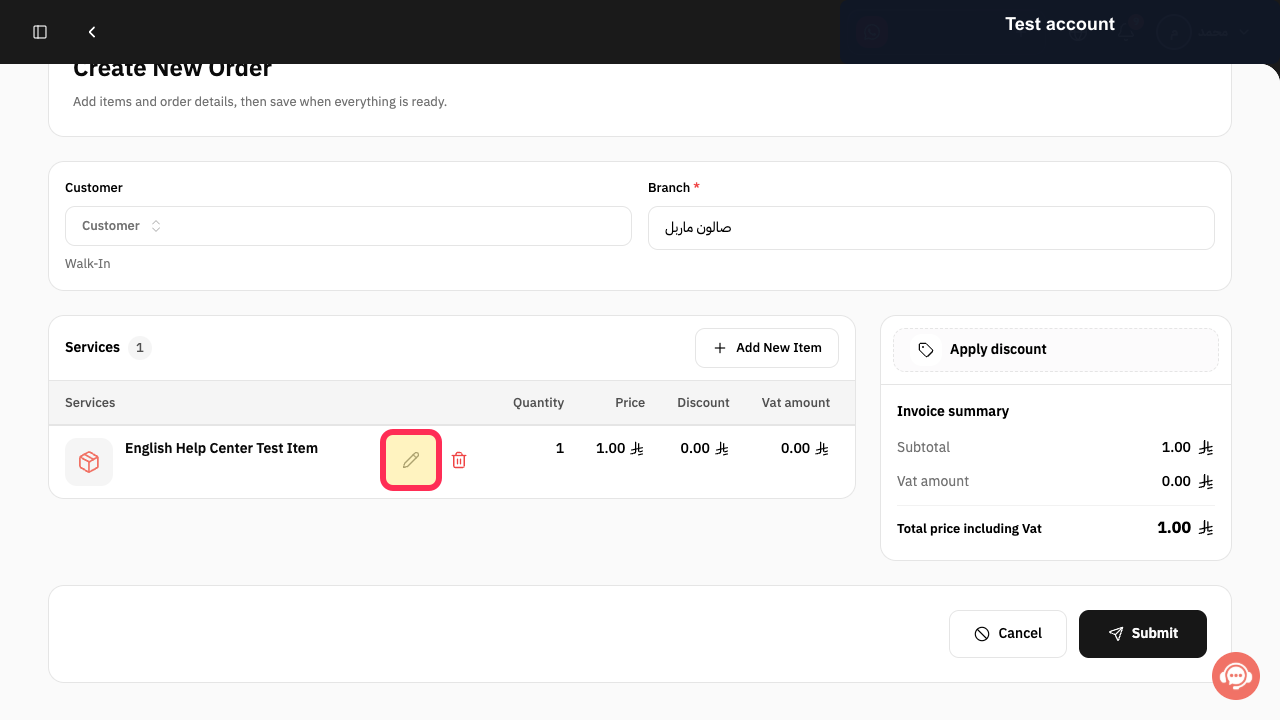
Select Edit beside the added line item when you need to change its order details.
The selected item editor opens.
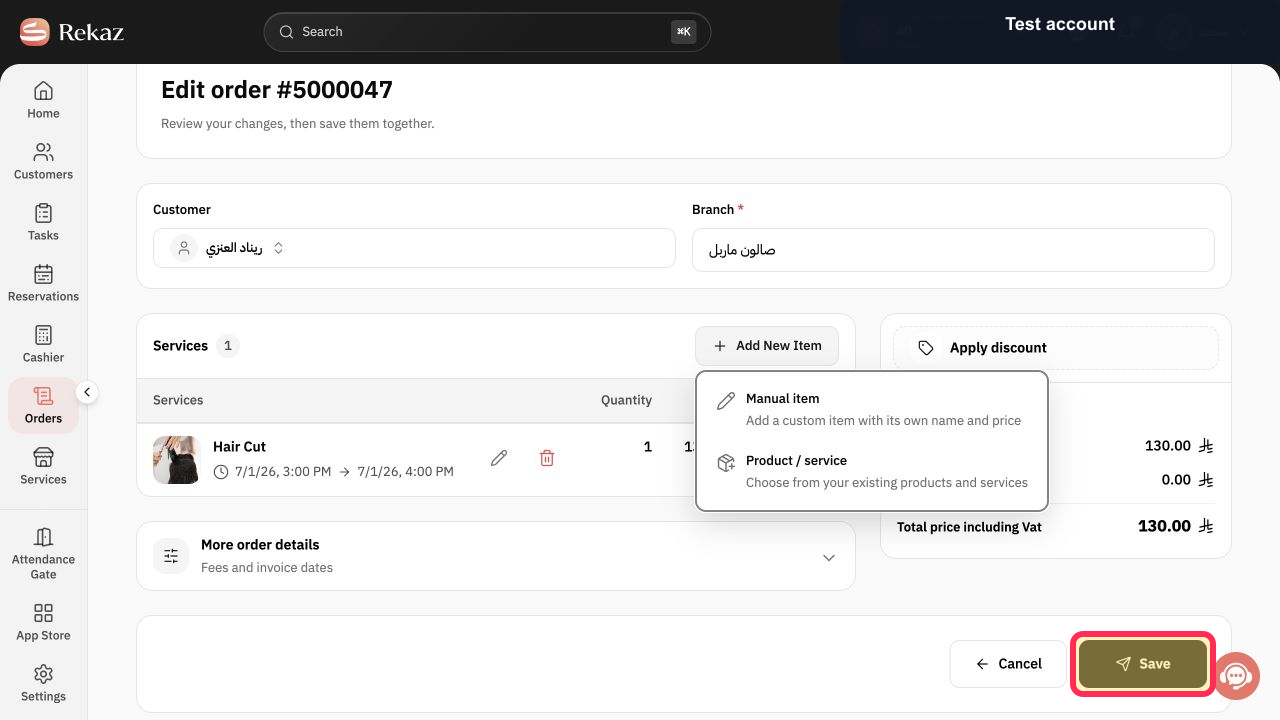
Review the item, price, and quantity, then select Save.
The order item changes are saved in the draft.
Illustrated guide
Step 1: Open Orders in Rekaz.
Step 2: Open the Create New Order form.
Step 3: Add an item to the order draft.
Step 4: Open the product and service selector.
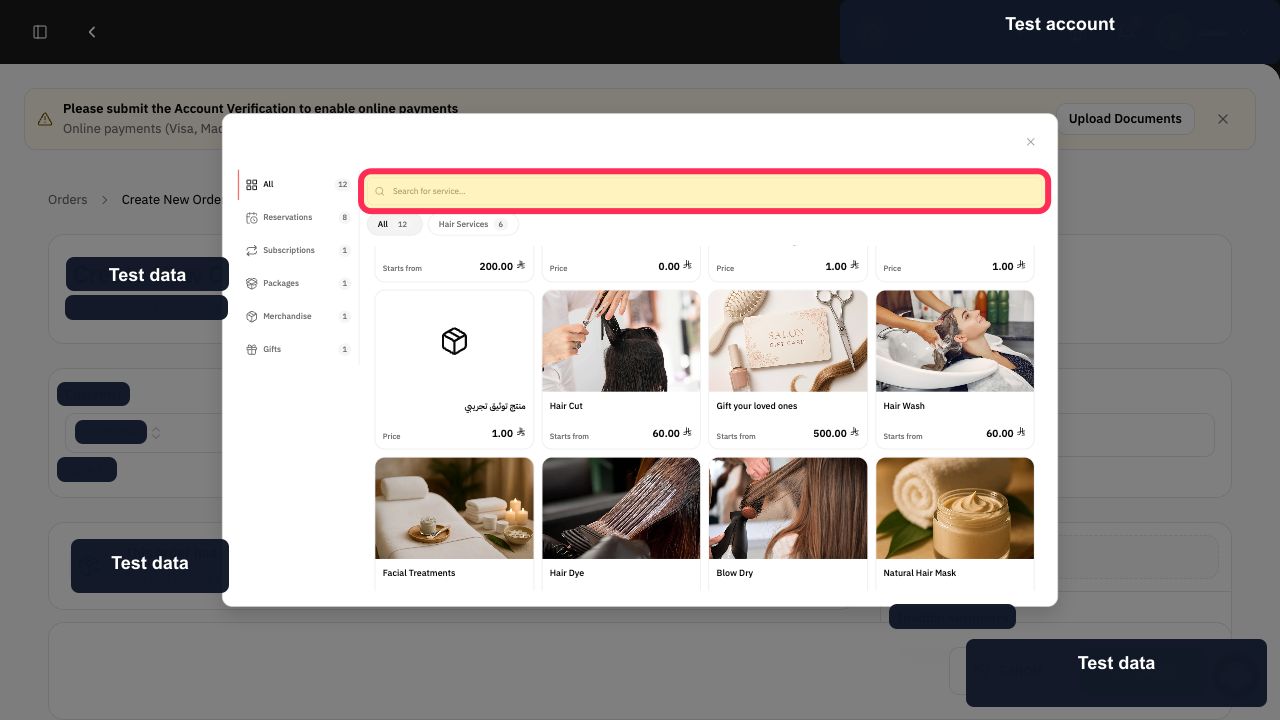
Step 5: Search for the required order item.
Step 6: Select the matching service or product.
Step 7: Edit the added order item.
Step 8: Save the reviewed order item.
What you can change
While editing an order, you can add a new Manual item or Service. You can also edit or remove an item that is already included in the order.
Add a Manual item.
Add a Service.
Edit an existing item.
Remove an existing item.
Related questions
How do I add a Manual item to an order in Rekaz?
How do I add a Service to an order in Rekaz?
How do I remove an item from an order in Rekaz?
How do I edit an existing order item in Rekaz?


