How do I change the payment method for an order in Rekaz?
To review the payment method recorded for a paid Rekaz order, open the order’s transaction and select Edit from its transaction action menu.
You can verify the Payment Method field by following the steps below.
Steps
Open the paid order you want to review and verify that the Order details tab is selected.
The paid order detail page is visible with the Order details tab selected.
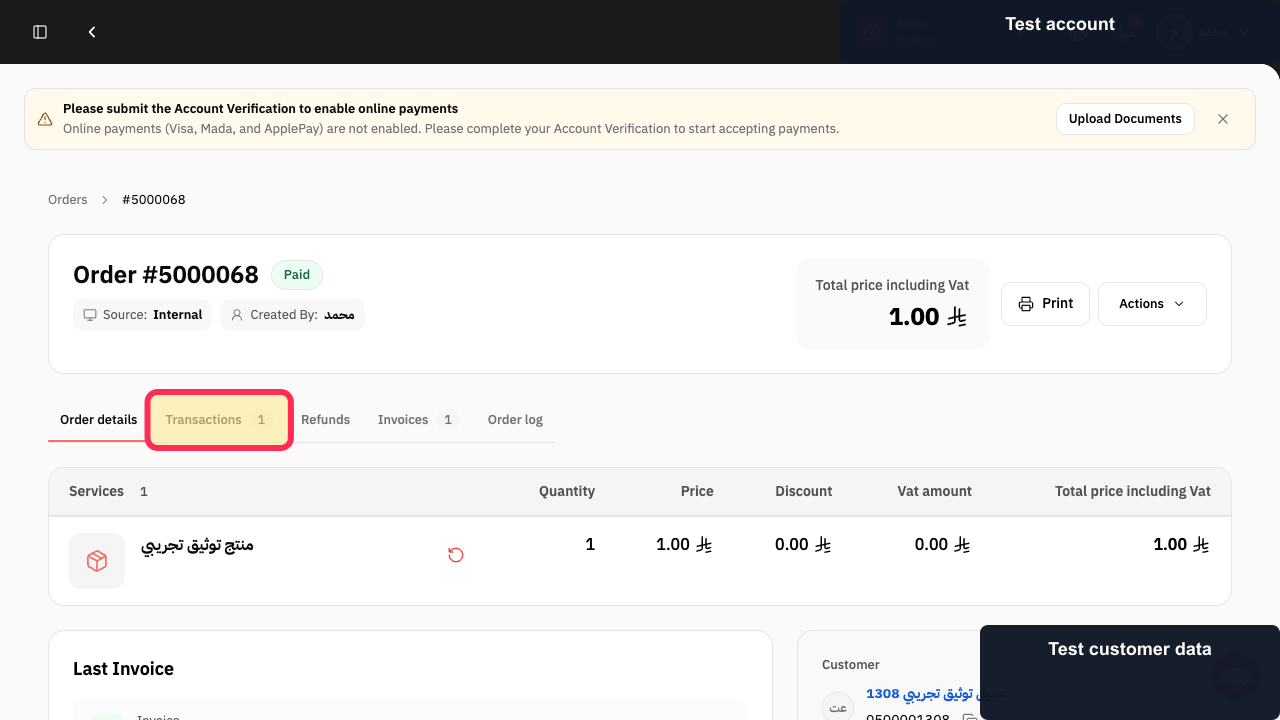
Select Transactions 1 on the paid order.
The order’s transaction area opens.
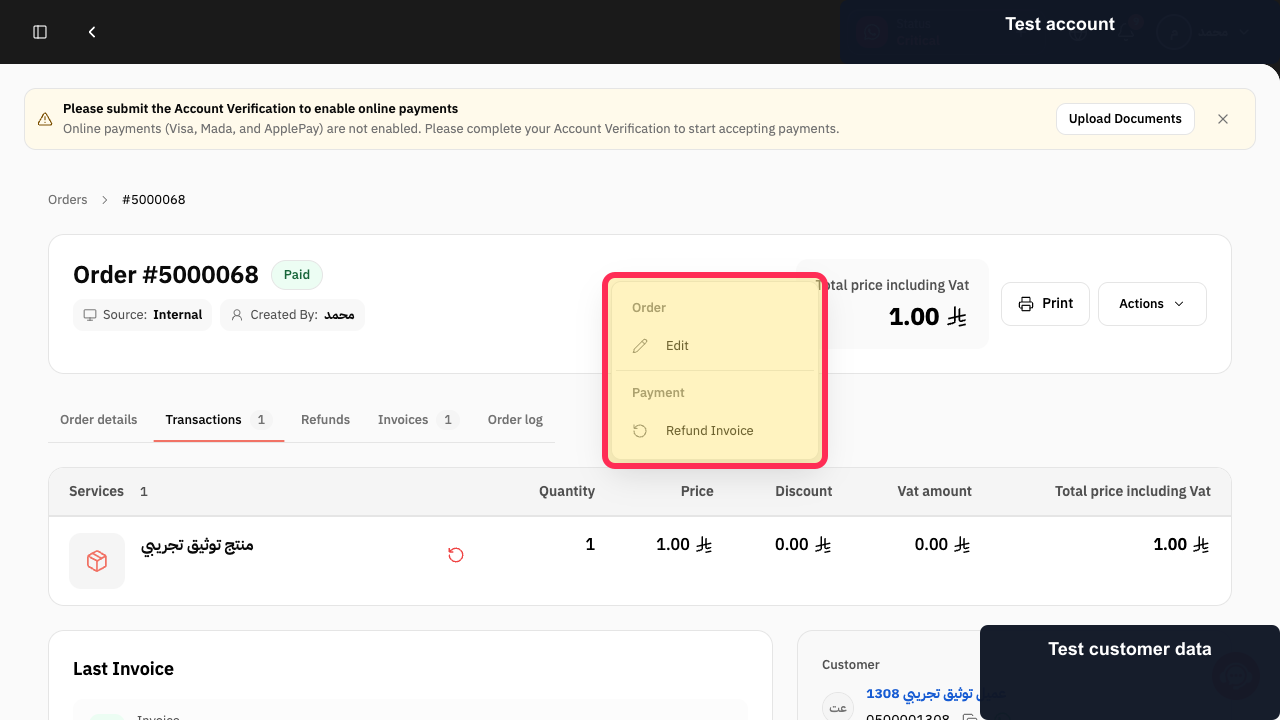
In the transaction action menu, select Edit.
The payment transaction editor opens.
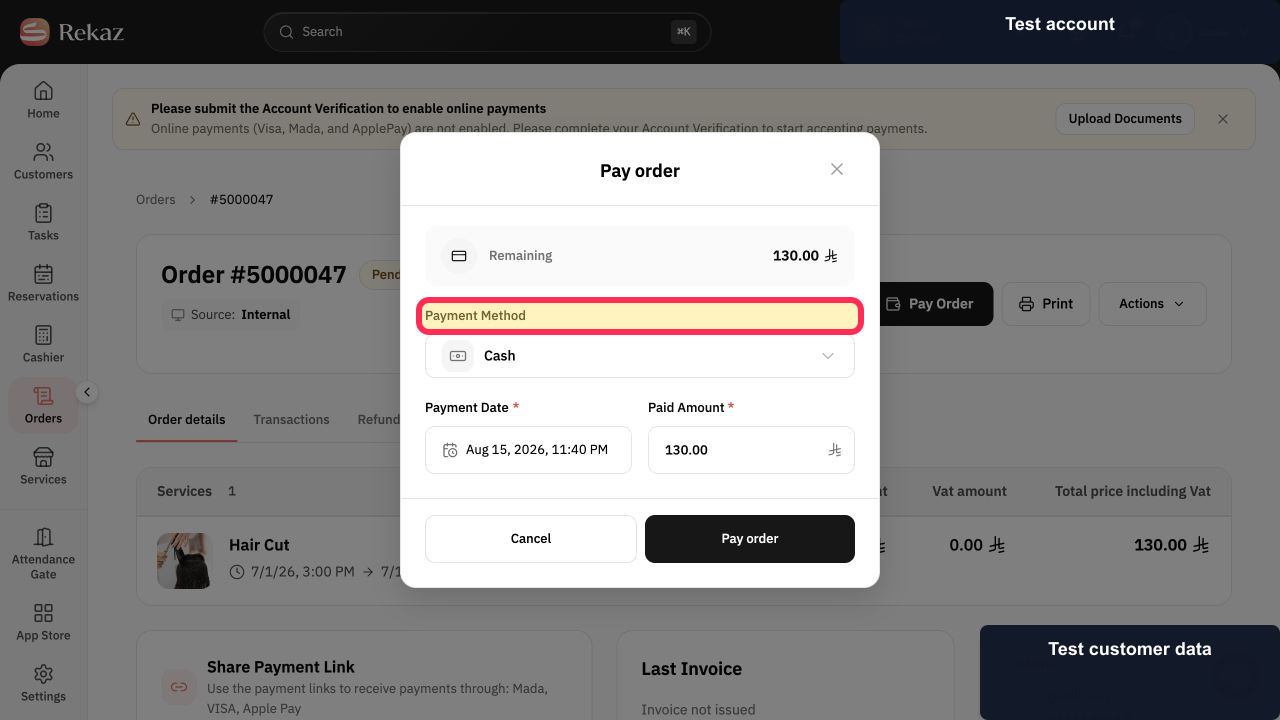
Verify the Payment Method field in the payment transaction editor.
The Payment Method field is visible for the transaction.
Illustrated guide
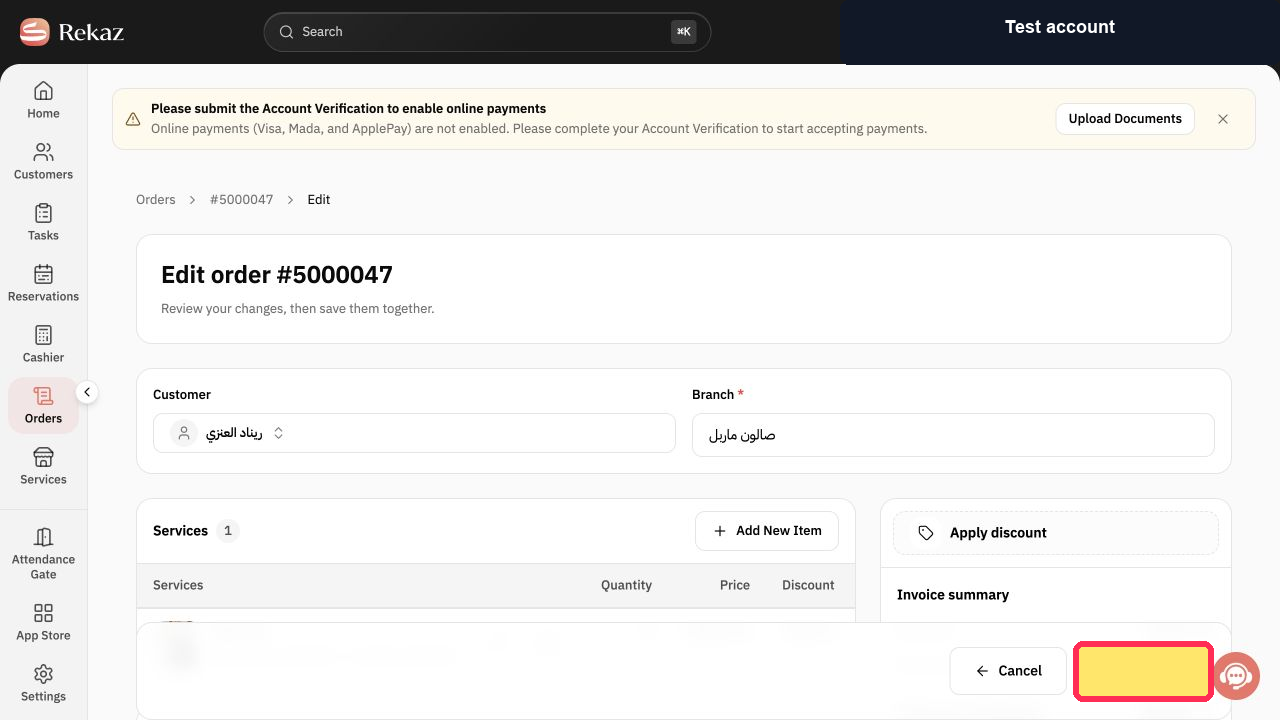
Step 1: Paid order details in Rekaz.
Step 2: Open the paid order transaction.
Step 3: Select Edit for the transaction.
Step 4: Payment Method field in the transaction editor.
Before you start
Make sure you select the correct order before changing its payment method.
Related questions
How can I edit an order’s payment method in Rekaz?
Where can I change the Payment Method for an order in Rekaz?
How do I update payment details for an existing order in Rekaz?


