How do I set the latest appointment time shown by day on my website in Rekaz?
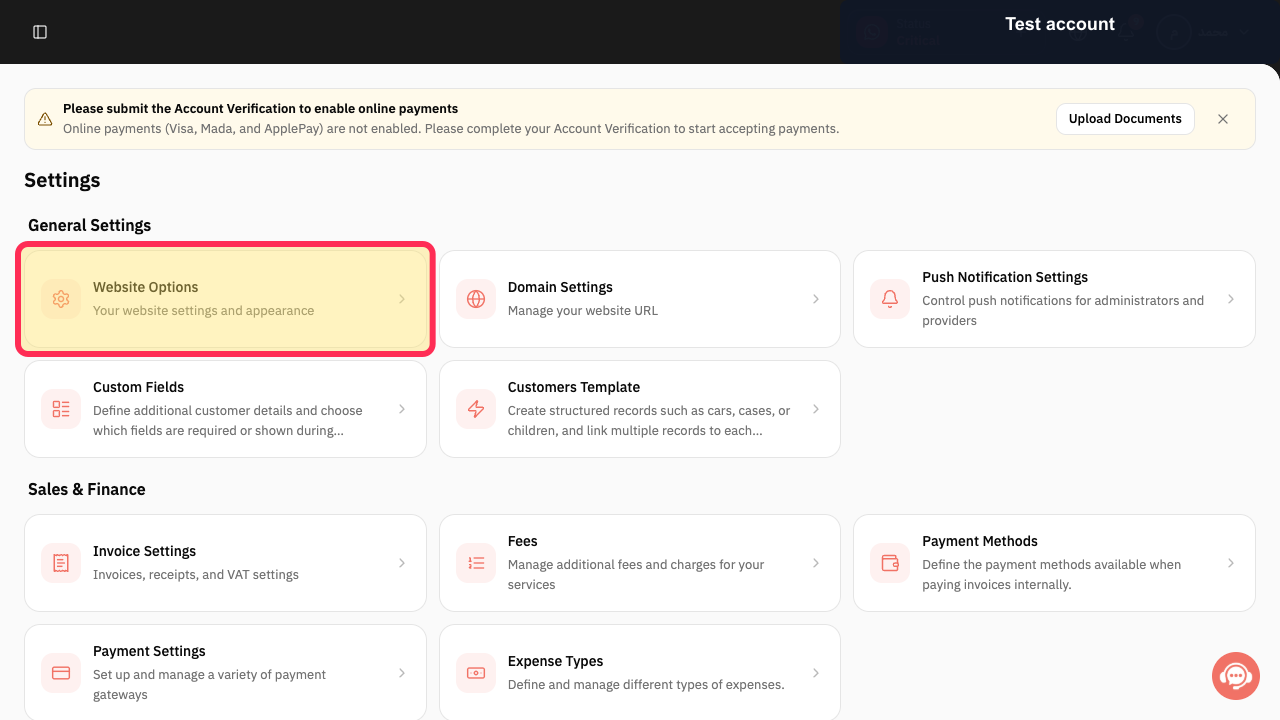
To review website settings, go to Settings > Website Options. Rekaz currently does not show the website-design control for setting the latest appointment time displayed each day, and Website Options does not include a latest-appointment-time field or save action for this purpose.
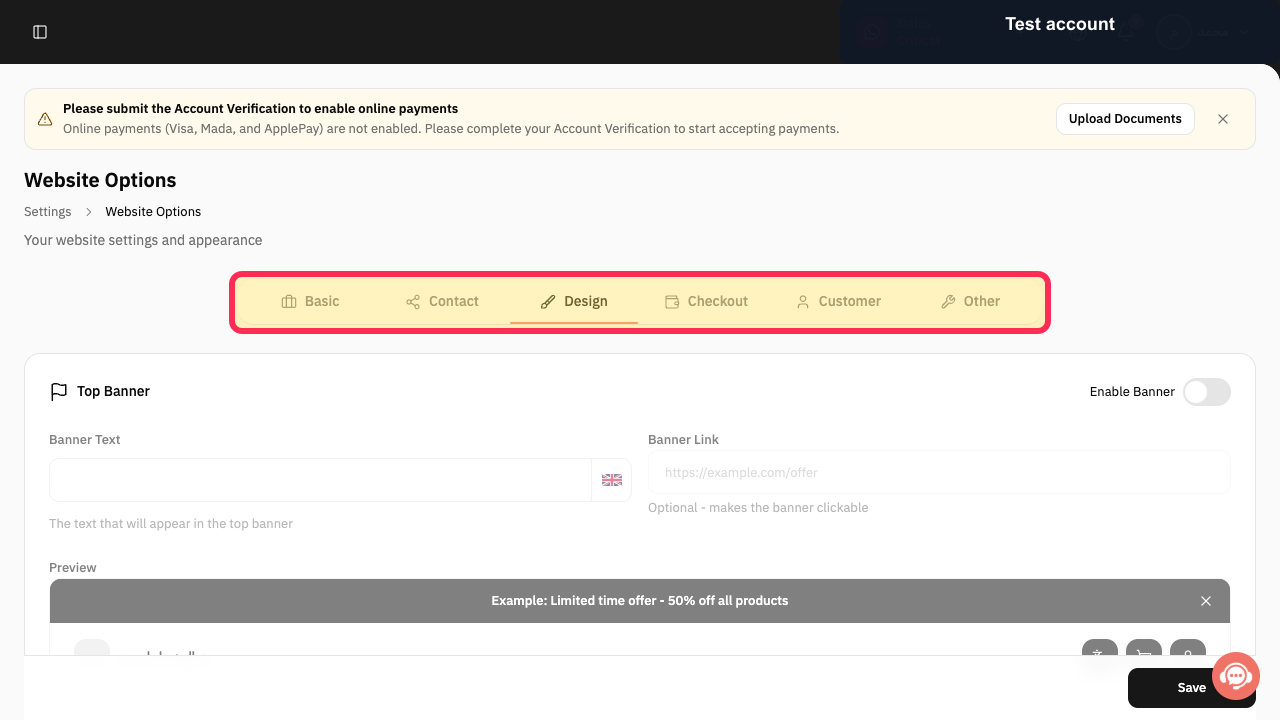
Website Options includes a Design area, but it does not include a control for setting the last appointment time customers can see.
Steps
From the Settings page, open **Website Options**.
The Website Options settings area opens.
Review the Website Options navigation and verify that it includes **Design**.
The Website Options navigation shows Basic, Contact, Design, Checkout, Customer, and Other.
Illustrated guide
Step 1: Open Website Options from Settings.
Step 2: Website Options navigation, including Design.
What this setting controls
This setting determines the latest appointment time displayed on the website for a day.
Related questions
How can I change the last available appointment time on my Rekaz website?
Why are appointment times shown too late on my Rekaz website?
How do I control the appointment times displayed on my website in Rekaz?


