How do I add a payment method in Rekaz?
To add a payment method in Rekaz, go to Settings, open Payment Methods, create a new method, enter its name, and save it.
Steps
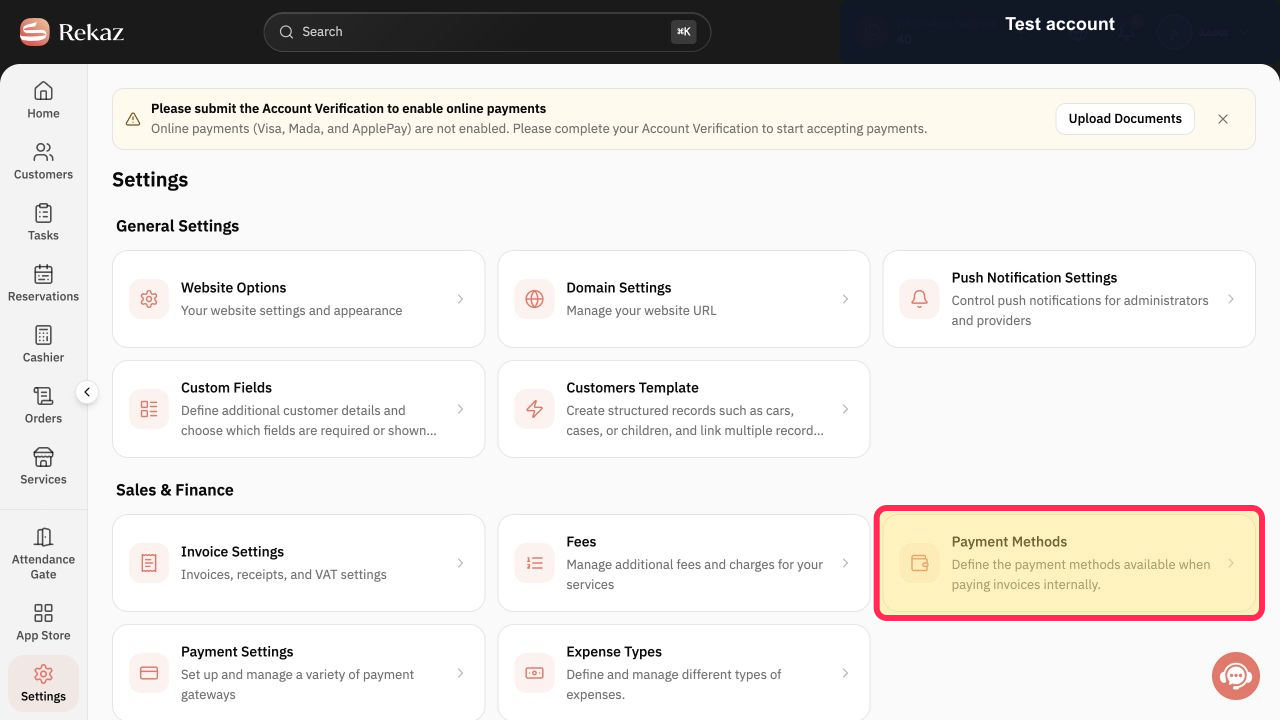
From the signed-in Rekaz dashboard, select **Settings** in the sidebar, then open **Payment Methods**.
The Payment Methods page opens.
Select **+ Add Payment Method**.
A form for creating a payment method opens.
Enter the method name in the **Payment Method Name** field.
The new payment method name appears in the field.
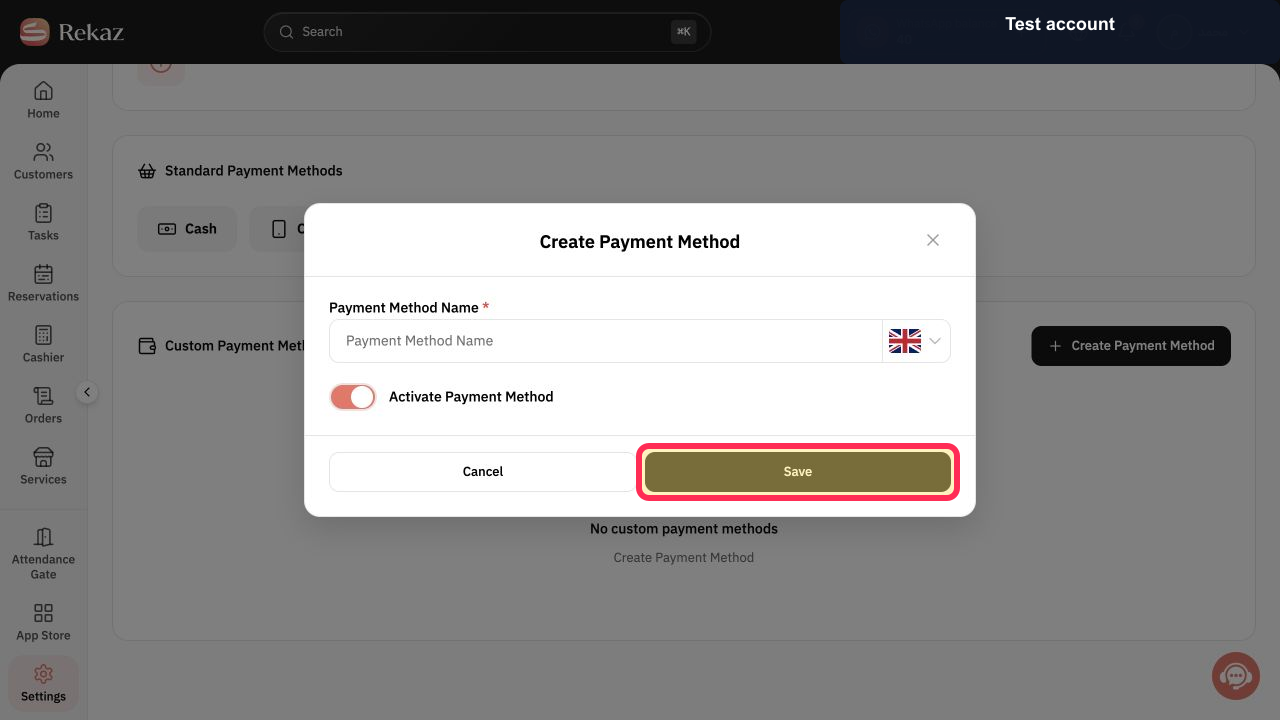
Select **Save**.
The payment method is saved.
Illustrated guide
Step 1: Open Payment Methods from Settings.
Step 2: Start adding a payment method.
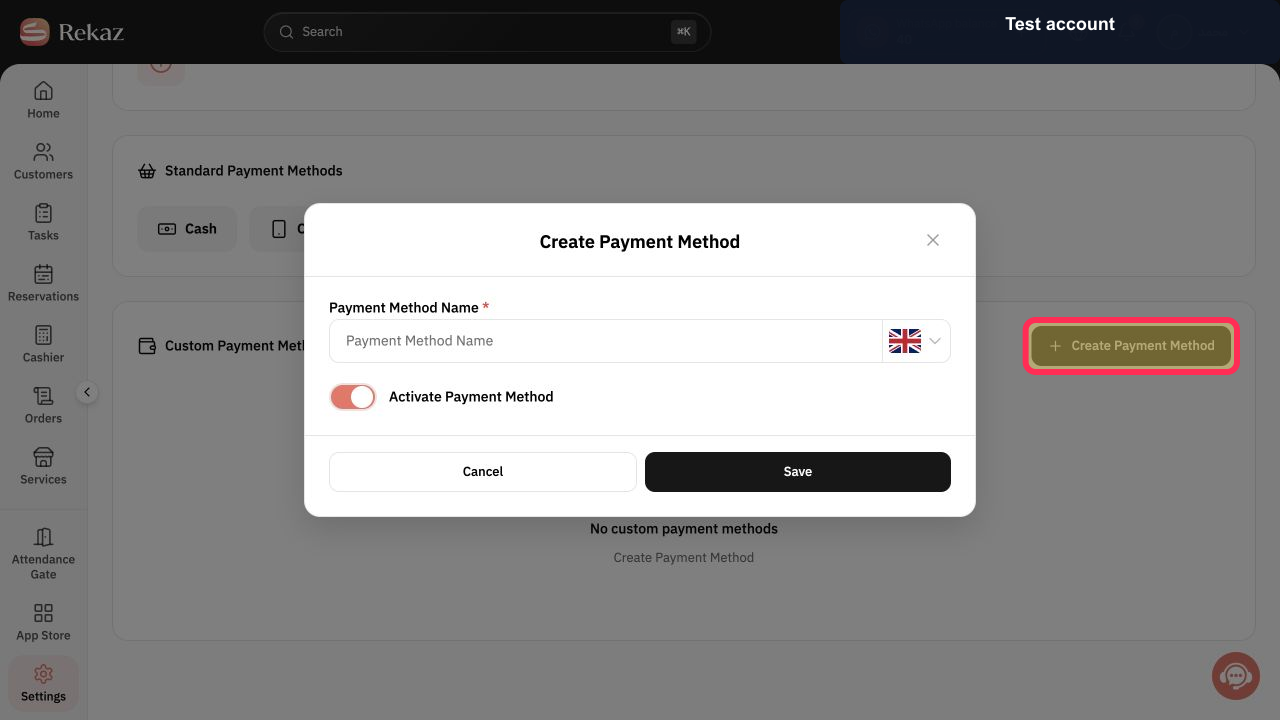
Step 3: Enter the payment method name.
Step 4: Save the new payment method.
Before you save
Use a clear, recognizable name for the payment method.
Related questions
How can I create a new payment method in Rekaz?
Where can I manage payment methods in Rekaz?
How do I rename a payment method in Rekaz?


