How do I request a Rekaz subscription fee refund?
Rekaz currently does not display the older refund-request process, including a Customer Service, email, or phone submission option, in the authenticated interface provided.
Use plan management to review your previous subscriptions and invoices. The the available interface does not show a button, form, eligibility period, approval process, or refund-processing timeline for Rekaz subscription fee refunds.
Steps
In Rekaz plan management, locate the section labelled “Your previous subscriptions and invoices.” to review the available subscription and invoice records.
The “Your previous subscriptions and invoices.” section is visible. No self-service refund-request control is shown in the current interface.
Verify that the current plan management screen provides subscription and invoice history only, rather than a refund request workflow.
You can confirm that the current interface does not show a refund request form, button, or submission channel for Rekaz subscription fees.
Illustrated guide
Step 1: The Previous subscriptions and invoices section in Rekaz plan management.
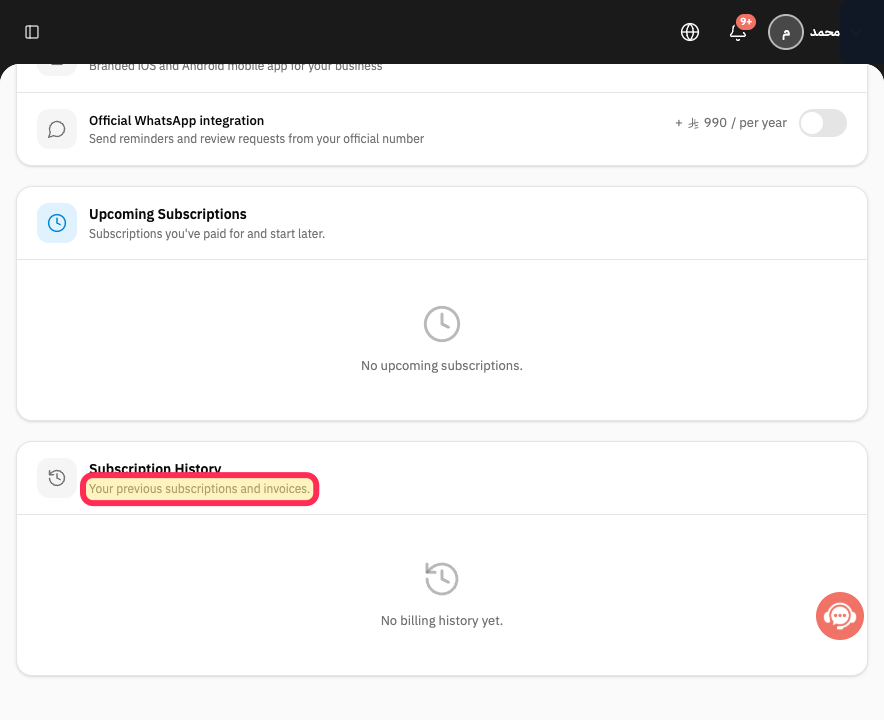
Step 2: Plan management showing the available subscription and invoice history section.
Important refund policy details
Submit the refund request before the 14-calendar-day period ends. The period is calculated from the purchase invoice date.
The policy states that the refund amount is processed within 30 days after the request is approved.
Refund eligibility is subject to the applicable subscription terms.
If the refund policy and subscription terms conflict, the subscription terms govern.
Review the relevant details before taking any final or financial action.
Related questions
What is the Rekaz subscription refund period?
How long does a Rekaz subscription refund take after approval?
Which terms apply if my Rekaz refund policy conflicts with my subscription terms?


