How do I check my reservation limit in Rekaz?
Reservation limits are plan-specific, so use the current plan comparison rather than relying on an old number.
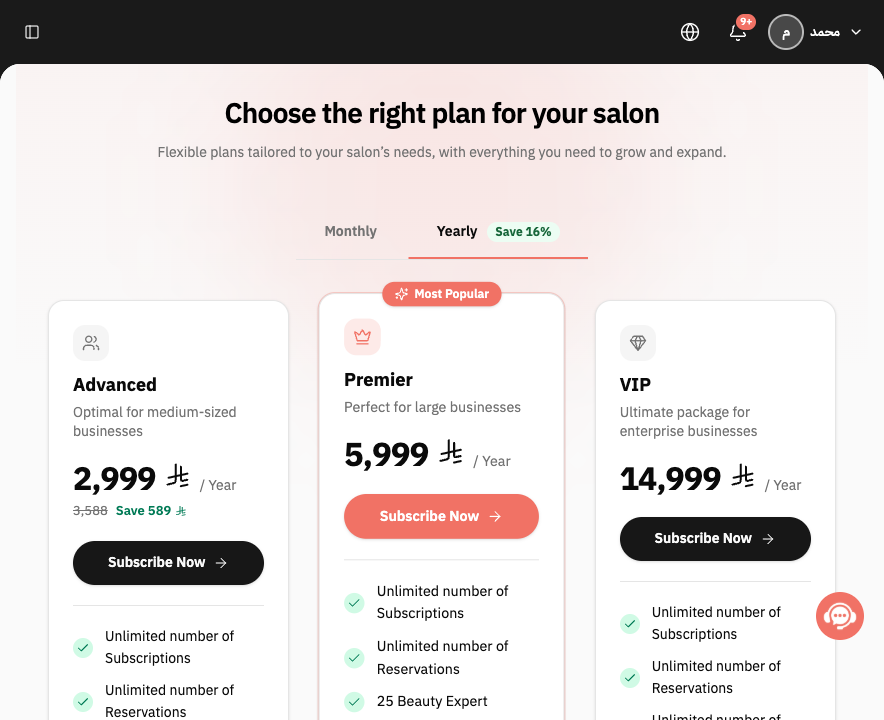
The applicable plan card shows Unlimited number of Reservations. Confirm the feature on the exact plan you intend to use.
Steps
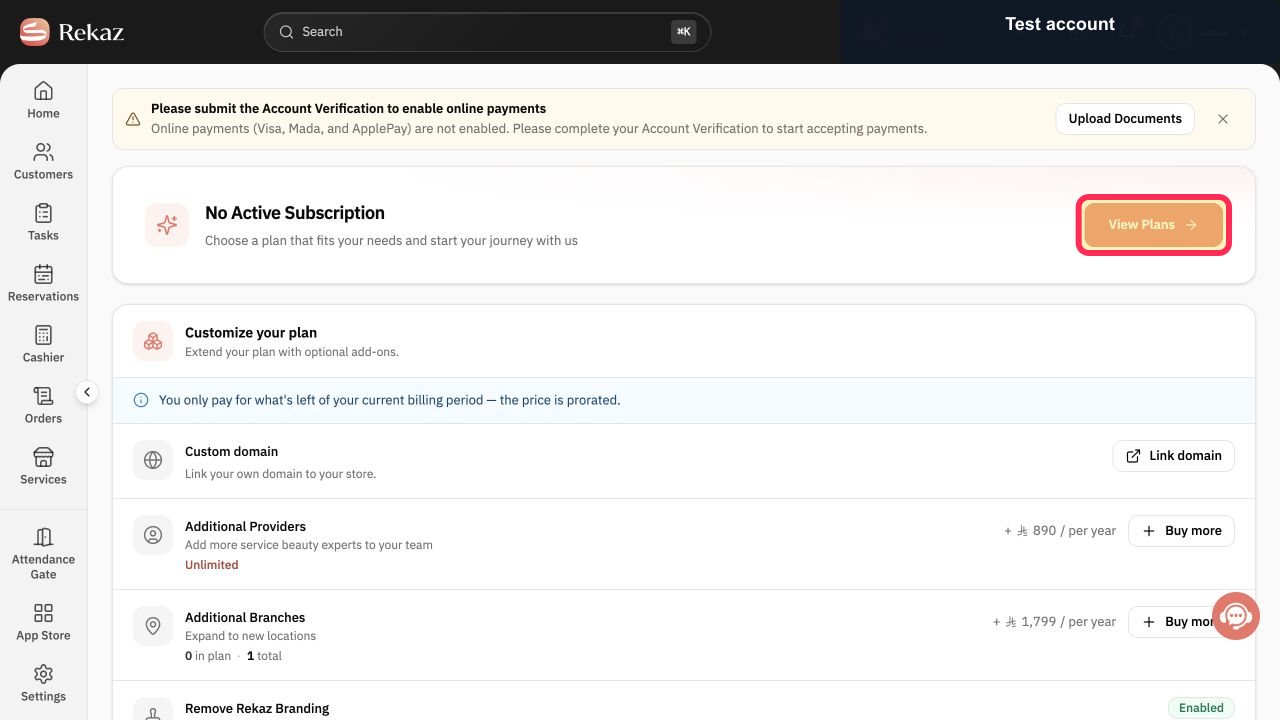
On the Rekaz plan page, select View Plans.
The current plan comparison opens.
On the relevant plan card, review the Reservations feature. The card shows Unlimited number of Reservations. The reservation allowance for that plan is visible.
Illustrated guide
Step 1: Open the Rekaz plan comparison.
Step 2: Review the plan's reservation allowance.
Important notes
Check the selected billing cycle and package before reviewing the reservation allowance.
Choose a package with enough reservation capacity to accommodate expected growth.
Related questions
How many reservations does my Rekaz package allow?
Are bookings unlimited in Rekaz?
Where can I find the reservation limit for my Rekaz package?


