How do I renew my Rekaz subscription?
The action available in My Plan depends on your account's current subscription state.
If your account has an active plan, use only the renewal or management action displayed on that live subscription card. Contact support if no renewal action appears.
Steps
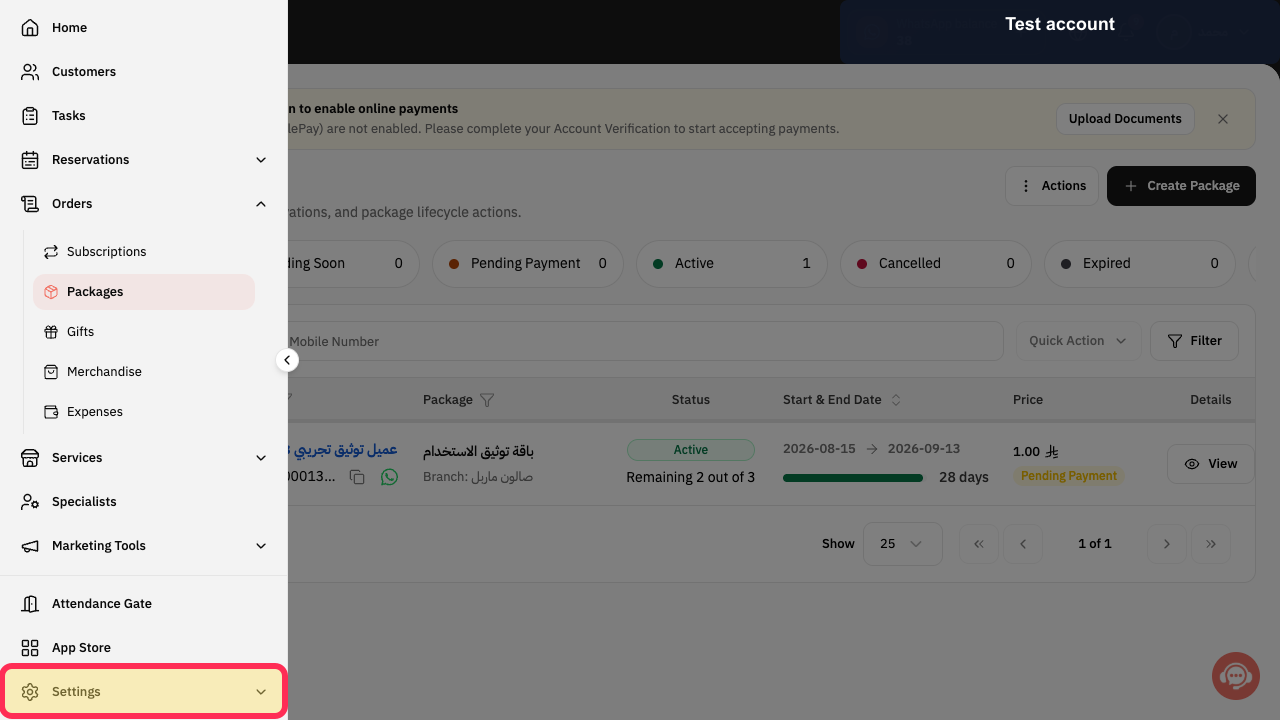
Open the Rekaz navigation, expand Settings, and select My Plan.
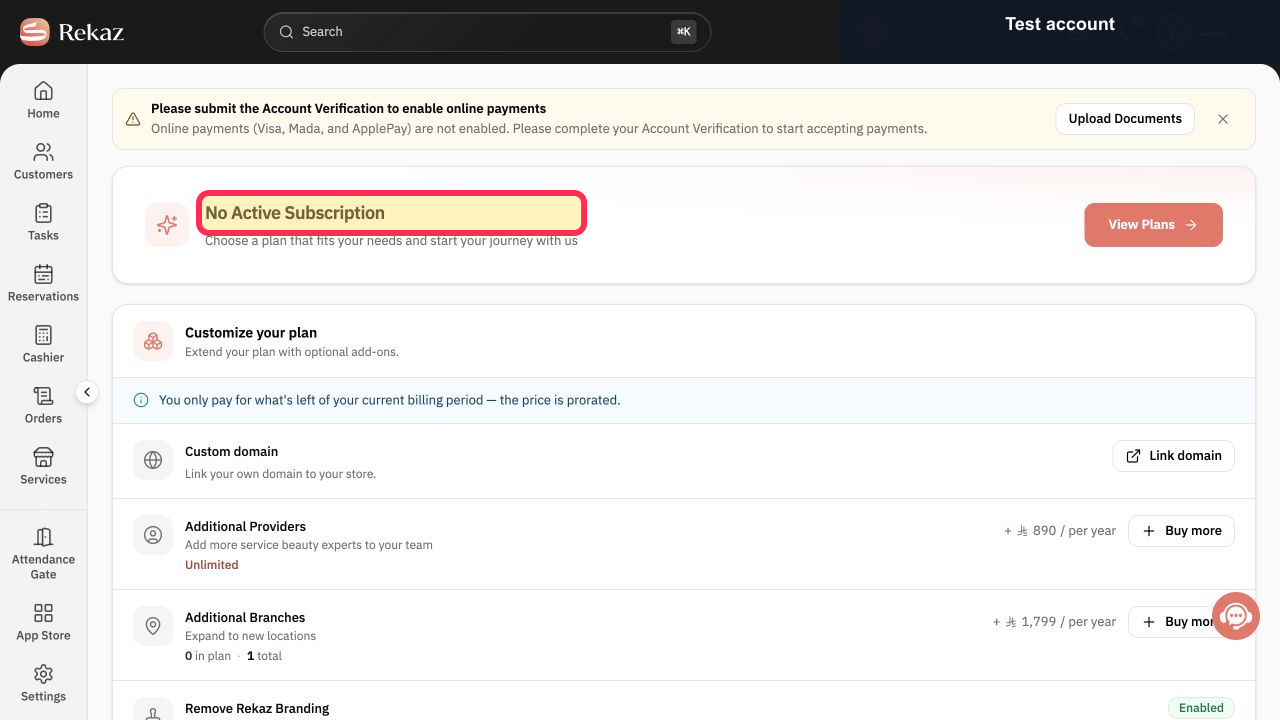
The current subscription state is displayed.
Read the status at the top of the page.
You can distinguish an active plan from No Active Subscription.
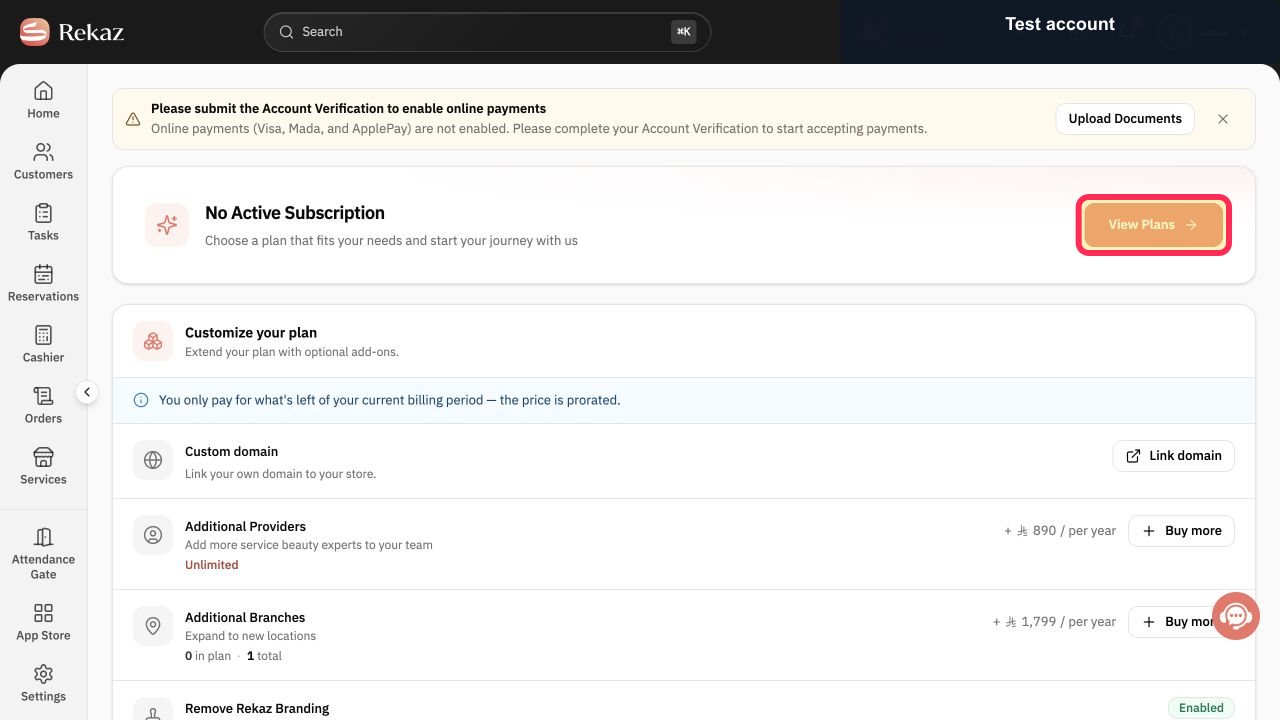
If there is no active subscription, select View Plans.
The current plan comparison opens.
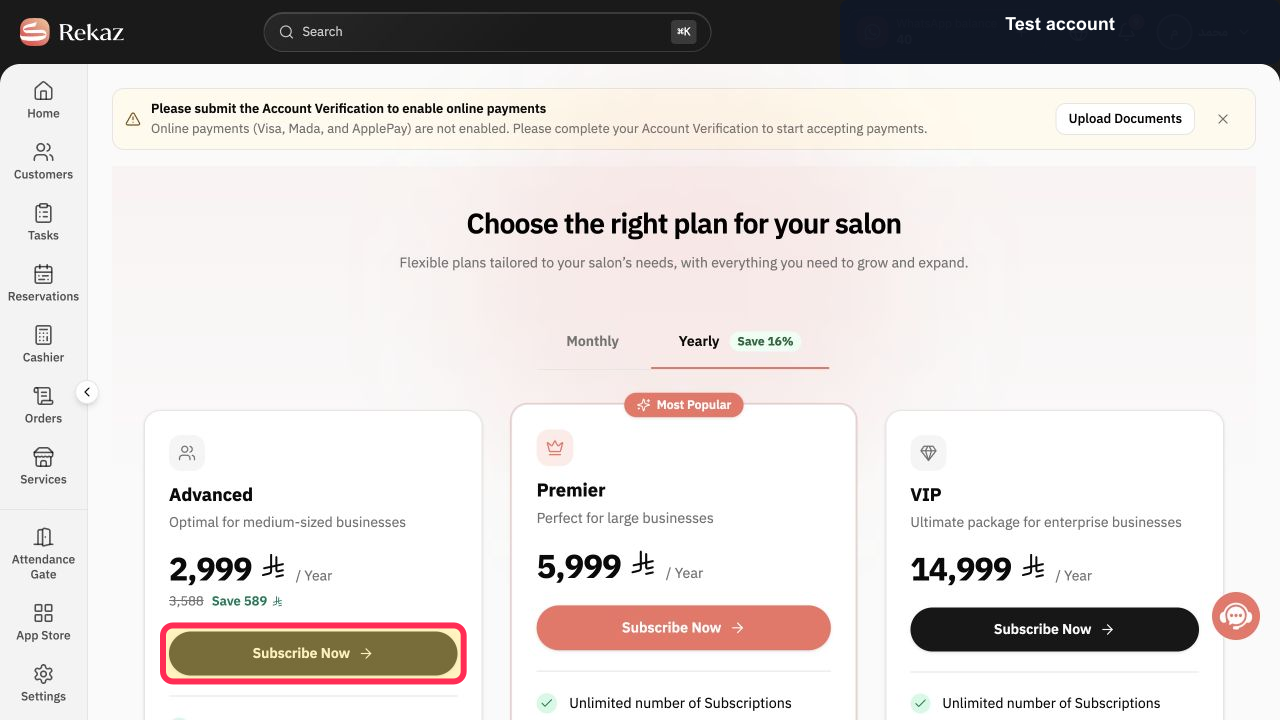
Choose the billing period and select Subscribe Now on the required plan.
The selected plan opens in Customize your plan.
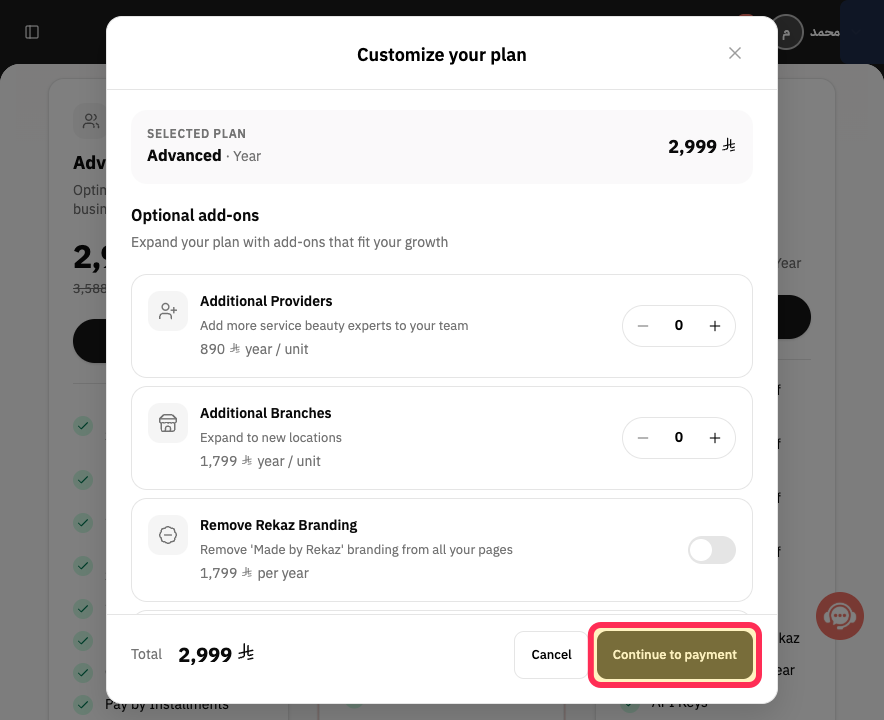
Review the selected plan, optional add-ons, and Total, then select Continue to payment.
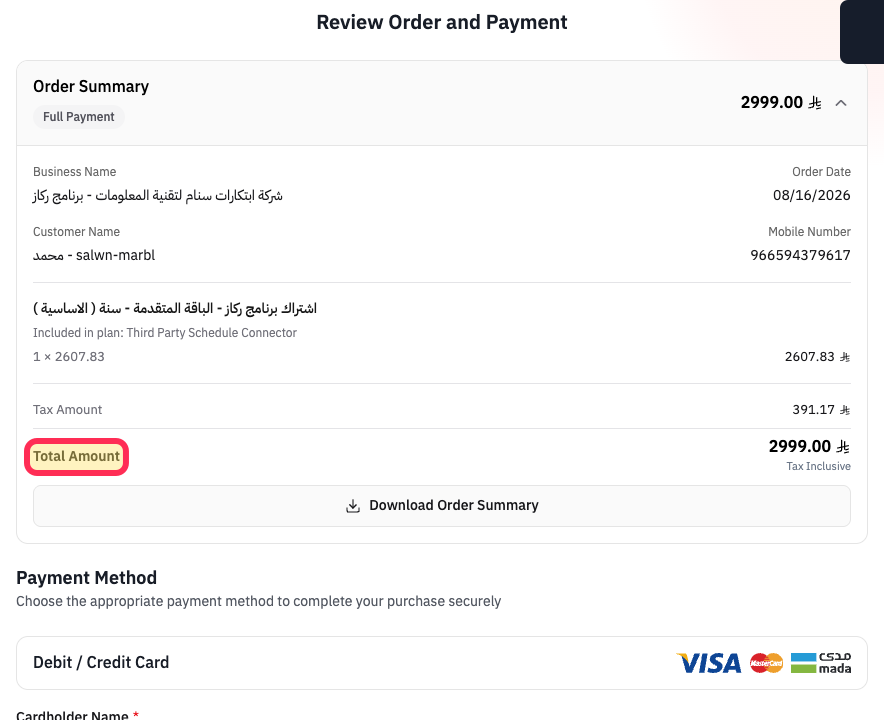
The secure payment page opens with an order summary.
Verify Total Amount and the subscription description before paying.
The correct plan and amount are confirmed before a payment attempt.
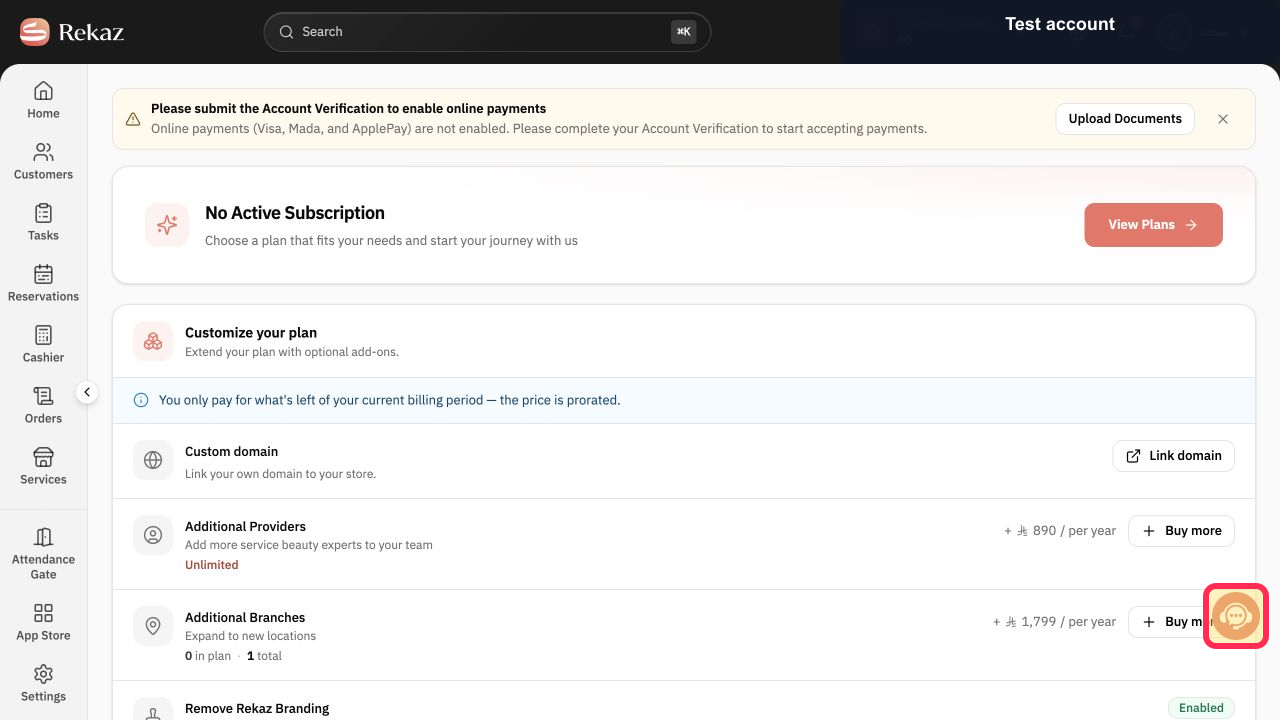
If an active subscription has no visible renewal action, select Contact support and ask which account-specific renewal path applies.
Support can review the subscription state without you sharing credentials or full card details.
Illustrated guide
Step 1: Open My Plan from the Rekaz Settings section.
Step 2: Check the current Rekaz subscription state.
Step 3: Open the available Rekaz plans.
Step 4: Select the Rekaz plan to purchase.
Step 5: Continue to payment after reviewing the plan.
Step 6: Verify the Rekaz subscription amount.
Step 7: Contact Rekaz support when renewal is unavailable.
What you can find in Manage plan
The Manage plan page shows your current plan, Upcoming Subscriptions, and previous subscriptions with their invoices when available.
Current subscription details and End Date
Upcoming Subscriptions
Previous subscription records and invoices, when available
Important notes
If no active subscription or renewal action is available for your account, use View Plans to purchase a new package or contact support.
Related questions
How do I view my Rekaz plan and subscription end date?
Why does Rekaz show No Active Subscription?
How do I buy a new Rekaz package when I do not have an active subscription?
Where can I find previous Rekaz subscription invoices?


