How do I check my current subscription status in Rekaz?
My Plan shows the current subscription state for the signed-in Rekaz account. The exact cards and actions change with that state.
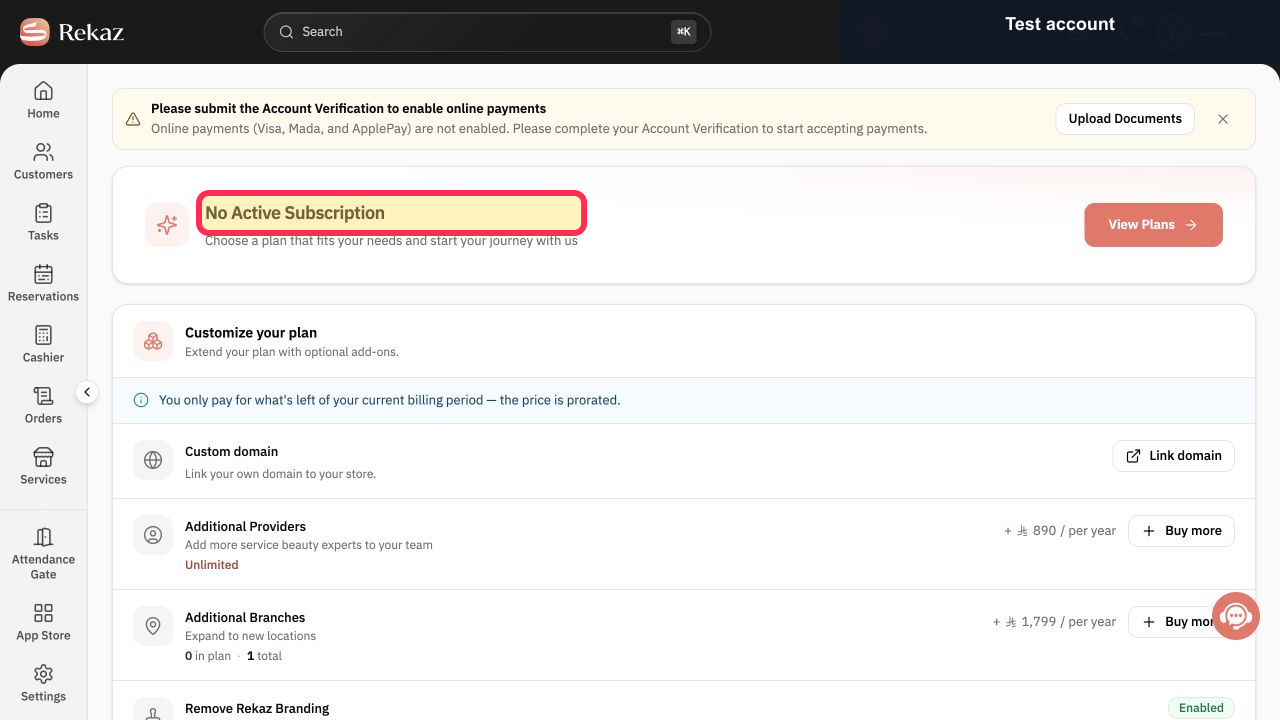
If the page displays No Active Subscription, the account does not currently have an active Rekaz platform plan; use View Plans to see the available options.
Steps
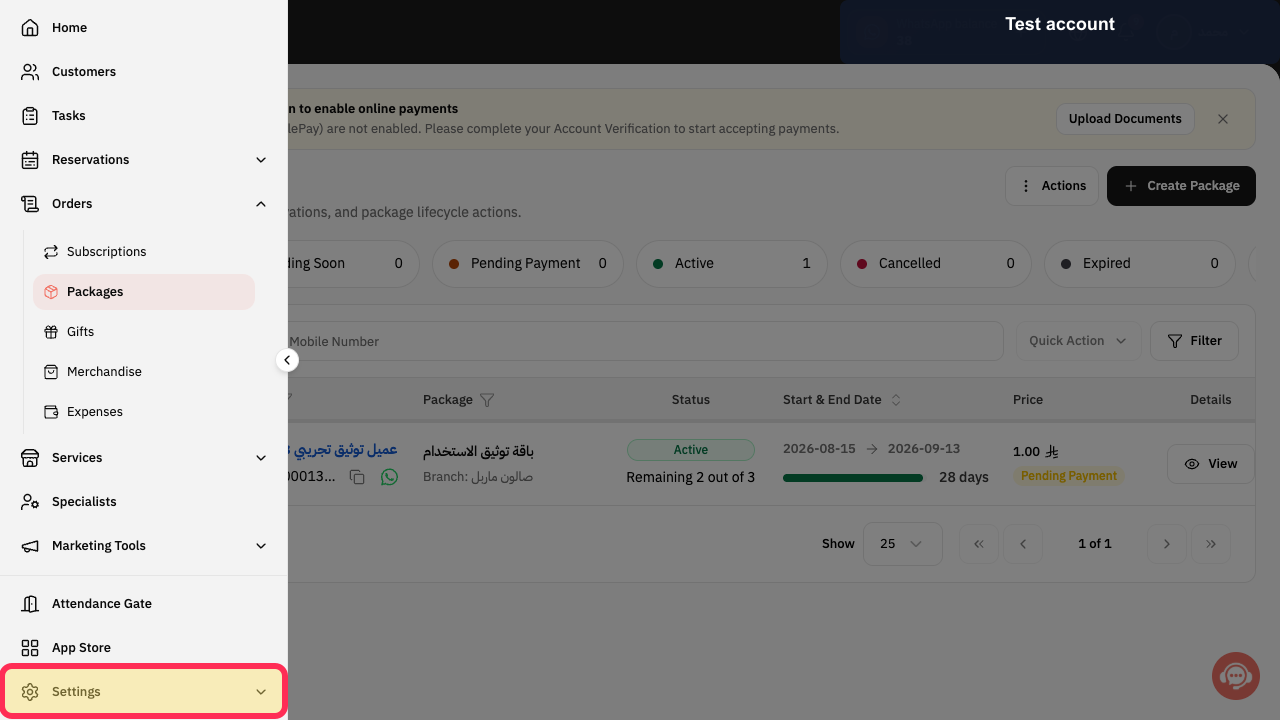
Open the Rekaz navigation, expand Settings, and select My Plan.
The plan-management page opens.
Read the status heading at the top of the page.
The account's current subscription state is visible.
Check Upcoming Subscriptions for a paid plan that starts later.
Any future subscription is shown, or the page states that none exists.
Check Subscription History for previous subscriptions and invoices.
Any available billing history is shown, or the page states that none exists.
Illustrated guide
Step 1: Open My Plan from the Rekaz Settings section.
Step 2: Check whether the account has an active subscription.
Step 3: Review future Rekaz subscriptions.
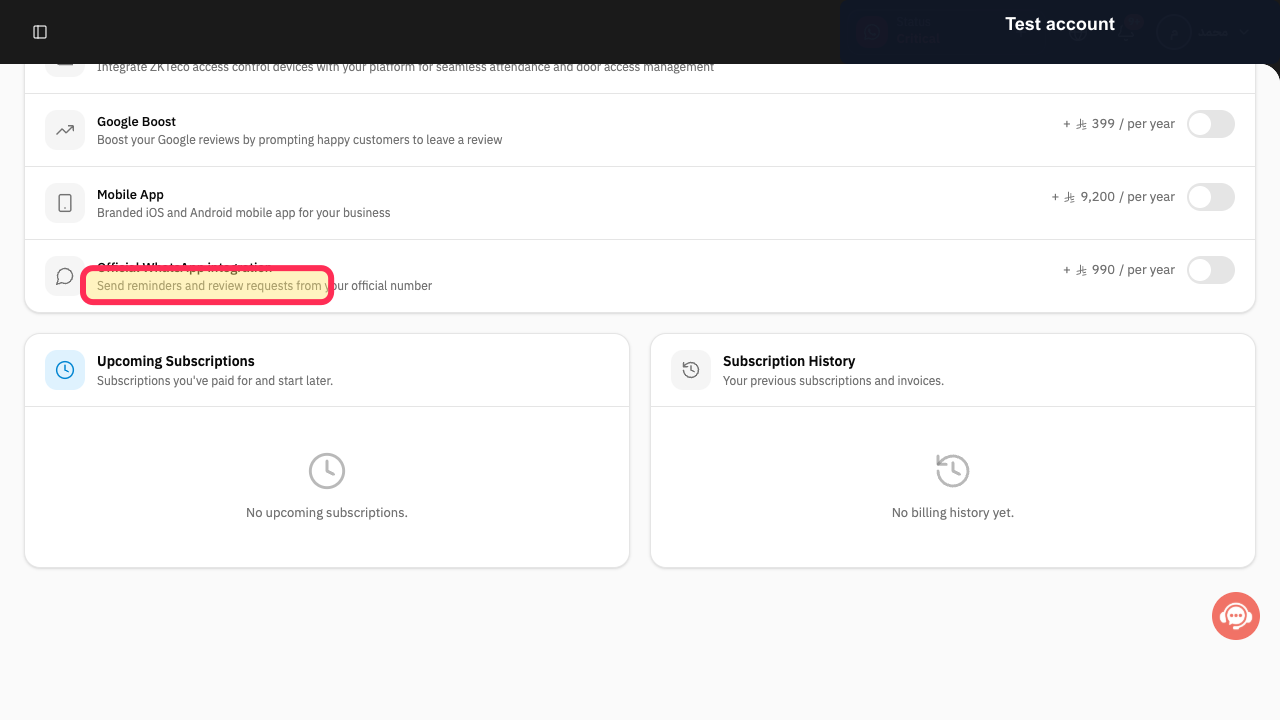
Step 4: Review previous Rekaz subscription records.
If there is no active subscription
If the page shows “No Active Subscription,” select View plans to review the available options.
What you can see on this page
The Manage plan page brings together your current subscription status and any associated add-ons.
Related questions
Where can I see my plan in Rekaz?
How do I know whether my Rekaz subscription is active?
Where can I find my Rekaz subscription status?


