How do I delete a branch in Rekaz?
Yes. You can delete a branch in Rekaz from the Branches page using the Actions menu. Rekaz shows a confirmation step before the branch is permanently removed.
Before deleting a branch, review its links to Services, Users, and existing records.
Steps
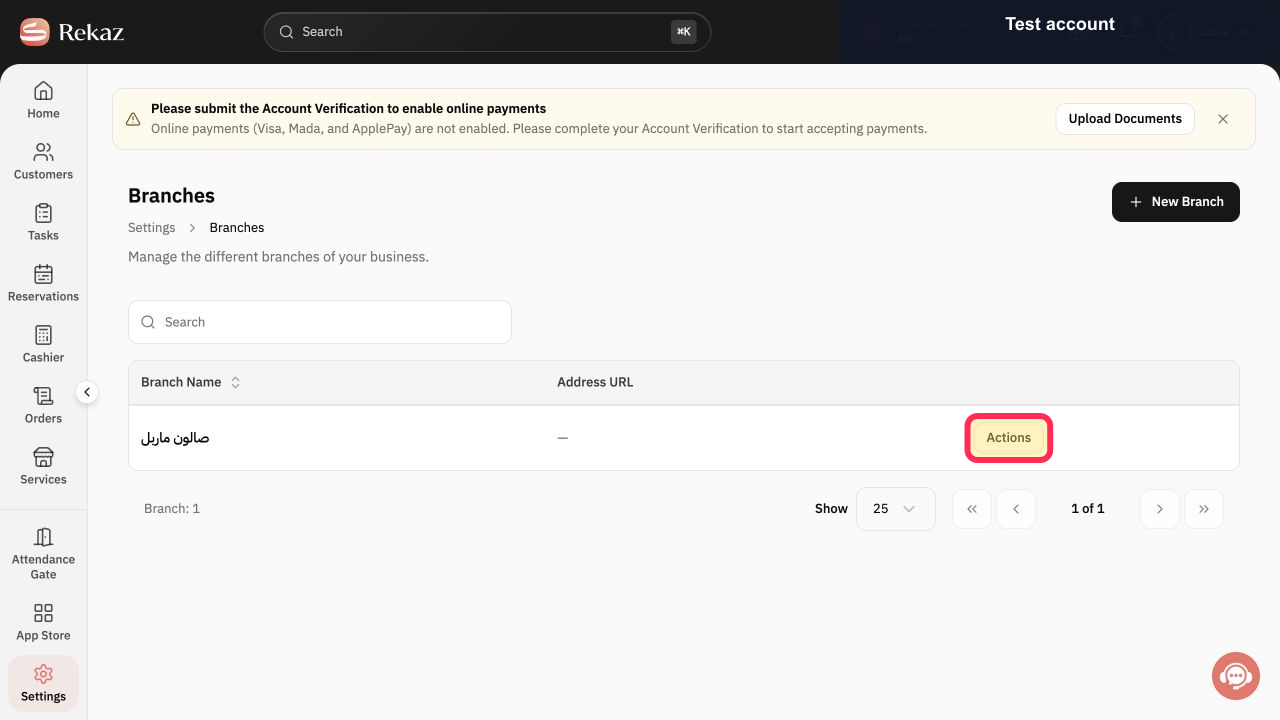
Open the Branches page in Rekaz. Find the branch you want to remove, then click Actions beside it.
The Actions menu for the selected branch opens.
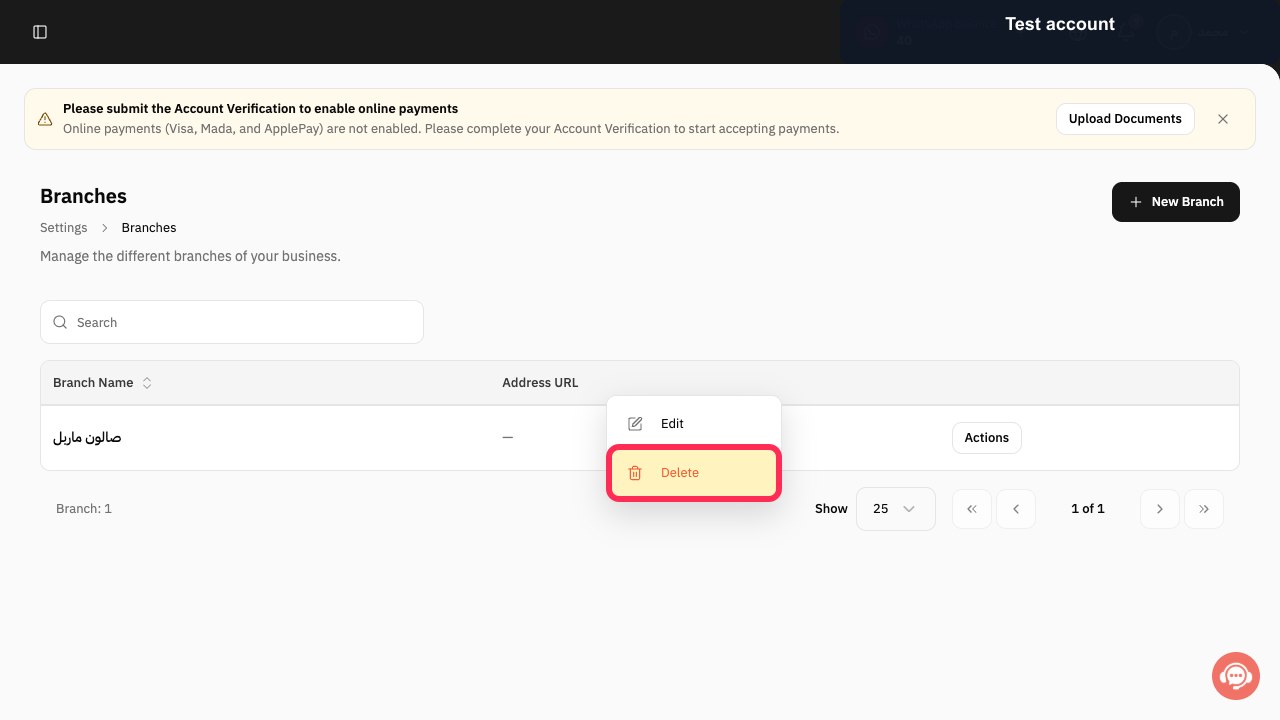
In the Actions menu, click Delete.
A deletion confirmation message appears.
Review the confirmation message. Click Delete only if you want to permanently remove the branch.
The branch is permanently removed after you confirm the deletion.
Illustrated guide
Step 1: Click Actions beside the branch you want to delete.
Step 2: Select Delete from the Actions menu.
Step 3: Review the confirmation message before selecting Delete.
Important before deleting a branch
Check the branch’s links to Services, Users, and records before you delete it.
Deleting a branch is permanent after you confirm the deletion.
Related questions
How can I remove a branch in Rekaz?
Where is the option to delete a branch in Rekaz?
Can I permanently delete a branch in Rekaz?


