How do I reset my password in Rekaz?
If you cannot sign in to Rekaz, use the "Forgot Password?" link on the sign-in page to request a password-reset email.
You will need access to the email address linked to your Rekaz account.
Steps
Open the Rekaz sign-in page.
The sign-in page shows the Email and Password fields and the Login button.
Below the Password field, select Forgot Password?.
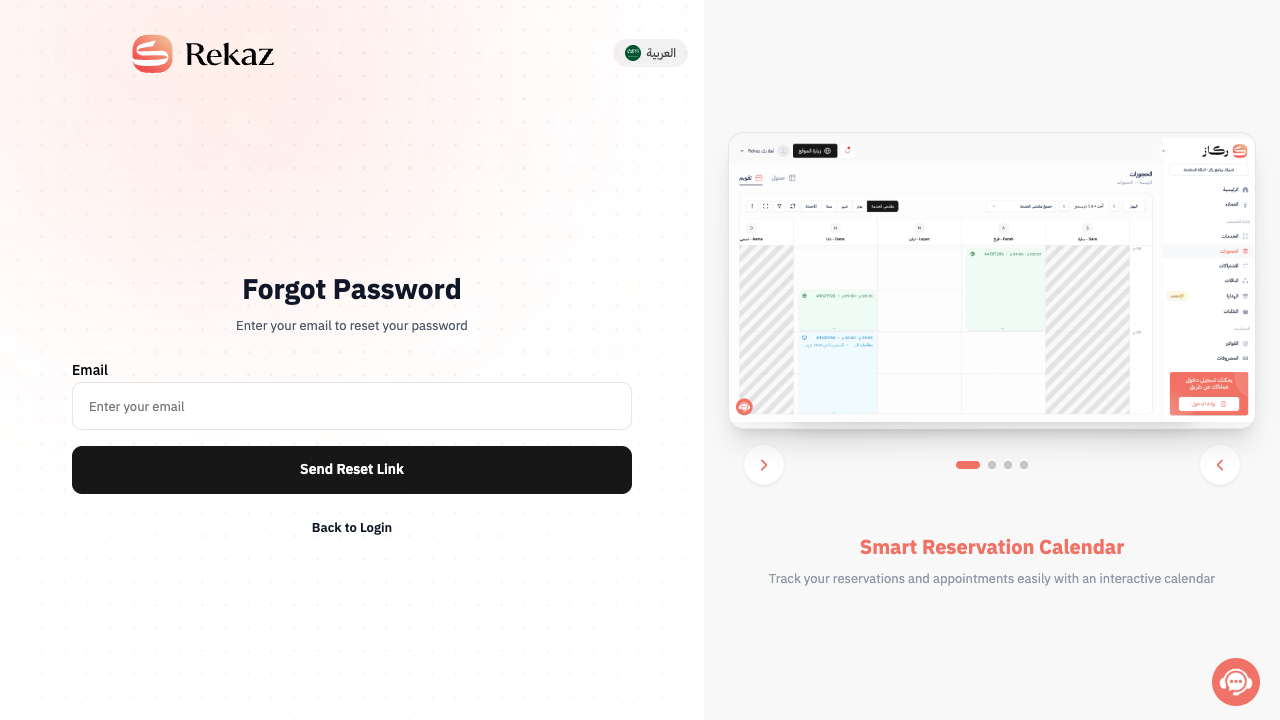
The Forgot Password page opens.
Enter the email address linked to your Rekaz account.
The Email field is filled with your account email.
Select Send Reset Link.
A password-reset email is sent to the address you entered.
Open the email from Rekaz and follow the link to create a new password.
The reset link opens the page where you set your new password.
Illustrated guide
Step 1: The Rekaz sign-in page.
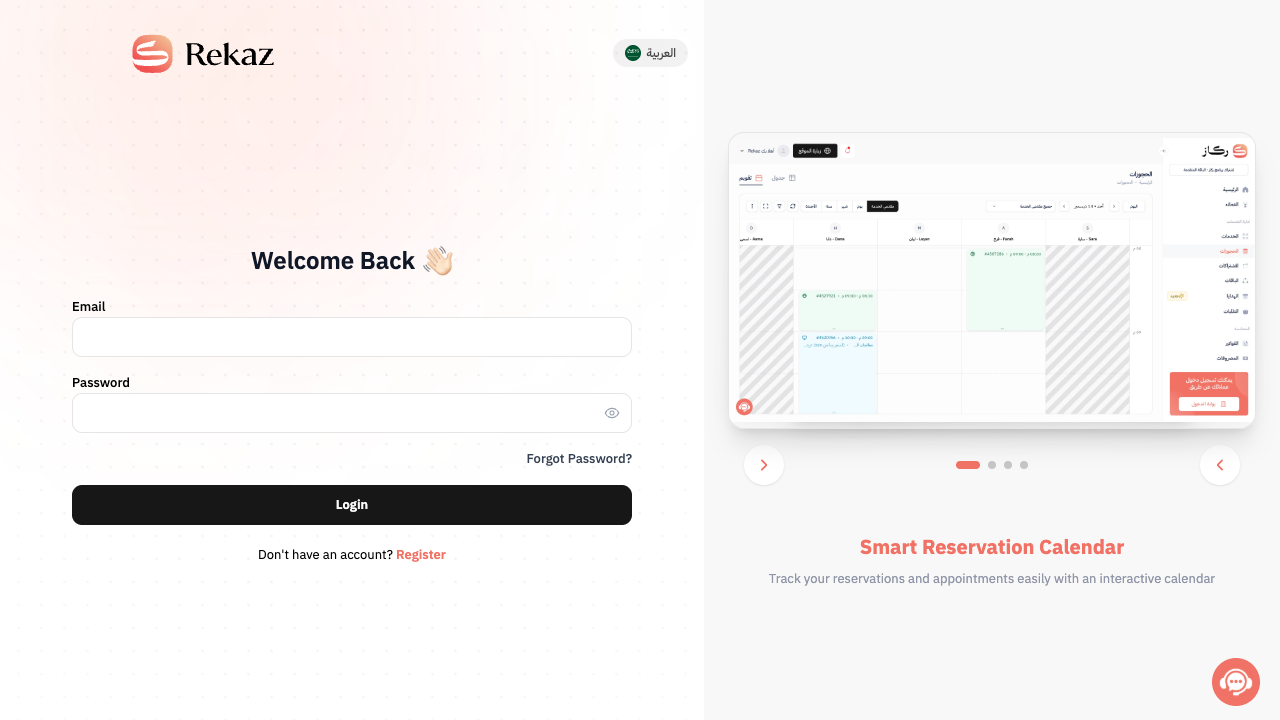
Step 2: The Forgot Password? link on the sign-in page.
Step 3: The Forgot Password page with the Email field and Send Reset Link button.
Important notes
Use the email address linked to your Rekaz account. If you do not receive the reset email, check your spam or junk folder.
Related questions
Where can I find Forgot Password? in Rekaz?
How can I regain access to my Rekaz account if I forgot my password?
How do I request a password-reset link from Rekaz?


